







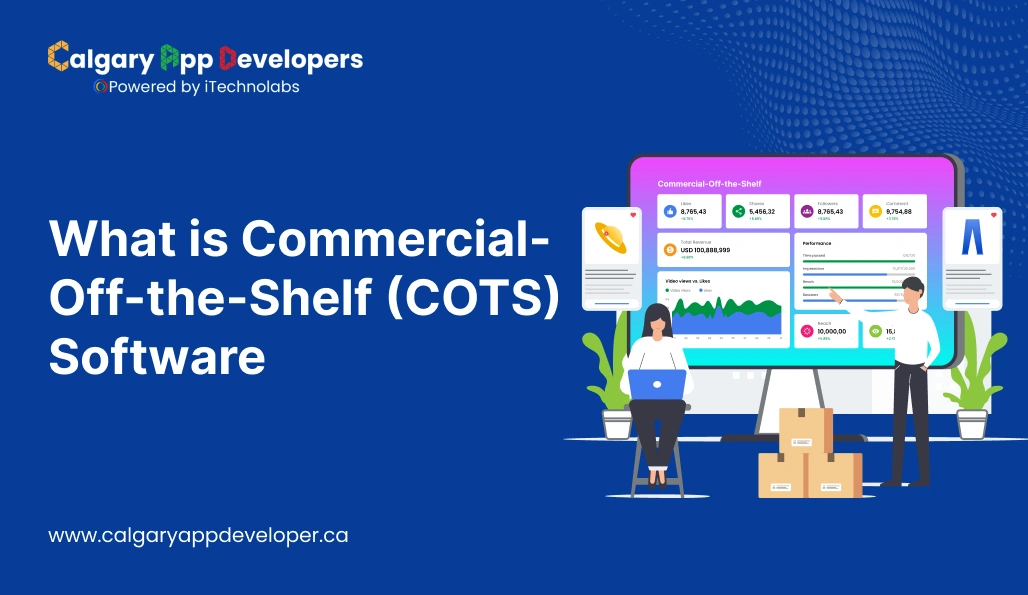
What is Commercial-Off-the-Shelf (COTS) Software
When a business needs software, the big decision is whether to build custom tools or buy something that already exists. Commercial-Off-the-Shelf software refers to the ready-built, mass-market solutions you can install and start using right away. This includes familiar products like Microsoft Office, Salesforce, and Zoom, which are designed to work for many users rather than being engineered for one organization’s unique needs.
Right now the global software market is expanding fast, with total spending set to pass $6 trillion in 2026 and software budgets growing more than 15 percent year over year, according to recent industry analysis. Software purchases increasingly favor established platforms and packaged solutions that speed deployment and lower upfront investment.
This blog explains what COTS software really is, how it stacks up against custom development, where it delivers the most value, where it falls short, and what to weigh before you choose. If you are trying to decide whether COTS software fits your business or project goals, keep reading; by the end, you will have a clear answer.
- COTS software is ready-made, commercially sold software that businesses can use immediately instead of building custom tools.
- It offers faster deployment and lower upfront costs but comes with limits on customization and control.
- COTS works best for standard business needs, while complex workflows may require custom or hybrid solutions.
- Commercial Off the Shelf software is designed for broad use and sold as a finished product, making it quick to deploy and easier to budget for than custom development.
- COTS solutions trade deep customization for speed, reliability, and vendor-managed updates and support.
- Variants like MOTS, GOTS, and NOTS exist to serve modified, government-specific, or industry-focused needs.
- Compared to custom software, COTS reduces initial risk and development time but increases reliance on third-party vendors.
- Long-term success with COTS depends on choosing software that aligns with business workflows, integrates well with existing systems, and scales without excessive cost.
What is COTS Software?
COTS, or Commercial-Off-the-Shelf software, is a software product that is constructed for broad commercial application and marketed as a ready-to-run product. These are not customized for an individual firm or business process. Rather, they’re constructed to meet the general requirements of a variety of users in multiple industries.
The fundamental principle of COTS is accessibility. Be it accounting software, CRM solutions, project management software, or operating systems, these applications are created, tested, and serviced by third-party developers and offered for purchase or subscription. Companies can host them with limited customization and begin using them within a short while.
The greatest attraction? Cost and speed. In contrast to custom-developed software, which takes months to develop, COTS products are ready for use immediately and typically cost much less initially. They even include updates, technical support, and proven reliability—giving companies instant access to proven solutions without having to reinvent the wheel.
MOTS (Modified-Off-the-Shelf):
MOTS software refers to commercial software that starts as a standard off-the-shelf product but is later modified to meet specific user requirements. Unlike pure COTS, which is used as-is, MOTS involves limited customization—usually changes to interfaces, settings, or workflows—without altering the core source code. It’s a middle ground between fully custom and ready-made software, offering a balance of speed, cost-efficiency, and adaptability for organizations that need specific features not available in a standard product.
GOTS (Government-Off-the-Shelf):
GOTS software is developed by or exclusively for a government agency. Unlike commercial software, GOTS is not sold to the public and is typically funded, owned, and maintained within the government. It’s built to address highly specific missions, compliance requirements, or security standards. Agencies can share GOTS software across departments or with other government entities, but it’s not generally available to private-sector users. The trade-off is high control and security at the cost of longer development time and higher budgets.
NOTS (Niche-Off-the-Shelf):
NOTS software refers to off-the-shelf products built for a specific industry or narrowly defined use case—think EMR systems for healthcare, CAD software for architecture, or POS systems for restaurants. These tools are commercially available, like COTS, but aren’t designed for general-purpose use. They include industry-specific features, terminology, and workflows out of the box. NOTS solutions reduce the need for heavy customization while still addressing unique operational needs, making them ideal for businesses in specialized sectors seeking ready-made functionality.
Also Read: Top 20 Software Companies in Calgary, Alberta
Types of COTS Software
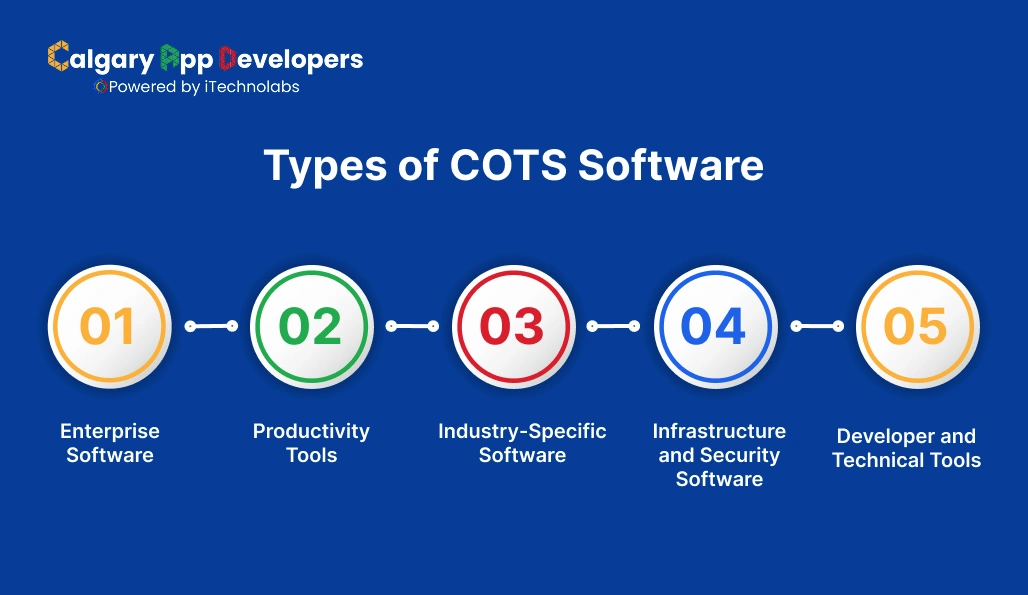
COTS software comes in many forms, depending on what it’s built to do and how it’s used. Here are the main types you’ll come across:
- Enterprise Software: These are large-scale systems used to manage core business operations. Think ERP platforms like SAP or Oracle, CRM systems like Salesforce, or HR tools like Workday. They’re built to support complex workflows across departments.
- Productivity Tools: These include everyday applications like Microsoft Office, Google Workspace, and Zoom. They help teams collaborate, communicate, and manage tasks without any custom setup.
- Industry-Specific Software: Certain COTS solutions are designed to address the requirements of a specific industry—such as EMR packages for healthcare, POS packages for retail, or CAD packages for engineering. They are off-the-shelf but narrowed to a single domain.
- Infrastructure and Security Software: They consist of software for managing IT systems, networks, data, and security. The examples include antivirus software, cloud backup solutions, and server monitoring software.
- Developer and Technical Tools: COTS isn’t limited to business users. Developers use off-the-shelf solutions like GitHub, Docker, or Visual Studio to build, test, and deploy applications efficiently.
What all these types have in common is that they’re pre-built, widely available, and designed to solve specific problems without the need for custom development. The right type of COTS software depends on your industry, goals, and how much flexibility you need.
COTS vs Custom Software: Key Differences
When you’re picking software for your business, the first big decision is whether to go with an off-the-shelf solution (COTS) or build something from the ground up. Both routes have their pros and cons—and what works for one company might not suit another.
Here’s the thing: COTS software is built for general use, while custom software is built specifically for you. That difference shapes everything from cost to functionality to how fast you can launch.
Let’s break it down.
COTS vs Custom Software: Comparison Table
| Feature | COTS Software | Custom Software |
| Development Time | Ready to use, minimal setup | Long development and testing cycle |
| Cost | Lower upfront cost (license/subscription) | Higher initial investment (design, dev, QA) |
| Customization | Limited, usually through settings or plugins | Fully customizable to specific workflows |
| Scalability | May have limits or require paid upgrades | Can scale based on evolving business needs |
| Support and Maintenance | Handled by vendor (updates, bug fixes, etc.) | You or your dev team manage ongoing support |
| Integration | Built-in integrations with popular platforms | Custom APIs and integrations can be developed |
| Ownership | You license it | You own it completely |
| Risk of Obsolescence | The vendor decides product roadmap and lifespan | You’re in control, but updates depend on your team |
Explaining the Differences
- Speed vs. Specificity:
COTS software gets you into business fast. It is constructed, tested, and up. That pace has limits, however—you’ll likely need to reprocess your procedures to fit the software. Custom software flips that around. You build whatever you require, but it takes time.
- Budget Considerations:
COTS is generally cheaper upfront. You subscribe or license and pay, and you’re set. Custom software is more expensive upfront in terms of planning, coding, and testing—but long-term, especially for complex requirements, it will be cheaper.
- Flexibility and Control:
If your business runs on one-of-a-kind processes, COTS will be restrictive. With custom solutions, you completely control functionality, interface, and future modification. But at the cost of your having to maintain it current, secure, and compatible with other software.
- Maintenance and Risk:
Another company owns COTS. There are usually updates and patches to keep it secure and supported. If the company stops producing the product or changes direction, however, forget it. With custom software, you’re in control—but you’re also responsible.
Read Also: Top Software Developers Calgary: 15 Best Sites to Hire
Benefits of Using COTS Solutions
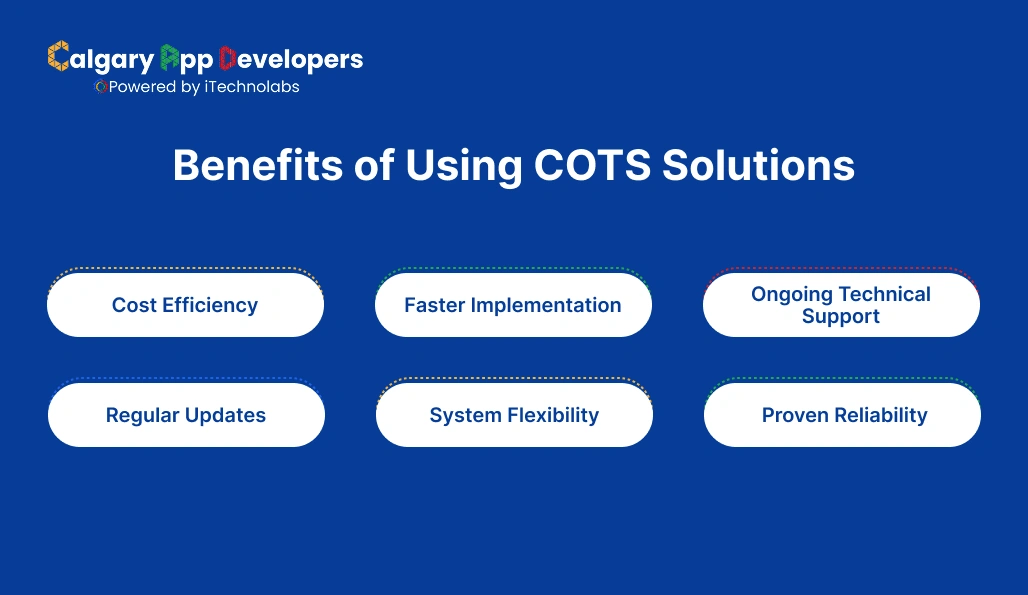
COTS software is increasingly a darling of enterprises seeking reliable, thoroughly tested tools without the wait or cost of developing something custom. But COTS does more than speed and affordability. If chosen wisely, it can enhance operations’ durability, reduce internal tech overhead, and drive long-term expansion.
Let’s break down the core advantages—clearly and in context.
- Cost Efficiency
One of the main reasons firms prefer COTS is simple: it’s far less expensive than developing software internally. With COTS, you’re not bringing in a team of developers, designers, testers, and project managers to build a solution in a few months. You’re purchasing a license or subscription, often at a flat rate, and going live with the product right away.
What this truly means is that you’re able to leverage your budget elsewhere—marketing, hiring, operations—without sacrificing access to quality tech. The vendor captures the cost of development, and you receive economies of scale in that the product is shared with a massive pool of individuals.
- Faster Implementation
Building custom software is the time-consuming process of a few months of planning, coding, testing, and reiterating. COTS eliminates all that. These solutions are already coded, pretested, and ready to deploy today.
Even some COTS solutions offer plug-and-play functionality, templates, and guided sequential onboarding steps to ease new users into them. So instead of having to wait for a development cycle to finish, your team can start using the software in days or hours.
This velocity can prove life-saving for companies trying to repair things in a hurry or keep up with marketplace demand in a timely manner.
- Ongoing Technical Support
When you develop your own software, you’re also making a commitment to support it—debugging bugs, user issues, security patches, etc. That’s a lot of long-term overhead.
COTS vendors usually include in-built technical support. That may vary by provider to include help desks, live chat, user forums, video tutorials, knowledge bases, and even customer success managers dedicated to you. For smaller and mid-sized firms without large IT staffs, this is a huge plus. You can have expert help at your fingertips without hiring full-time engineers.
In short: support is in the product, not your payroll.
- Regular Updates
Technology moves fast. If you’re running custom software, keeping it current means ongoing investment in updates and compliance. With COTS, updates are part of the package. Vendors routinely release new versions to improve features, fix bugs, enhance security, and ensure compatibility with other tools.
And because the vendor’s reputation depends on product stability and performance, there’s a strong incentive to keep improving the product.
For customers, this translates to less downtime, improved capabilities over time, and no unexpected fees for version upgrades.
- System Flexibility
Although COTS software isn’t created specifically for your company, this doesn’t imply it’s fixed. Most contemporary COTS solutions are extremely adaptable. You usually can adjust settings, modify workflows, control user roles, and integrate with other systems via APIs or native integration.
This adaptability enables companies to integrate a system into what they already do rather than having to revamp all their processes to accommodate the software.
For instance, you can use a CRM like HubSpot straight out of the box, or you can customize it with sales pipelines, dashboards, contact fields, and integrations with applications like Gmail, Slack, or Stripe—with no coding.
- Proven Reliability
When you choose a tested COTS solution, you’re going with software that has already been battle-tested in combat by thousands of people. So all the bugs have been found and fixed. The interface is likely smoothed from years of user feedback. And performance is optimized for real-world use.
This kind of reliability is hard to come by with software customized to order, especially in the initial phases. You’re leveraging others’ experience and mistakes—without necessarily having to pay their price—by using COTS.
You also have some predictability. Documentation, peer reviews, performance metrics, and case studies give you a good sense of what you can anticipate, which reduces the risk and gets your confidence in before signing up.
Also Check: App Developers vs Software Developers in Calgary
Challenges and Limitations of COTS Software
COTS software offers speed, cost, and simplicity—but no miracle cure. Because it’s made for mass consumption, not tailored to your specific needs, there have to be sacrifices. You must understand where it might fail you before you commit to a COTS solution.
Let’s examine in greater detail the typical challenges and limitations associated with commercial off-the-shelf software.
- Limited Customization
The biggest limitation of COTS software is that it’s not built specifically for your business. You’re working with a fixed framework. Yes, many platforms offer configuration options, but there’s often a ceiling—you can change settings, not structure.
If your tools instead are specialized or one-of-a-kind, you may end up bending your workflows to fit the tool, instead of the other way around. This incompatibility can contribute to inefficiencies and workarounds that undermine the very reason for adopting the tool in the first place.
- Integration Challenges
Most COTS vendors offer seamless integration with mainstream platforms—but that doesn’t necessarily translate to seamless compatibility with your current systems. If your stack is comprised of legacy software or homegrown tools, integrating everything can be a technical nightmare.
In other instances, you’ll have to use third-party connectors or custom APIs simply to get your tools communicating with one another, and that introduces cost and complexity.
- Dependence on the Vendor
When you use COTS software, you’re tying a piece of your business function to a third-party vendor. So, you’re beholden to their update cycles, support, and long-term product decisions.
If the vendor changes their pricing model, removes features, sunsets the product, or ends support—you’ve got limited control and maybe no fast-fail contingency strategy.
- Licensing and Subscription Costs Over Time
Whereas COTS solutions tend to be less expensive to purchase than custom builds, the expense mounts over time—particularly with subscription-based models. Annual or monthly charges, user pricing, add-ons, and premium features raise the cost of ownership.
In some cases, a firm that has used the software over a period of years might end up paying more than it would have paid if it created its own tailored system.
- Feature Overload or Feature Gaps
Mass-market COTS products are built for a large base of users. That typically equates to more bells and whistles—many that your group will never employ. What that does for you is provide spiky interfaces, steeper learning curves, and wasted time having to navigate through extraneous tools.
On the other hand, you could also find out that it so happens it’s actually missing some of the important features you need, and regardless of how much you tweak or how many third-party plugins you include, it just won’t get covered.
- Security and Compliance Concerns
Most COTS vendors do a lot of investing in security, but you’re still entrusting a third party with your data and business processes. If the vendor has a breach, outage, or compliance problem, your business is affected.
For regulated finance or healthcare firms, this loss of control over how data are processed, stored, and audited can be cause for concern.
Also Read: Top AI Software Development Companies
Real-World Examples of COTS Products

You’ve probably used COTS software without even realizing it. These tools are everywhere—from office desktops to enterprise systems—and they power everything from team collaboration to data security. What defines them is that they’re built for broad use, sold commercially, and ready to deploy with minimal setup.
Here are some widely used examples of COTS products, grouped by category to show just how varied and powerful they can be.
- Productivity and Office Tools
These are the everyday essentials used by businesses of all sizes to handle communication, documents, and workflow.
- Microsoft Office 365: Word, Excel, PowerPoint, and Outlook—all bundled and cloud-connected for collaboration.
- Google Workspace: A suite of cloud-based apps like Gmail, Google Docs, Sheets, and Drive, built for teamwork and real-time editing.
- Slack: A communication platform for teams, offering chat, file sharing, and third-party integrations.
- Customer Relationship Management (CRM)
CRMs are vital for sales, marketing, and support teams to manage leads, clients, and pipelines.
- Salesforce: One of the most well-known CRMs, with advanced automation, reporting, and integration capabilities.
- HubSpot: A user-friendly CRM with tools for marketing, sales, and customer service—all in one platform.
- Zoho CRM: Affordable and scalable, with features tailored to small and mid-sized businesses.
- Accounting and Finance Software
These tools help businesses manage their books, issue invoices, handle payroll, and stay tax-compliant.
- QuickBooks: A popular choice for small businesses, covering invoicing, expense tracking, and payroll.
- Xero: A cloud-based accounting solution known for its clean interface and real-time financial reporting.
- FreshBooks: Great for freelancers and service-based businesses, focusing on invoicing and time tracking.
- Project Management and Collaboration Tools
Used to plan tasks, assign work, and track progress across teams.
- Asana: A flexible task and project management platform with timeline views and automation features.
- Trello: Based on a simple board-and-card system, it’s excellent for visual planning and quick task tracking.
- Jira: Favored by software teams for managing sprints, backlogs, and issue tracking.
- E-Commerce Platforms
These COTS products allow businesses to set up and manage online stores with minimal coding required.
- Shopify: A fully hosted platform for building e-commerce websites, managing inventory, and processing payments.
- WooCommerce: A plugin for WordPress that turns a standard website into a powerful online store.
- BigCommerce: A scalable solution for businesses with growing product catalogs and more complex needs.
- Cybersecurity and IT Management
Tools that protect systems, manage users, and ensure uptime.
- Norton Antivirus / McAfee: Widely used endpoint protection software for individuals and businesses.
- Okta: Identity management and single sign-on (SSO) for enterprise-level access control.
- Datadog: Cloud infrastructure monitoring and analytics used by DevOps teams.
- Industry-Specific Solutions
COTS isn’t just for general business. Many industries rely on off-the-shelf products tailored to their needs.
- Epic Systems (Healthcare): Used by hospitals and clinics for managing patient records and workflows.
- AutoCAD (Engineering/Design): A powerful design tool used by architects and engineers worldwide.
- Toast POS (Hospitality): A point-of-sale system designed specifically for restaurants and cafes.
Read Also: Top Tech Companies in Calgary | Best IT & Software Firms
How to Choose the Right COTS Software
With thousands of Commercial-Off-the-Shelf (COTS) products available, picking the right one isn’t just about features—it’s about fit. The wrong tool can slow down your team, eat up your budget, and lock you into something that doesn’t scale. So before signing a contract or clicking “Subscribe,” you need a clear decision-making process.
Here’s how to approach it step by step:
- Understand Your Requirements
Start with what you need—not what the vendor says their software can do. Define your goals, workflows, and any specific pain points you’re trying to solve.
Don’t just list features—get clear on:
- What are your non-negotiables (must-haves)?
- What are nice-to-haves (bonus features)?
- Who will be using the software, and what do they need?
- What systems or tools does this software need to connect with?
You’re not looking for the “most powerful” platform—you’re looking for the one that solves your specific problems without overcomplicating things.
- Evaluate Available Solutions
Once you know what you need, start researching. Compare multiple COTS options side by side, and focus on how well each one aligns with your requirements.
Look at:
- User interface and usability: Is it easy to learn and navigate?
- Scalability: Can it grow with your business?
- Performance: Is it reliable under load?
- Integrations: Can it connect to your current systems?
- Security: Does it meet your compliance and data protection standards?
Don’t rely only on feature lists. Read case studies, watch demo videos, test free trials, and check reviews from businesses similar to yours.
- Consider Licensing and Subscriptions
COTS pricing models vary widely—some are flat-fee licenses, others are per-user monthly subscriptions, and many charge for extra features or integrations.
You need to understand:
- How many users will need access now and in the future?
- Are there setup, upgrade, or support fees?
- Is the pricing tiered? What happens as your usage increases?
- Are you locked into long-term contracts?
A low monthly price may look good upfront, but make sure you calculate the total cost of ownership over time, including hidden costs.
- Negotiate with the Vendor
Once you’ve narrowed it down to one or two strong options, don’t assume the listed price is final. Especially for mid-size to enterprise-level purchases, there’s usually room to negotiate.
You can ask for:
- Discounts for annual commitments or bulk user licenses
- Extended trial periods
- Free onboarding or support services
- Custom contract terms (like SLAs or uptime guarantees)
Good vendors will be open to negotiation—they want your long-term business. Just make sure any agreement is documented clearly in the contract.
Also Check: Top Software Companies Near Me | Local Tech Experts
Steps to Successfully Implement COTS Software
Purchasing COTS software is only the beginning. The real value of it depends on how well you deploy it. Hurrying the rollout can result in annoyed users, wasted funds, and disappointing adoption. A structured, visible plan for rollout guarantees the software accommodates your business, not vice versa.
Here’s how to roll out COTS software the right way—from planning to post-launch.
- Planning and Procurement
Start with a solid foundation. Implementation begins before the software is even purchased. This phase is about aligning stakeholders, setting expectations, and preparing your organization for the change.
- Define goals and success metrics: What does a successful implementation look like? Faster workflows? Fewer manual tasks?
- Assemble your implementation team: Include IT, end users, department leads, and someone who will own the rollout.
- Review infrastructure requirements: Do you need any upgrades to support the new tool?
- Confirm licensing and compliance: Ensure the product covers your full use case and doesn’t introduce legal or regulatory issues.
This step is often skipped or rushed—but it’s what sets the tone for everything that follows.
- Deployment and Integration
This is where the software moves from concept to reality. The focus here is on setup, configuration, and making sure it works in your environment.
- Configure the software: Customize settings, user roles, and permissions based on your workflows.
- Integrate with existing systems: Connect the COTS tool to your other platforms (CRM, ERP, email, etc.) using built-in integrations or APIs.
- Migrate data if needed: Clean, map, and transfer any legacy data into the new system. Test thoroughly to catch issues early.
- Pilot with a small team: Before a full rollout, run a limited test with a small group of users. This gives you real-world feedback and time to refine the setup.
During this phase, documentation and training matter. Even intuitive tools require some onboarding. Provide clear guides, walkthroughs, and support channels to ease the transition.
- Post-Implementation Support and Upgrades
Getting the software live isn’t the finish line—it’s just the start of making it useful. Ongoing support and optimization are critical for long-term success.
- Monitor usage and performance: Is the software being used as expected? Are teams seeing results?
- Collect user feedback: Encourage feedback from real users to identify friction points or missing functionality.
- Schedule vendor check-ins: Stay in contact with the software provider to get updates, training sessions, or early access to new features.
- Plan for upgrades and new features: Most COTS tools evolve over time. Set a schedule for evaluating and implementing new releases without disrupting workflows.
Also, assign someone to be the internal owner or champion of the software—someone who keeps it aligned with business needs and ensures it doesn’t get neglected.
Read Also: Oil And Gas Software Development Guide
Future Trends in Commercial Off-the-Shelf Software
COTS software is not standing still. The way businesses buy, use, and depend on off-the-shelf tools is changing fast, and the next few years will push COTS products to evolve well beyond basic plug and play.
Let’s break it down.
- Smarter Software Powered by AI
COTS platforms are increasingly embedding artificial intelligence directly into core features. This is not about flashy add-ons. It is about automation that actually reduces work. Expect more predictive analytics, smarter recommendations, automated reporting, and AI driven workflows baked into everyday tools like CRMs, accounting software, and project management platforms.
Businesses will get more value from COTS without adding complexity or custom development.
- Industry Focus Will Get Sharper
General-purpose tools will continue to exist, but the fastest growth will come from niche-focused COTS products. Software vendors are building off-the-shelf solutions that already understand specific industries like healthcare, logistics, fintech, and manufacturing.
These tools will ship with industry-specific compliance, workflows, and terminology built in. For many businesses, this will reduce the need for MOTS or custom solutions altogether.
- More Modular and Composable COTS
Future COTS platforms are becoming more modular. Instead of buying one massive system, companies will assemble software like building blocks. Core platforms will stay stable, while features are added or removed through modules, extensions, or marketplaces.
This approach gives businesses flexibility without losing the speed and reliability that make COTS attractive in the first place.
- Stronger Focus on Security and Compliance
As data privacy laws tighten and cyber threats grow, COTS vendors are being forced to raise the bar. Expect deeper security controls, better audit trails, and built-in compliance features for global regulations.
For businesses in regulated industries, this shift makes COTS far more viable than it was in the past.
- Subscription Models Will Keep Evolving
Subscription pricing is not going away, but it will change. Vendors are experimenting with usage-based pricing, outcome-based tiers, and more transparent plans. This helps businesses better align costs with actual value rather than flat user counts.
COTS software is becoming more intelligent, more specialized, and more flexible. Businesses that understand these trends will be better positioned to choose tools that still make sense not just today, but several years down the line.
Final Thoughts
COTS software offers a practical path for businesses that want reliable, proven tools without the delays and costs of custom development. It’s fast to deploy, often more affordable, and comes with built-in support and updates—all of which make it an appealing option for companies trying to stay efficient and agile.
But here’s the catch: while COTS solutions can solve a lot of problems, they’re not built around your business. That means you have to be strategic. Choosing the right tool, implementing it well, and staying aware of its limits is what separates a successful rollout from a wasted investment.
If your needs are standard and your processes are flexible, COTS can deliver serious value with minimal overhead. But if you’re dealing with complex workflows, tight integrations, or strict compliance requirements, you’ll need to plan carefully—or consider a hybrid approach that blends COTS with some custom development.
Bottom line? COTS software isn’t about shortcuts. It’s about choosing smart, scalable solutions that help your team work better—without having to build everything from scratch.
FAQs:
1. What is an example of a COTS?
A good example of a COTS product is Microsoft Office 365. It’s commonly used, commercially sold, and immediately usable straight out of the box. All manner of businesses depend on it for word processing, spreadsheets, email, and sharing. It’s a classic example of a software product intended for general use by businesses—not built for one particular firm or industry.
2. What are examples of COTS software?
Examples of COTS software are Salesforce (CRM), QuickBooks (accounts), Slack (communication), AutoCAD (design), and Shopify (e-commerce). These applications are designed for commercial sale, as opposed to being customized specifically for an individual company or customer. They are pre-built with generic features and can usually be tweaked slightly to fit specific company requirements without altering the underlying software.
3. What is the difference between SaaS and COTS software?
SaaS (Software as a Service) is a software delivery model—cloud-hosted software accessed through a subscription. COTS stands for software that’s commercially sold and available to use. Most SaaS software is COTS, but not all COTS software is SaaS. For instance, Microsoft Office may be a COTS piece of software installed on your machine, whereas Google Workspace is both COTS and SaaS.
4. What is the difference between COTS and OSS?
COTS software is proprietary and advertised for sale by vendors. You usually pay for licenses or subscriptions and do not get access to the source code. OSS, such as Linux or WordPress, can be used for free and modified. You get to see and modify the source code, but you also have to support and maintain it unless you purchase a managed service.
5. What is an example of a COTS application?
Salesforce is a familiar COTS application. It’s a customer relationship management (CRM) system employed by thousands of firms to track leads, automate sales processes, and measure performance. It’s publicly available, does not need custom development to begin use, and provides constant vendor support, updates, and cloud-based access—a quintessential definition of a COTS application.
6. What is the difference between COTS and a non-COTS application?
COTS applications are ready-made and marketed for commercial purposes, whereas non-COTS applications are typically programmed to order for an organization’s requirements. Suppose a government department orders a non-COTS solution for national security purposes, which won’t be sold to the public. COTS is mass-market and general-purpose, whereas non-COTS is generally bespoke, highly specialized, and owned privately.


Pankaj Arora is a seasoned technology leader and the Founder of Calgary App Developer, with 10+ years of expertise in crafting high-performance digital solutions. His core competencies include full-stack app development, cloud-native architecture, API integration, and agile product delivery. Under his leadership, Calgary App Developers has empowered startups and enterprises alike with scalable mobile applications, secure web platforms, and AI-driven SaaS products.