










Best API Development Tools to Build & Test APIs Faster
APIs sit at the center of modern software. They connect products and power integrations, enabling teams to build faster without starting from scratch every time. As systems grow more complex and distributed, managing APIs without the right support quickly becomes inefficient and error-prone. This is where API development tools come in.
API development tools are no longer limited to basic testing or documentation. Today, they cover the entire lifecycle, from design and development to deployment, monitoring, and security. They help teams collaborate better, reduce manual effort, and maintain consistency across services. Whether you are building a startup product or scaling an enterprise platform, the right tools can directly influence how quickly and reliably you deliver.
This guide explores API development tools in depth. You will learn what they are, why they matter, how different types fit into your workflow, and how to choose the right stack for your needs. If you are aiming to streamline development, improve API quality, or future-proof your architecture, this will provide a clear, practical foundation.
TL;DR
- API development tools streamline the entire API lifecycle, from design to monitoring.
- They improve speed, consistency, collaboration, and security across teams.
- Choosing the right tools depends on use case, scale, and long-term goals.
- AI and automation are shaping the next generation of API development tools.
Key Points
- API development tools are software solutions that help teams design, build, test, document, and manage APIs efficiently across their lifecycle.
- These tools are essential in modern software development because they reduce manual effort, improve collaboration, and ensure consistency across complex, distributed systems.
- There are multiple types of API development tools, including design tools, development frameworks, testing tools, documentation platforms, monitoring systems, and security tools.
- Different use cases, such as startups, SaaS platforms, enterprises, and developer-focused products, require different combinations of API development tools.
- The decision to build or buy API tools depends on customization needs, available resources, and long-term maintenance considerations.
- Industry-specific API development tools help address unique requirements such as compliance, security, and integration challenges in sectors like fintech, healthcare, and eCommerce.
- Following best practices such as design-first development, consistent structure, automated testing, and strong security improves API reliability and scalability.
- API development tools are available across a wide pricing range, from free options to enterprise solutions, depending on features, usage, and support levels.
- Selecting the right tools requires evaluating factors like usability, integration capabilities, scalability, security, and overall cost.
- Common API development challenges, such as inconsistent design, poor testing, and scaling issues, can be effectively addressed using the right tools.
- AI is transforming API development tools by enabling automation, smarter testing, better documentation, and predictive performance insights.
- The future of API development tools will focus on automation, AI-driven workflows, improved developer experience, and unified platforms.
What Are API Development Tools
API development tools are software solutions that help teams design, build, test, document, and manage APIs throughout their lifecycle. Instead of handling each step manually, these tools provide structured workflows, automation, and collaboration features that make API development faster and more reliable.
At their core, API development tools act as a bridge between different stages of development. They allow teams to define how an API should behave, implement its logic, validate its performance, and ensure it remains stable as systems evolve. This becomes especially important in environments where multiple services, teams, or third-party integrations are involved.
These tools typically support key functions such as API design using specifications like OpenAPI, request and response testing, automated validation, version control, and real-time monitoring. Many also integrate with CI and CD pipelines, which helps teams catch issues early and release updates with confidence.
API development tools are used by developers, QA engineers, product teams, and DevOps professionals. Each group relies on them for different reasons, whether it is speeding up development, improving API quality, or maintaining consistency across services.
As software architectures shift toward microservices and cloud native systems, the role of API development tools becomes even more critical. They provide the structure and control needed to manage complexity while keeping development efficient and scalable.
Why API Development Tools Matter Today
Modern software development depends heavily on APIs. Applications are no longer built as single, isolated systems. They rely on multiple services, third-party integrations, and distributed architectures. In this environment, managing APIs without the right structure leads to delays, inconsistencies, and increased risk. This is why API development tools have become essential for teams of all sizes.
API development tools bring order to complexity. They standardize how APIs are designed, tested, and maintained, which helps teams move faster without sacrificing quality. As organizations scale, these tools ensure that APIs remain reliable, secure, and easy to work with across different teams and systems.
- Faster Development Cycles: API development tools reduce manual effort by automating repetitive tasks such as testing, validation, and documentation. This allows teams to focus on building features instead of managing processes, leading to quicker releases.
- Improved Collaboration Across Teams: Developers, testers, and product teams often work on the same APIs. These tools create a shared environment where everyone can access specifications, test endpoints, and stay aligned, reducing miscommunication and rework.
- Consistency and Standardization: Without a structured approach, APIs can become inconsistent in design and behavior. API development tools enforce standards, making APIs easier to understand, maintain, and scale across projects.
- Better Testing and Reliability: Errors in APIs can break entire systems. With built-in testing and validation features, these tools help identify issues early, ensuring APIs perform as expected before they go live.
- Scalability for Growing Systems: As applications expand, the number of APIs increases. API development tools help manage this growth by providing version control, monitoring, and governance, making it easier to scale without losing control.
- Stronger Security and Compliance: APIs often handle sensitive data. Many API development tools include features for authentication, authorization, and threat detection, helping teams meet security and compliance requirements.
In today’s development landscape, API development tools are not just helpful additions. They are a foundational part of building efficient, scalable, and dependable software systems.
Also Read: API Development: Complete Guide for Beginners & Experts
Types of API Development Tools Every Team Needs
API development is not a single-step process. It involves multiple stages, from planning and design to testing, deployment, and monitoring. Each stage requires a specific set of capabilities, which is why API development tools are typically grouped into categories based on their function.
| Tool Type | Primary Purpose | Key Features | When You Need It |
| API Design Tools | Define API structure and behavior | OpenAPI support, mock servers, and collaboration | Early planning and architecture phase |
| API Development Frameworks | Build and implement APIs | Routing, middleware, scalability support | Core development stage |
| API Testing Tools | Validate API functionality | Automated tests, request simulation, assertions | During development and QA |
| API Documentation Tools | Create and maintain API documentation | Auto generation, interactive docs, versioning | Before release and for developer adoption |
| API Monitoring Tools | Track API performance and usage | Logging, analytics, alerts | Post deployment and scaling |
| API Security Tools | Protect APIs from threats | Authentication, rate limiting, threat detection | Throughout the entire lifecycle |
- API Design Tools
API design tools lay the foundation for how an API will function long before development begins. They allow teams to define endpoints, request and response structures, data formats, and error handling in a clear and standardized way. Most modern tools support specifications like OpenAPI, which helps create a shared contract that both developers and stakeholders can understand.
By designing APIs first, teams reduce ambiguity and avoid costly changes later in the development cycle. These tools often include features like mock servers and visual editors, which allow teams to simulate API behavior and gather feedback early. This approach improves planning, minimizes rework, and ensures that everyone is aligned before a single line of code is written.
- API Development Frameworks
API development frameworks are the backbone of building and deploying APIs. They provide pre-built structures, libraries, and tools that simplify common tasks such as routing requests, handling authentication, managing databases, and processing data.
Instead of writing everything from scratch, developers can rely on these frameworks to handle repetitive and complex operations. This not only speeds up development but also improves code consistency and maintainability. Many frameworks are designed to scale easily, making them suitable for both small projects and large, distributed systems.
By using a reliable framework, teams can focus more on business logic and less on infrastructure concerns, which leads to faster and more efficient development cycles.
- API Testing Tools
API testing tools play a critical role in ensuring that APIs work as expected under different conditions. They allow developers and QA teams to send requests to endpoints, validate responses, and check for issues such as incorrect data, slow performance, or unexpected failures.
These tools support both manual and automated testing. Automated testing is especially valuable because it enables continuous validation as the API evolves. Teams can run test suites during development, before deployment, and even in production environments to ensure stability.
By identifying problems early, API testing tools reduce the risk of failures in live systems. They also help maintain consistency across different environments, which is essential for delivering a reliable user experience.
- API Documentation Tools
API documentation tools make it easier to communicate how an API works. Instead of relying on manually written documentation, these tools automatically generate clear and interactive documentation based on API specifications.
This documentation typically includes endpoint details, request parameters, response formats, authentication methods, and example calls. Interactive features often allow developers to test endpoints directly from the documentation, which improves usability.
Well-structured documentation reduces the learning curve for new developers and external partners. It also minimizes support requests and speeds up integration, making it a key factor in API adoption and long-term success.
- API Monitoring and Analytics Tools
After an API is deployed, monitoring and analytics tools help teams understand how it performs in real-world conditions. These tools track metrics such as response times, error rates, uptime, and traffic patterns.
They provide real-time insights into how APIs are being used and where potential issues may arise. Alerts can notify teams of performance drops or failures, allowing for quick response and resolution.
Analytics features also help identify usage trends, which can inform decisions about scaling, optimization, and feature improvements. This ongoing visibility ensures that APIs remain stable, efficient, and aligned with user needs over time.
- API Security Tools
API security tools are designed to protect APIs from threats and unauthorized access. Since APIs often handle sensitive data and connect critical systems, security is a top priority throughout the development lifecycle.
These tools manage key aspects such as authentication, authorization, encryption, and rate limiting. They help ensure that only approved users and systems can access the API and that data is transmitted securely.
Advanced security tools also detect vulnerabilities, monitor suspicious activity, and prevent attacks such as injection or abuse of endpoints. By integrating security early and continuously, teams can reduce risks, meet compliance requirements, and build trust with users and partners.
Popular API Development Tool Stacks by Use Case
Choosing the right combination of API development tools depends heavily on the type of product you are building and the scale at which you operate. A startup building its first product has very different needs compared to a large enterprise managing hundreds of APIs across multiple teams.
Instead of looking for a single tool, most teams build a stack. This stack typically includes tools for design, development, testing, documentation, deployment, and monitoring. The goal is to create a workflow that is efficient, scalable, and easy to maintain.
Below are common API development tool stacks based on real-world use cases.
- Startup API Stack
Startups need speed, flexibility, and low cost. The focus is on building quickly, validating ideas, and iterating without heavy infrastructure.
Typical stack includes:
- Lightweight API frameworks for rapid development
- Simple API design tools for defining endpoints
- Basic testing tools for quick validation
- Auto-generated documentation tools
- Cloud-based deployment platforms
Startups benefit from minimal setup and faster execution. API development tools in this stack are easy to adopt and require less maintenance, allowing small teams to move quickly without being slowed down by complex systems.
- SaaS Product API Stack
SaaS platforms rely heavily on APIs for integrations, automation, and customer-facing features. Stability, scalability, and developer experience become more important at this stage.
Typical stack includes:
- Advanced API design tools with version control
- Scalable development frameworks
- Automated testing tools integrated with CI pipelines
- Interactive documentation platforms
- Monitoring and analytics tools for performance tracking
- Authentication and access control systems
SaaS companies need reliable APIs that external developers can easily use. API development tools in this stack help maintain consistency, improve uptime, and ensure smooth integrations as the product grows.
- Enterprise API Stack
Enterprises manage complex systems with multiple teams, services, and compliance requirements. Their API stacks are more structured and governed.
Typical stack includes:
- Enterprise-grade API design and governance tools
- Robust development frameworks with microservices support
- Comprehensive testing and validation systems
- Centralized documentation portals
- Advanced monitoring, logging, and observability tools
- Security and compliance tools with strict access controls
- API gateways and management platforms
At the enterprise level, control and standardization are critical. API development tools help enforce policies, manage large-scale operations, and ensure security across all services.
- Developer First API Platform Stack
Some companies build APIs as their primary product. In these cases, developer experience is the top priority.
Typical stack includes:
- Design first API tools with strong documentation support
- High-performance development frameworks
- Extensive automated testing and sandbox environments
- Interactive, user-friendly documentation
- Detailed analytics and usage tracking
- Strong versioning and backward compatibility systems
When APIs are the product, usability and reliability directly impact adoption. API development tools in this stack focus on making integration simple, predictable, and well-documented for external developers.
Build vs Buy Decision Guide
Selecting API development tools often comes down to a practical question. Should you build custom tooling tailored to your workflow, or use existing solutions that are ready to deploy? The right choice depends on your team’s priorities, technical complexity, and long-term goals.
Both approaches have clear advantages. Building gives you full control, while buying allows you to move faster with proven solutions. The key is to understand where each option fits.
Build vs Buy Comparison
| Criteria | Build Custom Tools | Buy Existing Tools |
| Time to Implement | Slower, requires development effort | Fast setup and immediate availability |
| Customization | Fully customizable | Limited to available features |
| Cost Structure | High upfront, ongoing maintenance costs | Subscription or usage-based pricing |
| Scalability | Tailored to your architecture | Built to scale with minimal effort |
| Maintenance | Managed internally | Handled by the tool provider |
| Reliability | Depends on internal expertise | Proven and tested across users |
| Flexibility | High, but requires effort to adapt | Moderate, but easier to manage |
| Support and Updates | Internal responsibility | Regular updates and external support |
When It Makes Sense to Build
Building custom API development tools is usually the right choice when your requirements are highly specific or when existing tools do not align with your workflows.
- You need deep customization that off-the-shelf tools cannot support
- Your system has a unique architecture or domain-specific requirements
- You want full control over performance, security, and integrations
- You have a strong engineering team that can maintain internal tools
What to consider:
Building requires time, resources, and ongoing maintenance. It can deliver a strong competitive advantage, but only if your team is prepared to support it long term.
When It Makes Sense to Buy
Using existing API development tools is ideal for most teams, especially when speed and reliability are priorities.
- You want to launch quickly without building infrastructure from scratch
- Your requirements align with standard API workflows
- You prefer tools with built-in support, updates, and documentation
- You want to reduce engineering overhead and focus on core product features
What to consider:
Buying limits customization to some extent, but modern tools are highly flexible and cover most use cases effectively.
Read Also: How Much Does API Development Cost
Industry Specific API Tooling
API development tools are not one size fits all. Every industry operates under its own constraints, whether that is regulatory pressure, data sensitivity, transaction volume, or integration complexity. Generic tools can handle basic workflows, but they often fall short when deeper domain requirements come into play.
Industry-specific API development tools are built to close that gap. They include pre-configured standards, compliance support, and integrations that align with how a particular sector operates. This reduces the need for custom work and helps teams move faster while staying within required guidelines.
1. Fintech
In fintech, APIs are directly tied to money movement, identity verification, and financial reporting. Even small errors can lead to serious financial and legal consequences.
What makes this industry different:
- Strict regulatory frameworks and frequent audits
- High risk associated with data breaches or transaction failures
- Need for real-time processing with minimal latency
How specialized tools make a difference:
API development tools in fintech often include built-in support for secure authentication protocols, encryption standards, and compliance reporting. They also simplify integration with banking systems, payment gateways, and fraud detection services. This allows teams to focus on building features without constantly reinventing security and compliance layers.
2. Healthcare
Healthcare systems deal with highly sensitive patient data and require seamless data exchange between hospitals, labs, and insurance providers.
What makes this industry different:
- Strong privacy requirements and strict data handling rules
- Complex data formats and interoperability challenges
- High demand for accuracy and reliability
How specialized tools make a difference:
API development tools designed for healthcare support industry standards for data exchange and ensure that information remains secure and consistent. They help teams manage access control, audit trails, and data validation, which are critical for maintaining trust and meeting regulatory expectations.
3. eCommerce
eCommerce platforms rely on APIs to connect everything from product catalogs to payment systems and shipping providers. The scale and speed of operations can change rapidly, especially during peak seasons.
What makes this industry different:
- High traffic spikes during sales or promotions
- Real-time updates for inventory, pricing, and orders
- Multiple third-party integrations across the ecosystem
How specialized tools make a difference:
API development tools for eCommerce focus on performance, scalability, and reliability. They help manage high request volumes, ensure fast response times, and maintain data consistency across systems. Built-in integrations with payment and logistics services also reduce development effort.
4. SaaS Platforms
In SaaS, APIs are often a core part of the product itself. External developers rely on these APIs to build integrations, automate workflows, and extend functionality.
What makes this industry different:
- APIs must be stable and backward compatible
- Developer experience directly impacts adoption
- Multi-tenant environments require strict access control
How specialized tools make a difference:
API development tools for SaaS platforms prioritize usability and reliability. They offer advanced versioning, detailed documentation, and usage analytics. These features make it easier for developers to adopt the API while helping companies maintain control over access and performance.
5. Logistics and Supply Chain
Logistics systems depend on APIs to coordinate data across warehouses, transportation providers, and tracking systems. Timing and accuracy are critical.
What makes this industry different:
- Real-time tracking and status updates
- Integration with multiple external partners
- High dependency on data consistency
How specialized tools make a difference:
API development tools in this space focus on real-time data exchange and system integration. They help ensure that updates are accurate and synchronized across platforms. Monitoring and alerting features also play a key role in maintaining reliability across the supply chain.
6. Media and Streaming
Media platforms use APIs to deliver content, manage subscriptions, and personalize user experiences across devices.
What makes this industry different:
- High demand for low-latency content delivery
- Large-scale user traffic across regions
- Need for personalization and recommendation systems
How specialized tools make a difference:
API development tools for media platforms optimize performance and caching strategies. They also support content delivery networks and real-time analytics, which help maintain smooth streaming experiences even under heavy load.
The effectiveness of API development tools depends on how well they align with your domain. Teams that choose tools tailored to their industry can move faster, reduce risk, and deliver more reliable APIs. Instead of adapting your workflow to fit generic tools, the right approach is to use tools that are already designed for the challenges you face.
API Development Best Practices
API development tools provide the structure and automation needed to build modern APIs, but tools alone do not guarantee quality. The real difference comes from how teams apply consistent practices across the entire lifecycle. Well-defined practices reduce technical debt, improve collaboration, and ensure that APIs remain stable as systems evolve.
Below are expanded best practices that help teams fully leverage API development tools while building scalable and dependable APIs.
1. Design APIs Before You Build
A design-first approach sets a strong foundation. Instead of jumping straight into coding, teams define endpoints, request and response formats, error handling, and data models in advance. This creates a clear contract that everyone can work against.
API development tools that support design specifications allow teams to visualize the API structure, validate it early, and even generate mock servers. This makes it easier to gather feedback from stakeholders and identify gaps before development begins. As a result, teams avoid rework and ensure that the final implementation aligns with expectations.
2. Maintain Consistent Naming and Structure
Consistency improves both usability and maintainability. When APIs follow predictable naming conventions and standardized response formats, developers can quickly understand how to interact with them without constantly referring to documentation.
API development tools help enforce these standards by providing templates, validation rules, and shared guidelines. Over time, this consistency reduces onboarding time for new developers and minimizes errors caused by confusion or misinterpretation.
3. Version Your APIs Properly
As products evolve, APIs need to change. New features are added, old ones are updated, and sometimes behavior needs to be modified. Without proper versioning, these changes can break existing integrations and disrupt users.
Using API development tools, teams can manage versions systematically, track changes, and maintain backward compatibility. This allows multiple versions of an API to coexist, giving users time to migrate without disruption. A well-planned versioning strategy ensures stability while still allowing innovation.
4. Automate Testing and Validation
Testing is essential, but manual testing alone cannot keep up with modern development cycles. Automated testing ensures that APIs are continuously validated as changes are introduced.
API development tools enable teams to create test suites that cover different scenarios, including edge cases and performance conditions. These tests can be integrated into CI pipelines, ensuring that every update is checked before deployment. This reduces the risk of bugs reaching production and helps maintain a consistent level of quality.
5. Prioritize Security from the Start
Security is a fundamental requirement, not an optional layer. APIs often expose critical business logic and sensitive data, making them a common target for attacks.
API development tools support security by providing features such as authentication, authorization, encryption, and rate limiting. When these measures are integrated early in the design and development process, teams can prevent vulnerabilities instead of reacting to them later. This proactive approach reduces risk and helps meet compliance requirements.
6. Monitor and Optimize Performance
Once APIs are deployed, their performance needs to be continuously tracked. Monitoring helps teams understand how APIs behave under real-world conditions and identify issues before they impact users.
API development tools with monitoring and analytics capabilities provide visibility into response times, error rates, and usage patterns. This data helps teams optimize performance, scale infrastructure when needed, and ensure a smooth experience for users and integrations.
7. Write Clear and Up-to-Date Documentation
Documentation is often the first point of interaction for anyone using an API. Poor documentation can lead to confusion, errors, and increased support requests.
API development tools that generate documentation automatically ensure that it stays aligned with the actual implementation. Interactive documentation also allows developers to test endpoints directly, which improves understanding and speeds up integration. Keeping documentation accurate and accessible is key to long-term API success.
Best practices turn API development tools into a complete system rather than a set of disconnected utilities. Teams that invest in thoughtful design, consistent standards, automated testing, strong security, and continuous monitoring are better positioned to build APIs that are reliable, scalable, and easy to evolve.
API Development Tools Pricing Breakdown
The cost of API development tools varies widely depending on features, team size, and level of control required. Most tools follow a tiered pricing model, starting with free plans and scaling up to enterprise-level solutions with advanced capabilities.
Pricing Comparison Overview
| Pricing Tier | Cost Range (Approx) | Key Features Included | Ideal For |
| Free / Open Source | $0 | Basic testing, design, and limited collaboration | Individuals and small projects |
| Individual / Team Plans | $9 to $19 per user per month | Collaboration, automation, documentation | Small to mid-sized teams |
| Professional Plans | $20 to $80 per user per month | Advanced testing, CI integration, analytics | Scaling SaaS and growing products |
| Enterprise Plans | $40 to $100+ per user/month | Security, governance, compliance, dedicated support | Large organizations |
- Free and Open Source Tools
Many API development tools offer free tiers or are completely open source. These are ideal for individual developers, small teams, or early-stage startups.
What you get:
- Core features like API testing, basic documentation, and simple design tools
- Limited collaboration and automation capabilities
- Community support instead of dedicated service
For example, tools like Postman offer a free plan with essential API client features and unlimited basic usage for individuals.
Best for:
Learning, prototyping, and small-scale projects.
- Paid Individual and Team Plans
As teams grow, they often move to paid plans that unlock collaboration, automation, and advanced testing features.
Typical pricing range:
- Around $9 to $19 per user per month for individual and team plans
What you get:
- Team collaboration and shared workspaces
- Automated testing and monitoring
- Role-based access control
- Enhanced documentation and integrations
For example, Postman’s team plans start at about $19 per user per month, while Swagger tools also begin around a similar range for professional use.
Best for:
Growing teams that need structured workflows and collaboration.
- Professional and Advanced Plans
At this level, API development tools include more advanced capabilities such as CI integration, analytics, and higher usage limits.
Typical pricing range:
- Around $20 to $80 per user per month, depending on the tool and features
What you get:
- Advanced automation and CI/CD integration
- Performance testing and deeper analytics
- Increased limits for API calls, monitoring, and environments
- Priority support
Some testing tools, like Katalon, can go up to $80 or more per user per month due to advanced testing capabilities.
Best for:
SaaS companies and scaling products with complex API ecosystems.
- Enterprise Pricing
Enterprise plans are designed for large organizations that require governance, compliance, and high-level security.
Typical pricing range:
- Around $40 to $100+ per user per month, often with custom pricing for large deployments
What you get:
- Advanced security and compliance features
- API governance and audit logs
- Dedicated support and SLAs
- Custom integrations and deployment options
For example, enterprise plans in tools like Postman start around $49 per user per month with additional governance and control features.
Best for:
Enterprises managing large-scale APIs across multiple teams and environments.
Key Factors That Influence Pricing
API development tools are not priced randomly. Several factors determine how much you will pay:
- Number of users: Most tools charge per user, which increases cost as teams grow.
- Feature access: Advanced features like automation, analytics, and security raise pricing tiers.
- Usage limits: API calls, monitoring frequency, and storage can affect pricing.
- Support level: Enterprise plans include dedicated support and SLAs.
API development tools offer flexible pricing to match different stages of growth. Free tools are enough to get started, but as complexity increases, investing in paid solutions becomes necessary. The goal is to choose a pricing tier that aligns with your current needs while leaving room to scale without major disruptions.
How to Choose the Right API Development Tools
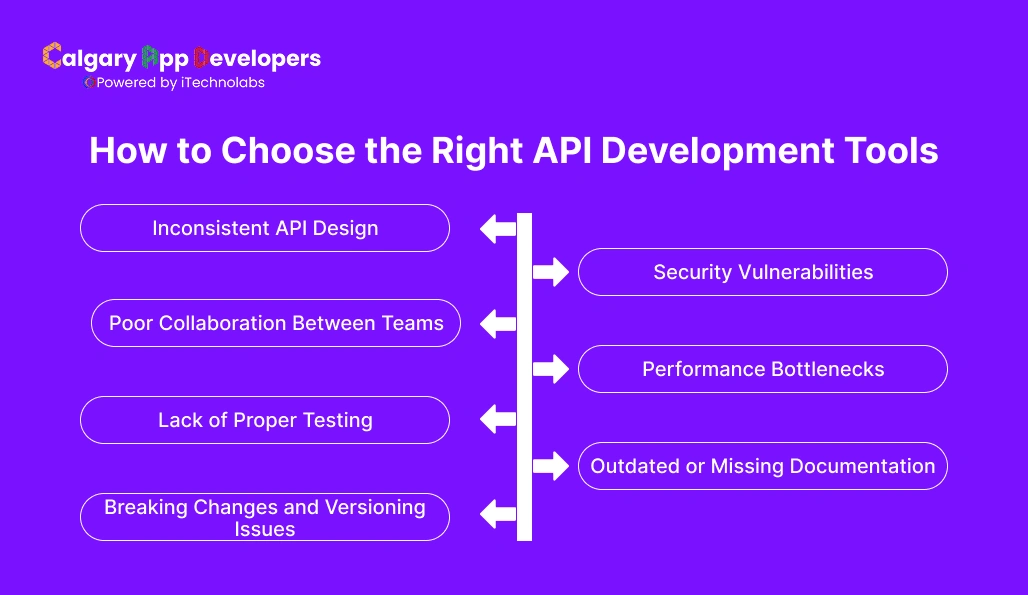
Selecting the right API development tools is not about picking the most popular options. It is about finding tools that align with your workflow, team structure, and long-term goals. The wrong choice can slow down development, create integration issues, and increase costs over time.
A structured evaluation process helps ensure that the tools you choose support both current needs and future growth.
- Define Your Use Case and Requirements
- Start by identifying what you actually need from API development tools. Are you building internal APIs, public APIs, or both? Do you need strong documentation, advanced testing, or strict security controls?
- Clearly defining your use case helps narrow down options and prevents overpaying for features you may never use.
- Evaluate Ease of Use and Learning Curve
- Tools should simplify development, not complicate it. A steep learning curve can slow down adoption and reduce productivity, especially for growing teams.
- Look for API development tools with intuitive interfaces, clear documentation, and active community support. Faster onboarding means your team can start delivering value sooner.
- Check Integration Capabilities
- Your tools should fit into your existing ecosystem. This includes integration with version control systems, CI pipelines, cloud platforms, and other development tools.
- API development tools that integrate well reduce friction and help create a smooth, connected workflow across your entire development process.
- Assess Scalability and Flexibility
- Your needs today may not be the same in six months. Choose tools that can scale with your product and team.
- Consider whether the tools support versioning, multi-environment setups, and increasing traffic loads. Flexible tools allow you to adapt without needing a complete overhaul later.
- Review Security and Compliance Features
- Security is critical, especially if your APIs handle sensitive data. Ensure that the tools provide features such as authentication, authorization, encryption, and audit logging.
- For regulated industries, check whether the tools support compliance requirements relevant to your domain.
- Analyze Pricing and Total Cost
- Cost should be evaluated beyond the base price. Consider how pricing scales with users, usage, and advanced features.
- API development tools may seem affordable initially, but costs can increase as your team grows. Look at long-term value rather than just short-term savings.
- Consider Community and Support
- Strong community support and reliable customer service can make a significant difference. Active communities provide solutions, best practices, and faster troubleshooting.
- For business-critical systems, having access to dedicated support ensures that issues can be resolved quickly.
Choosing the right API development tools is a strategic decision, not just a technical one. Teams that evaluate tools based on usability, integration, scalability, security, and cost are more likely to build efficient workflows and avoid unnecessary complexity as they grow.
Common API Development Challenges and How Tools Solve Them
Building and managing APIs at scale comes with a set of recurring challenges. As systems grow more complex, even small inefficiencies can lead to delays, inconsistencies, and failures in production. This is where API development tools play a critical role. They do not just support development; they actively solve many of the problems teams face every day.
- Inconsistent API Design
When multiple developers or teams work on APIs without shared standards, the result is inconsistent naming, structure, and behavior. This makes APIs harder to use and maintain.
How tools solve it:
API development tools enforce design standards through specifications, templates, and validation rules. Design first tools to ensure that all APIs follow a consistent structure from the beginning.
- Poor Collaboration Between Teams
APIs often involve developers, QA engineers, product managers, and external stakeholders. Without proper coordination, miscommunication can slow down progress and lead to errors.
How tools solve it:
Modern API development tools provide shared workspaces, version control, and collaboration features. Teams can work on the same API definitions, track changes, and stay aligned throughout the lifecycle.
- Lack of Proper Testing
Insufficient testing can lead to bugs, performance issues, and unexpected failures in production. Manual testing alone is not enough for complex systems.
How tools solve it:
API development tools support automated testing, allowing teams to validate endpoints, responses, and performance continuously. Integration with CI pipelines ensures that every change is tested before deployment.
- Breaking Changes and Versioning Issues
As APIs evolve, changes can unintentionally break existing integrations, causing disruptions for users and partners.
How tools solve it:
API development tools provide version control and lifecycle management features. They help teams manage multiple versions, track updates, and maintain backward compatibility.
- Security Vulnerabilities
APIs are a common entry point for attacks, especially when handling sensitive data. Weak authentication or a lack of protection can expose systems to serious risks.
How tools solve it:
API development tools include built-in security features such as authentication, authorization, rate limiting, and threat detection. These help protect APIs and ensure compliance with security standards.
- Performance Bottlenecks
Slow response times or system overload can impact user experience and disrupt integrations, especially during high traffic periods.
How tools solve it:
Monitoring and analytics tools provide real-time insights into performance metrics. Teams can identify bottlenecks, optimize endpoints, and scale infrastructure based on actual usage data.
- Outdated or Missing Documentation
Poor documentation makes APIs difficult to use and slows down adoption. Developers may struggle to understand how endpoints work or how to integrate them correctly.
How tools solve it:
API development tools generate and maintain up-to-date documentation automatically. Interactive documentation allows users to test endpoints directly, improving clarity and usability.
- Difficulty Scaling API Infrastructure
As applications grow, managing a large number of APIs becomes increasingly complex. Without proper tools, scaling can lead to instability and operational challenges.
How tools solve it:
API development tools support scalability through features like versioning, monitoring, and centralized management. They help teams maintain control even as the number of APIs increases.
Every API project encounters challenges, but the impact of those challenges depends on how well they are managed. API development tools provide the structure, automation, and visibility needed to overcome these issues efficiently. Teams that use the right tools are better equipped to build stable, scalable, and high-performing APIs without unnecessary friction.
How AI Is Changing API Development Tools
AI is reshaping how APIs are designed, built, and managed. Instead of relying entirely on manual effort, teams can now use AI-powered API development tools to speed up workflows, reduce errors, and improve overall efficiency.
Here are the key ways AI is making an impact:
- Automated API Design: AI can generate API schemas and endpoint structures based on simple inputs. This reduces the time spent on initial planning and helps teams start faster.
- Smarter Code Generation: AI assists developers by generating boilerplate code, suggesting improvements, and reducing repetitive tasks during API development.
- Intelligent Testing: AI-powered testing tools can automatically create test cases, detect edge cases, and identify potential failures before they reach production.
- Real-Time Error Detection: AI helps identify anomalies, bugs, and performance issues as they occur, allowing teams to fix problems quickly and maintain stability.
- Enhanced Documentation: AI can generate and update API documentation automatically, ensuring accuracy and saving time for development teams.
- Predictive Analytics and Monitoring: AI-driven analytics provide insights into usage patterns, performance trends, and potential bottlenecks, helping teams make informed decisions.
AI is making API development tools more proactive and efficient. Teams can build faster, reduce manual work, and maintain higher quality APIs by integrating AI into their development workflows.
The Future of API Development Tools
API development tools are evolving alongside changes in software architecture, cloud computing, and developer workflows. As systems become more distributed and integration-driven, the expectations from these tools will continue to grow. The focus is shifting from basic functionality to intelligent, automated, and highly scalable solutions.
- Greater Automation Across the Lifecycle: API development tools will automate more stages, including design, testing, deployment, and monitoring. This reduces manual effort, speeds up releases, and ensures consistency across workflows as systems grow more complex.
- Deeper AI Integration: AI will move beyond assistance to active decision-making. Future API development tools will predict issues, suggest optimizations, and improve performance without constant human input, making development more proactive.
- Stronger Focus on Developer Experience: Tools will prioritize ease of use, faster onboarding, and intuitive interfaces. Better documentation and simplified workflows will help teams adopt tools quickly and improve overall productivity.
- Unified Tooling Ecosystems: API development tools will consolidate multiple functions into a single platform. Design, testing, deployment, and monitoring will exist in one environment, reducing fragmentation and improving efficiency across teams.
- Increased Emphasis on Security and Governance: Security and compliance will become core features. API development tools will offer stronger access control, audit capabilities, and policy enforcement to manage complex and sensitive API ecosystems.
- Better Support for Distributed Architectures: As microservices grow, API development tools will improve observability, scalability, and service coordination. This will help teams manage complex systems with greater reliability and control.
- Growth of Low-Code and No-Code Capabilities: More tools will enable non-developers to create and manage APIs. This will expand access, speed up integration workflows, and reduce dependency on engineering teams for basic API tasks.
The future of API development tools is focused on intelligence, automation, and simplicity. As these tools become more advanced, they will reduce manual effort, improve decision-making, and help teams manage increasingly complex systems with greater confidence.
Conclusion
API development tools have become a critical part of building modern software. From design and testing to deployment and monitoring, the right tools help teams move faster, reduce errors, and maintain consistency across complex systems. As APIs continue to power integrations and digital products, choosing the right approach is no longer optional; it is a strategic decision.
The key is not just selecting tools, but building a workflow that aligns with your product goals, team structure, and long-term scalability. Whether you are starting small or managing enterprise-level systems, the right combination of API development tools can significantly improve efficiency, reliability, and overall development quality.
If you are looking to implement or optimize your API strategy, working with an experienced team can make a real difference. Calgary App Developer specializes in building scalable, high-performance APIs and selecting the right tools to support long-term growth. From planning and development to optimization and support, the focus is on delivering solutions that are reliable, secure, and built to scale.
Investing in the right API development tools, backed by the right expertise, ensures that your systems are not only functional today but ready for what comes next.
FAQs
1. Which API development tools are widely used in 2026?
Popular API development tools in 2026 include platforms for design, testing, documentation, and monitoring. Tools like Postman, Swagger, Insomnia, and RapidAPI are widely adopted. Many teams also use integrated platforms that combine multiple functions. The focus has shifted toward tools that support automation, collaboration, and AI-driven workflows across the entire API lifecycle.
2. Which tool is best suited for API testing?
The best API testing tool depends on your needs, but Postman remains a top choice due to its ease of use and strong feature set. Other tools like Insomnia and SoapUI are also widely used. For advanced testing, teams often prefer tools that support automation, CI integration, and performance testing to ensure reliability across environments.
3. What is the typical cost of API development tools?
API development tools typically follow a tiered pricing model. Most tools offer a free plan at $0 for individuals. Paid plans usually start around $9 to $19 per user per month, while enterprise solutions begin at approximately $49 per user per month or higher, depending on features, scale, and support requirements.
4. What tools are required for REST API development?
REST API development typically requires a combination of tools for design, development, testing, and documentation. This includes API design tools for defining endpoints, frameworks for building APIs, testing tools for validation, and documentation platforms for usability. Monitoring and security tools are also important for maintaining performance and protecting data in production environments.
5. Is it possible to use free tools for API development?
Yes, many free API development tools are available and widely used. They offer essential features for design, testing, and documentation, making them suitable for learning, prototyping, and small projects. However, as projects grow in complexity, teams often upgrade to paid tools for better collaboration, automation, and advanced capabilities.
6. What is the difference between an API gateway and an API management platform?
An API gateway acts as a single entry point that handles requests, routing, authentication, and rate limiting. An API management platform goes further by providing tools for lifecycle management, analytics, developer portals, and governance. While a gateway focuses on traffic handling, management platforms provide broader control and visibility over APIs.
7. How can API security be tested effectively?
API security testing involves checking authentication, authorization, data validation, and vulnerability exposure. Teams use specialized tools to simulate attacks, test access controls, and identify weaknesses. Automated security testing integrated with development pipelines helps detect issues early and ensures that APIs remain secure as they evolve.
8. Does Calgary App Developer assist with API development and tool selection?
Yes, Calgary App Developer provides end-to-end API development services, including tool selection, architecture design, development, and optimization. The team evaluates your requirements and recommends the most suitable API development tools to ensure scalability, performance, and long-term maintainability for your systems.
9. Which industries does Calgary App Developer support for API development?
Calgary App Developer builds APIs across a wide range of industries, including fintech, healthcare, eCommerce, logistics, and SaaS platforms. Each solution is tailored to meet industry-specific requirements such as compliance, security, scalability, and integration needs, ensuring reliable and high-performing API systems.


Pankaj Arora is a seasoned technology leader and the Founder of Calgary App Developer, with 10+ years of expertise in crafting high-performance digital solutions. His core competencies include full-stack app development, cloud-native architecture, API integration, and agile product delivery. Under his leadership, Calgary App Developers has empowered startups and enterprises alike with scalable mobile applications, secure web platforms, and AI-driven SaaS products.