






How To Build AI Powered Mobile Apps
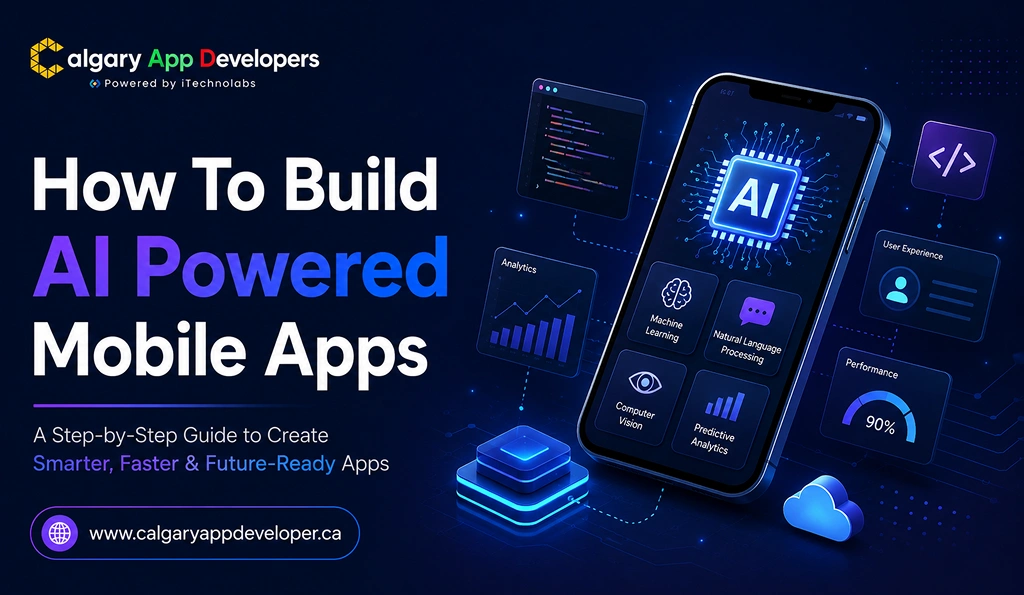
Artificial intelligence is kind of reshaping what mobile applications can really do. Like not just reacting to user inputs, these newer AI powered apps can understand plain natural language, spot images, cook up personalized suggestions, run automated and rather complex workflows, and even make smart decisions in real time. And yeah, from health care and money matters to shopping and logistics, companies are stitching AI into mobile experiences to boost customer involvement, smooth day-to-day operations, and open up fresh revenue channels.
This rapid adoption is reflected in the market. According to Fortune Business Insights, the global intelligent app market was valued at USD 46.11 billion in 2025 and is expected to reach USD 525.35 billion by 2034, growing at a CAGR of 31.04%.
At the same time, Grand View Research projects the broader artificial intelligence market to grow from USD 539.5 billion in 2026 to nearly USD 3.5 trillion by 2033, highlighting the accelerating investment in AI driven technologies across industries.
These figures make it clear that intelligent mobile applications are becoming a core component of digital transformation rather than an emerging trend.
Having designed and developed AI powered mobile applications for businesses across multiple industries, we have seen firsthand what separates successful AI products from those that fail to deliver measurable value. Building an intelligent mobile app requires much more than integrating a chatbot or connecting to a language model. It demands careful planning, high-quality data, the right technology stack, scalable architecture, and continuous optimization after launch.
In this guide, we share the practical approach our development team follows when building AI powered mobile applications. Whether you are a startup validating a new product idea or an established business planning to add AI capabilities to an existing app, this guide will help you understand the complete development process, choose the right technologies, estimate development costs, and avoid common implementation challenges.
- AI powered mobile apps combine artificial intelligence with mobile technology to deliver smarter, more personalized user experiences.
- Building a successful AI app requires a structured development process, the right technology stack, and high-quality data.
- Choosing the appropriate AI frameworks, deployment approach, and development strategy directly impacts performance, scalability, and cost.
- Businesses across industries are investing in AI mobile applications to drive innovation, improve efficiency, and stay competitive.
Key Points
- AI powered mobile applications use technologies such as machine learning, natural language processing, computer vision, and generative AI to automate tasks and deliver intelligent experiences.
- Developing an AI mobile app involves defining business goals, preparing quality data, selecting the right AI approach, building the application, integrating AI models, testing thoroughly, and continuously improving performance after launch.
- Frameworks such as TensorFlow Lite, Core ML, PyTorch, LangChain, Google Vertex AI, and Amazon SageMaker support different stages of AI mobile app development, from model training to deployment.
- Businesses can integrate machine learning into existing iOS and Android applications by selecting suitable models, optimizing them for mobile devices, and monitoring performance after deployment.
- On-device AI offers faster processing and stronger privacy, while cloud based AI provides greater computing power and scalability for advanced AI features.
- Industries including healthcare, retail, finance, education, logistics, manufacturing, real estate, travel, and media are using AI powered mobile apps to improve customer experiences and operational efficiency.
- The cost of building an AI powered mobile app for a Canadian startup typically ranges from CAD $40,000 to CAD $350,000+, depending on project complexity, AI capabilities, and integration requirements.
- Emerging trends such as generative AI, multimodal AI, edge computing, hyper-personalization, and AI driven security are shaping the future of intelligent mobile applications.
What Is an AI Powered Mobile App?
An AI powered mobile app is a smartphone application that uses artificial intelligence technologies to perform tasks that typically require human intelligence. Unlike traditional mobile apps that rely on predefined rules and fixed workflows, AI powered applications analyze data, learn from user interactions, recognize patterns, and make intelligent decisions to deliver more personalized and efficient experiences.
These applications combine mobile development with technologies such as machine learning, natural language processing, computer vision, predictive analytics, and generative AI. As a result, they can understand voice commands, recommend relevant content, identify objects in images, translate languages, automate repetitive tasks, detect fraud, and generate text or images based on user prompts. The AI capabilities continue to improve over time as models are updated and trained with new data.
Today, AI powered mobile apps are transforming industries by solving complex business challenges and enhancing customer engagement. Retail apps provide personalized shopping recommendations, healthcare applications assist with symptom assessment and patient monitoring, banking apps identify suspicious transactions in real time, and logistics platforms optimize delivery routes using predictive intelligence. Businesses are also integrating AI assistants, intelligent search, and conversational interfaces to improve productivity and customer support.
The true value of an AI powered mobile app lies in its ability to deliver faster decisions, more relevant user experiences, and greater operational efficiency. When designed with the right AI strategy and supported by high-quality data, these applications become intelligent digital products that continuously adapt to user behavior and evolving business needs.
What Are the Key Steps to Building an AI Powered Mobile App From Scratch?
Before diving into development, it is important to understand that building an AI powered mobile app involves far more than adding an AI model to an application. Every stage, from identifying the right business problem to continuously improving model performance after launch, directly influences the success of the product. A structured development process helps ensure that the application delivers measurable business value, provides a reliable user experience, and scales efficiently as user demands grow.
Step 1: Define Your Business Goals and AI Use Case
Every successful AI mobile application starts with a clearly defined business objective. Rather than implementing AI for its own sake, identify the specific challenge you want to solve and determine how artificial intelligence can improve the user experience or business operations. The clearer your objective, the easier it becomes to select the right technology, collect relevant data, and measure success.
Consider questions such as whether your app needs to automate customer support, generate personalized recommendations, recognize images, analyze user behavior, or enable voice interactions. Each use case requires a different AI strategy, development approach, and infrastructure.
Key activities during this stage include:
- Define the business problem and expected outcomes.
- Identify the target audience and user expectations.
- Determine where AI provides measurable value.
- Establish key performance indicators such as engagement, accuracy, conversion rates, or operational efficiency.
- Prioritize AI features for the initial product release.
Step 2: Validate Data Requirements and Availability
Artificial intelligence performs only as well as the data used to train and optimize it. Before development begins, assess whether sufficient, relevant, and high-quality data is available for your chosen use case. Poor quality or incomplete datasets often lead to inaccurate predictions and unreliable application performance.
Businesses may already possess valuable customer data, transaction records, product catalogs, or operational datasets. In other cases, external datasets, publicly available resources, or synthetic data may be required to supplement training.
Important considerations include:
- Identify all available data sources.
- Evaluate data quality, consistency, and completeness.
- Remove duplicate, outdated, or biased records.
- Ensure compliance with privacy regulations and user consent requirements.
- Create a scalable data pipeline for future model improvements.
Step 3: Select the Right AI Development Approach
The development strategy should align with your business goals, budget, timeline, and technical complexity. Some applications require custom machine learning models trained on proprietary datasets, while others can successfully leverage pre-trained models and cloud-based AI services.
The right approach depends on factors such as expected accuracy, scalability, maintenance requirements, and available development resources.
Your options may include:
- Using pre-trained AI models for faster implementation.
- Building custom machine learning models for specialized use cases.
- Integrating generative AI and large language models for conversational experiences.
- Combining multiple AI models within a hybrid architecture.
- Choosing between cloud-based, on-device, or hybrid AI processing.
Step 4: Design an AI Ready User Experience
Even the most advanced AI solution will struggle if users cannot interact with it naturally. User experience design should make AI capabilities intuitive, transparent, and easy to understand while maintaining user trust.
The interface should clearly communicate when AI is making recommendations, generating responses, or requesting additional information. Users should also have the ability to provide feedback, correct AI generated results, or escalate to human support when necessary.
Key design priorities include:
- Build intuitive conversational and interactive interfaces.
- Minimize user effort during AI interactions.
- Provide clear explanations for AI generated outputs.
- Design fallback experiences when AI confidence is low.
- Optimize accessibility across different user groups.
Step 5: Build the Mobile Application
Once the product strategy and user experience are finalized, developers begin building the mobile application. This includes developing the frontend interface, backend infrastructure, APIs, authentication systems, databases, and security features that support AI functionality.
The application architecture should be flexible enough to accommodate future AI improvements without requiring extensive redevelopment.
Core development tasks include:
- Develop native or cross-platform mobile applications.
- Build secure backend services and APIs.
- Implement authentication and user management.
- Configure cloud infrastructure and database systems.
- Prepare the application for AI model integration.
Step 6: Develop and Train Machine Learning Models
Machine learning development transforms raw data into intelligent decision-making capabilities. During this phase, data scientists prepare datasets, select algorithms, train models, evaluate performance, and refine accuracy through repeated testing.
Multiple iterations are typically required before a model consistently delivers reliable predictions under real-world conditions.
Typical activities include:
- Clean and preprocess training datasets.
- Engineer meaningful features for improved model performance.
- Select appropriate machine learning algorithms.
- Train, validate, and evaluate model accuracy.
- Optimize models for speed, efficiency, and scalability.
Step 7: Integrate AI Models Into the Mobile App
After the AI models are validated, they must be integrated into the mobile application in a way that provides responsive and reliable user experiences. Depending on the architecture, AI processing may occur directly on the device, in the cloud, or through a hybrid deployment model.
The integration should balance performance, latency, privacy, and operational costs.
Integration tasks typically include:
- Connect mobile applications with AI inference services.
- Optimize model size for mobile devices.
- Enable secure communication between the app and the AI backend.
- Implement real-time prediction workflows.
- Monitor response times and resource utilization.
Step 8: Test, Optimize, and Deploy the Application
Comprehensive testing ensures that both the mobile application and AI components function reliably under different operating conditions. AI systems require additional validation beyond traditional software testing because prediction accuracy, fairness, and consistency directly affect user trust.
Testing should simulate real user behavior across different devices, operating systems, and network conditions.
Testing areas include:
- Functional testing for mobile features.
- AI accuracy and prediction validation.
- Performance and load testing.
- Security and privacy testing.
- Compatibility testing across devices and operating systems.
Once testing is complete, the application can be deployed to production with continuous monitoring systems in place.
Step 9: Monitor Performance and Continuously Improve the AI
Launching the application is only the beginning of the AI lifecycle. User behavior changes, business requirements evolve, and data patterns shift over time. Continuous monitoring helps maintain model accuracy while identifying opportunities for further optimization.
Regular updates ensure that the AI remains relevant, accurate, and aligned with changing user expectations.
Ongoing optimization includes:
- Monitor model accuracy and prediction quality.
- Collect user feedback and interaction data.
- Retrain models using newly available datasets.
- Improve application performance and scalability.
- Introduce new AI capabilities based on user needs and business objectives.
Following these nine steps provides a structured framework for developing AI powered mobile applications that are technically reliable, scalable, and aligned with business goals. By combining thoughtful planning, quality data, robust engineering, and continuous optimization, organizations can build intelligent mobile solutions that deliver long-term value for both users and the business.
Which AI Frameworks and Tools Are Best Suited for Developing Intelligent Mobile Applications?
The technology stack you choose has a significant impact on your application’s performance, scalability, development speed, and long-term maintenance. Some frameworks are designed to run AI models directly on mobile devices, while others simplify model training, cloud deployment, or large language model integration.
The following frameworks and tools are among the most widely adopted for AI powered mobile app development.
| Category | Popular Frameworks & Tools | Primary Use Cases |
| Mobile AI Frameworks | TensorFlow Lite
Core ML MediaPipe ONNX Runtime Mobile |
On-device inference
Image recognition Speech processing Offline AI |
| Machine Learning Frameworks | TensorFlow
PyTorch Scikit-learn XGBoost |
Model development
Training Evaluation Predictive analytics |
| Large Language Model Frameworks | LangChain
LlamaIndex Hugging Face Transformers OpenAI APIs |
AI assistants
Chatbots Document Search Content generation |
| Cloud AI Platforms | Google Vertex AI
Microsoft Azure AI Amazon SageMaker Google Cloud AI |
Model hosting
Training Scalable inference AI services |
| Backend and MLOps Tools | MLflow
Kubeflow Docker Kubernetes FastAPI |
Model deployment
version control Monitoring API management Automation |
1. Mobile AI Frameworks
Mobile AI frameworks enable machine learning models to run efficiently on smartphones and tablets. They are optimized for limited processing power, battery consumption, and memory usage while delivering real-time AI capabilities.
These frameworks are commonly used for facial recognition, object detection, language translation, predictive typing, voice assistants, and augmented reality applications.
Popular options include:
- TensorFlow Lite for deploying lightweight machine learning models on Android and iOS devices.
- Core ML for integrating AI capabilities into Apple applications with optimized performance across iPhone, iPad, and Mac devices.
- MediaPipe for real-time computer vision, pose estimation, gesture recognition, and face tracking.
- ONNX Runtime Mobile for running models developed using multiple machine learning frameworks on mobile devices.
These frameworks are ideal when low latency, offline functionality, and enhanced user privacy are essential.
2. Machine Learning Frameworks
Machine learning frameworks provide the foundation for developing, training, and evaluating AI models before deployment. Data scientists and AI engineers rely on these tools to build predictive models that power intelligent mobile applications.
Depending on the complexity of your solution, these frameworks support everything from simple recommendation engines to advanced computer vision and natural language processing systems.
Commonly used frameworks include:
- TensorFlow for large-scale deep learning and production-ready AI models.
- PyTorch for research-driven development, rapid experimentation, and flexible neural network design.
- Scikit-learn for classical machine learning algorithms such as classification, regression, and clustering.
- XGBoost for structured data analysis and high-performance predictive modeling.
Selecting the appropriate framework depends on your AI objectives, available datasets, and deployment requirements.
3. Large Language Model Frameworks
Generative AI has transformed mobile applications by enabling natural conversations, intelligent search, automated content generation, and personalized digital assistants. Large language model frameworks simplify the integration of advanced language capabilities into mobile applications.
These frameworks allow developers to build conversational experiences while connecting AI models with external data sources and business systems.
Popular frameworks include:
- LangChain for building AI workflows and connecting language models with external tools.
- LlamaIndex for retrieval augmented generation using private business data.
- Hugging Face Transformers for accessing thousands of pretrained language models.
- OpenAI APIs for integrating advanced generative AI features such as conversational assistants, summarization, translation, and content generation.
These technologies significantly reduce development time while enabling sophisticated AI experiences.
4. Cloud AI Platforms
Cloud AI platforms provide the infrastructure required to train, deploy, manage, and scale machine learning models. Instead of maintaining dedicated AI infrastructure, businesses can leverage managed cloud services that automatically handle scalability, availability, and performance optimization.
Cloud-based AI is particularly valuable for applications requiring frequent model updates, large datasets, or intensive computational workloads.
Leading cloud platforms include:
- Google Vertex AI for end-to-end machine learning development and deployment.
- Microsoft Azure AI for enterprise AI solutions, cognitive services, and responsible AI governance.
- Amazon SageMaker for model training, deployment, monitoring, and lifecycle management.
- Google Cloud AI Services for speech recognition, translation, computer vision, and document intelligence.
Cloud platforms also simplify collaboration between developers, data scientists, and business teams.
5. Backend and MLOps Tools
Developing an AI model is only part of the process. Maintaining reliable AI systems requires deployment automation, version control, monitoring, and continuous updates. This is where backend and MLOps tools become essential.
These technologies help development teams manage AI models throughout their lifecycle while ensuring reliability and scalability.
Frequently used tools include:
- MLflow for experiment tracking, model registry, and lifecycle management.
- Kubeflow for orchestrating machine learning pipelines on Kubernetes.
- Docker for packaging AI applications into portable containers.
- Kubernetes for managing containerized AI workloads at scale.
- FastAPI for creating high-performance APIs that connect mobile applications with AI services.
A well-planned AI technology stack combines these frameworks according to your business goals rather than relying on a single solution. By selecting the right mobile AI framework, machine learning platform, cloud infrastructure, and MLOps tools, businesses can build intelligent mobile applications that are scalable, secure, and capable of adapting as user expectations continue to evolve.
How Do I Integrate Machine Learning Models Into an Existing iOS or Android App?
Adding machine learning capabilities to an existing mobile application allows businesses to introduce intelligent features without rebuilding the entire product. Whether you want to add personalized recommendations, image recognition, predictive analytics, voice assistance, or generative AI, the integration process should be carefully planned to maintain performance, security, and a smooth user experience.
Below are the key steps involved in integrating machine learning models into an existing iOS or Android application.
- Evaluate Your Existing Application Architecture: Begin by reviewing your application’s frontend, backend, APIs, and data flow. Understanding the current architecture helps identify where AI functionality can be integrated with minimal disruption and maximum efficiency.
- Select the Right Machine Learning Model: Choose a model that aligns with your business goals and application requirements. Depending on the use case, you can deploy a custom-trained model, use a pretrained model, or integrate AI services through external APIs.
- Choose Between On-Device and Cloud Inference: Decide whether AI processing should occur directly on the mobile device, through cloud infrastructure, or using a hybrid approach. This decision affects application performance, response time, privacy, and operating costs.
- Optimize the Model for Mobile Performance: Machine learning models often need to be compressed and optimized before deployment. Reducing model size and improving inference speed helps ensure smooth performance without increasing battery consumption or memory usage.
- Integrate the Model Into the Application: Connect the AI model with the application’s business logic, user interface, and backend services. The integration should allow AI features to operate naturally as part of the existing user experience.
- Test AI Functionality Across Devices: Evaluate the model under different operating systems, device specifications, and network conditions. Thorough testing ensures consistent predictions, reliable performance, and compatibility across supported devices.
- Monitor Performance After Deployment: Track model accuracy, response times, resource utilization, and user feedback after release. Continuous monitoring helps identify opportunities to improve both the AI model and the overall application experience.
Integrating machine learning into an existing mobile app is not simply a technical upgrade. When implemented strategically, it enables businesses to introduce intelligent capabilities that improve user engagement, automate complex tasks, and create a more personalized mobile experience without starting development from scratch.
What Are the Differences Between On-Device AI Processing and Cloud-Based AI for Mobile Apps?
One of the most important architectural decisions in AI mobile app development is determining where AI processing should take place. Some applications perform all AI tasks directly on the user’s device, while others rely on cloud servers to process requests. In many cases, businesses adopt a hybrid approach that combines both methods to balance performance, scalability, and cost.
The right choice depends on factors such as latency requirements, data privacy, internet connectivity, model complexity, and the overall user experience.
On-Device AI vs Cloud-Based AI
| Feature | On Device AI | Cloud-Based AI |
| Processing Location | Runs directly on the user’s mobile device | Runs on remote cloud servers |
| Internet Requirement | Can operate without an internet connection | Requires internet access for most AI tasks |
| Response Speed | Faster for real-time interactions due to local processing | May experience slight latency depending on network conditions |
| Privacy | User data remains on the device, improving privacy | Data is transmitted to the cloud infrastructure for processing |
| Model Complexity | Best for lightweight and optimized AI models | Supports large and computationally intensive AI models |
| Scalability | Limited by the device’s hardware capabilities | Easily scales to support growing workloads and users |
| Maintenance | Model updates require application updates or background downloads | Models can be updated centrally without requiring app updates |
| Battery and Storage | Consumes device resources and storage space | Reduces device workload but increases network usage |
| Typical Use Cases | Face recognition, image processing, voice commands, and offline translation | AI assistants, chatbots, predictive analytics, content generation, recommendation engines |
On Device AI Processing
On device AI executes machine learning models directly on smartphones or tablets without sending data to external servers. This approach is commonly used for features that require immediate responses or must function without an internet connection.
Since user data remains on the device, it offers stronger privacy and lower latency. However, mobile hardware has limited processing power and storage, making it better suited for lightweight AI models.
Cloud-Based AI Processing
Cloud based AI sends user requests to remote servers, where machine learning models perform the required processing before returning results to the application. This approach provides access to powerful computing resources and supports larger, more sophisticated AI models.
Cloud AI is ideal for applications that rely on generative AI, large language models, real-time analytics, or continuous model updates. The tradeoff is that it requires a stable internet connection and may introduce additional response time.
Which Approach Is Right for Your Mobile App?
There is no universal solution for every AI powered mobile application. If your app requires instant responses, offline functionality, or enhanced data privacy, on device AI is often the better choice. If your application depends on advanced reasoning, generative AI, or processing large datasets, cloud based AI offers greater flexibility and computing power.
Many modern AI powered mobile apps combine both approaches. For example, a mobile application may use on device AI for facial recognition and image processing while relying on cloud based AI for conversational assistants, recommendation engines, or large language model interactions. This hybrid architecture allows businesses to deliver faster user experiences while taking advantage of powerful cloud based intelligence when needed.
Industries Benefiting Most From AI Powered Mobile Applications
Artificial intelligence is transforming mobile applications across industries by enabling smarter automation, personalized user experiences, and faster decision-making. Businesses are no longer using AI as an experimental feature. Instead, they are embedding intelligent capabilities into mobile apps to improve customer engagement, streamline operations, and unlock new revenue opportunities.
Below are some of the industries experiencing the greatest impact from AI powered mobile applications.
1. Healthcare
Healthcare organizations are using AI mobile apps to improve patient care and simplify clinical workflows. Intelligent applications help healthcare providers deliver faster, more accurate services while making healthcare more accessible to patients.
Common applications include:
- Virtual health assistants and symptom assessment
- Appointment scheduling and patient engagement
- Medical image analysis
- Remote patient monitoring
- Medication reminders and personalized wellness recommendations
2. Retail and Ecommerce
Retail businesses use AI powered mobile apps to create personalized shopping experiences that increase customer satisfaction and drive higher sales. AI analyzes customer behavior, purchase history, and browsing patterns to deliver relevant recommendations.
Popular use cases include:
- Personalized product recommendations
- Visual product search
- AI shopping assistants
- Dynamic pricing strategies
- Customer behavior analytics
3. Banking and Financial Services
Financial institutions rely on AI mobile applications to strengthen security, automate customer service, and improve financial decision-making. AI helps detect unusual transaction patterns while providing users with faster and more personalized banking experiences.
Key applications include:
- Fraud detection and prevention
- Intelligent financial assistants
- Credit risk assessment
- Personalized investment insights
- Automated expense tracking
4. Education
Educational institutions and learning platforms use AI powered mobile applications to deliver adaptive learning experiences that respond to each student’s progress and learning style.
AI driven education apps often include:
- Personalized learning paths
- AI tutoring assistants
- Automated assessments
- Language learning support
- Student performance analytics
5. Logistics and Transportation
AI enables logistics companies to improve operational efficiency by optimizing routes, predicting delivery times, and monitoring fleet performance in real time.
Common applications include:
- Intelligent route optimization
- Predictive maintenance alerts
- Fleet management
- Delivery tracking
- Demand forecasting
6. Manufacturing
Manufacturers are integrating AI powered mobile applications into production environments to improve operational visibility and reduce downtime through predictive insights.
Typical use cases include:
- Equipment monitoring
- Predictive maintenance
- Quality inspection
- Production planning
- Inventory optimization
7. Real Estate
AI powered mobile applications simplify property discovery while helping buyers, sellers, and real estate professionals make more informed decisions through intelligent data analysis.
Popular features include:
- Property recommendations
- AI powered virtual assistants
- Automated property valuation
- Document analysis
- Lead qualification
8. Travel and Hospitality
Travel companies use AI to deliver highly personalized customer experiences before, during, and after each trip. Intelligent mobile applications simplify booking, improve customer service, and enhance travel planning.
Common AI capabilities include:
- Personalized travel recommendations
- Smart itinerary planning
- AI customer support
- Dynamic pricing
- Multilingual assistance
9. Media and Entertainment
Streaming platforms and entertainment providers rely on AI powered mobile apps to deliver engaging and personalized digital experiences that keep users actively engaged.
Popular AI features include:
- Personalized content recommendations
- Intelligent search
- Automated content tagging
- Voice-enabled navigation
- User engagement analytics
The growing adoption of AI powered mobile applications reflects a shift toward smarter, data-driven business operations. Regardless of the industry, organizations are using AI to automate repetitive tasks, deliver personalized experiences, improve operational efficiency, and make faster business decisions.
As artificial intelligence technologies continue to evolve, businesses that invest in intelligent mobile applications will be better positioned to meet changing customer expectations, increase productivity, and maintain a competitive advantage in an increasingly digital marketplace.
How Much Does It Typically Cost to Build an AI Powered Mobile App for a Canadian Startup?
For most Canadian startups, the cost of building an AI powered mobile app typically ranges from CAD $40,000 to CAD $350,000+, depending on the application’s complexity, AI capabilities, integrations, and development approach.
A simple AI powered application with limited automation and pre trained AI models can be developed at the lower end of the range. More advanced solutions that include custom machine learning models, generative AI, computer vision, predictive analytics, or enterprise integrations require significantly higher investment.
Estimated AI Mobile App Development Cost
| Development Phase | Estimated Cost (CAD) |
| Discovery and Product Strategy | $5,000 to $15,000 |
| UI and UX Design | $6,000 to $20,000 |
| Mobile App Development | $20,000 to $90,000 |
| AI Model Development or Integration | $15,000 to $80,000 |
| Backend Development and APIs | $10,000 to $50,000 |
| Third Party Integrations | $3,000 to $20,000 |
| Testing and Quality Assurance | $5,000 to $20,000 |
| Deployment and App Store Launch | $2,000 to $8,000 |
| Ongoing Maintenance and AI Optimization (Annual) | $10,000 to $50,000+ |
Estimated Total Project Cost: CAD $40,000 to CAD $350,000+
The final investment depends on several technical and business factors that influence development time, infrastructure requirements, and long-term maintenance.
Factors That Affect AI Mobile App Development Cost
- AI Features and Application Complexity
The type of AI functionality has the greatest impact on development cost. Features such as recommendation engines, predictive analytics, computer vision, speech recognition, and generative AI each require different levels of engineering effort and computational resources.
- Custom Models vs. Pre-Trained AI
Using pretrained AI services can significantly reduce development time and upfront costs. However, businesses with specialized requirements often invest in custom machine learning models that deliver higher accuracy and better long-term value.
- Mobile Platform Selection
Developing for Android, iOS, or both platforms affects the overall project budget. Choosing cross-platform technologies can reduce initial development costs, while native applications may provide better performance for AI-intensive features.
- Data Collection and Model Training
Applications that require custom datasets, data labeling, feature engineering, and extensive model training typically involve higher development costs than apps that rely on existing AI services.
- Third Party Integrations
Connecting the application with payment gateways, CRM systems, healthcare platforms, ERP software, mapping services, or external AI APIs increases development effort and testing requirements.
- Cloud Infrastructure and AI Services
AI powered applications often rely on cloud computing for model training, inference, storage, and analytics. Ongoing cloud usage, API requests, and GPU resources should be considered as part of the long-term operating budget.
- Security and Regulatory Compliance
Industries such as healthcare, finance, and insurance require additional investment in security, encryption, compliance, and data governance to meet Canadian and international regulatory standards.
- Development Team Location
Development costs vary across Canada’s major technology hubs. Companies in cities such as Toronto, Vancouver, and Montreal generally face higher development rates because of greater operational expenses and market demand. Many startups also consider technology partners in Calgary, where businesses can often access experienced AI development teams while maintaining competitive project costs and strong technical expertise.
- Post-Launch Maintenance and AI Improvement:
Launching the application is only the beginning. Regular feature updates, model retraining, security patches, performance optimization, and infrastructure scaling are essential to keep AI powered applications accurate, secure, and competitive.
While cost is an important consideration, startups should focus on long-term business value rather than the lowest development estimate. Investing in scalable architecture, high-quality AI models, and experienced development expertise helps reduce future technical debt and creates a stronger foundation for growth.
Future Trends Shaping AI Powered Mobile Apps
Artificial intelligence is evolving rapidly, and its impact on mobile applications continues to expand. As AI models become more capable and mobile devices more powerful, businesses have new opportunities to deliver smarter, faster, and more personalized digital experiences. Staying ahead of these trends can help organizations build applications that remain competitive and relevant for years to come.
- Generative AI Experiences: Generative AI will continue to power intelligent chatbots, virtual assistants, content creation, and personalized user interactions, making mobile applications more conversational and engaging.
- On Device AI Adoption: Advancements in mobile processors are enabling more AI workloads to run directly on smartphones, improving response times, enhancing privacy, and reducing reliance on cloud infrastructure.
- Multimodal AI Applications: Future mobile apps will combine text, voice, images, and video to create richer and more natural user experiences through a single AI interface.
- Hyper Personalization: AI will deliver increasingly personalized experiences by analyzing user behavior, preferences, and real-time context to provide highly relevant recommendations and services.
- AI Powered Voice Interfaces: Voice-driven interactions will become more accurate and intuitive, allowing users to complete tasks, search information, and control applications using natural conversations.
- Predictive and Proactive Intelligence: Instead of simply responding to user requests, AI powered apps will anticipate user needs by delivering proactive recommendations, reminders, and automated actions.
- Edge AI for Faster Performance: Edge AI will continue to gain momentum by processing data closer to the user, reducing latency while supporting real-time decision making across mobile applications.
- Responsible and Explainable AI: Businesses will place greater emphasis on transparency, fairness, and ethical AI practices to build user trust and comply with evolving regulations.
- AI Driven Security: Artificial intelligence will strengthen mobile security through real-time fraud detection, behavioral authentication, threat monitoring, and intelligent risk analysis.
- Greater Integration With IoT and Wearables: AI powered mobile applications will increasingly connect with smart devices and wearable technologies to deliver real-time insights, automation, and personalized experiences across connected ecosystems.
The future of AI powered mobile applications extends beyond automation. Businesses that embrace these emerging technologies will be better positioned to create innovative products, improve customer experiences, and adapt to changing market demands in an increasingly AI-driven world.
Why Partner With Calgary App Developer for AI Powered Mobile App Development
Choosing the right development partner is essential for building an AI powered mobile app that is scalable, secure, and aligned with your business goals. Calgary App Developer combines AI expertise, mobile development experience, and local market knowledge to help businesses turn innovative ideas into successful digital products.
- Proven AI Expertise: Build intelligent mobile applications using the latest AI technologies, including machine learning, generative AI, computer vision, and predictive analytics.
- End-to-End Development: From strategy and design to development, deployment, and ongoing support, we manage the complete AI app development lifecycle.
- Custom AI Solutions: Every solution is designed around your business objectives, industry requirements, and long-term growth plans.
- Local Canadian Expertise: Our team understands the Canadian market and works with businesses across Calgary, Toronto, Vancouver, Montreal, Edmonton, and other major cities.
- Secure and Scalable Development: We build high-performance applications with strong security, flexible architecture, and future scalability in mind.
- Free 30 Minute Consultation: Book a free 30 Minute consultation with our AI experts to discuss your idea, evaluate technical requirements, and receive practical guidance for your project.
Partner with Calgary App Developer to build AI powered mobile applications that deliver exceptional user experiences, measurable business value, and long-term growth.
Final Words
AI powered mobile applications are no longer a future innovation. They have become a strategic investment for businesses looking to improve customer experiences, automate operations, and create new growth opportunities. From selecting the right AI technologies to integrating machine learning models and building scalable mobile solutions, every stage of development plays a critical role in the success of the final product.
Whether you are developing a new AI powered app or adding intelligent features to an existing iOS or Android application, a well-planned development strategy can help reduce risk, control costs, and accelerate time to market. By combining the right technology stack with experienced AI and mobile development expertise, businesses can build applications that continue to deliver value as user expectations evolve.
If you are ready to bring your AI mobile app idea to life, the team at Calgary App Developer is here to help. Contact us today for a free 30-minute consultation and discover how we can build a secure, scalable, and intelligent mobile application tailored to your business goals.
FAQs
1. How long does it take to build an AI powered mobile app?
The development timeline depends on the application’s complexity, AI features, and integration requirements. A basic AI powered mobile app typically takes 3 to 5 months, a mid-level solution requires 5 to 8 months, while a complex enterprise-grade AI application may take 8 to 12+ months to design, develop, test, and launch.
2. How much does it cost to build an AI powered mobile app?
The cost of developing an AI powered mobile app in Canada generally ranges from CAD $40,000 to CAD $350,000+. Simple applications with pretrained AI models fall at the lower end, while custom machine learning, generative AI, computer vision, and enterprise integrations significantly increase the overall project investment.
3. Can I add AI features to my existing mobile app?
Yes. Existing iOS and Android applications can be upgraded with AI capabilities such as chatbots, recommendation engines, image recognition, voice assistants, predictive analytics, and generative AI. The process usually involves integrating machine learning models, APIs, or cloud AI services without rebuilding the entire application from scratch.
4. Should I choose on device AI or cloud-based AI for my mobile app?
The best choice depends on your application’s requirements. On-device AI offers faster responses, offline functionality, and improved privacy, while cloud based AI supports larger models, advanced processing, and easier scalability. Many businesses adopt a hybrid approach to balance performance, security, and operational costs.
5. Which industries benefit the most from AI powered mobile applications?
AI powered mobile apps create value across healthcare, retail, finance, education, logistics, manufacturing, real estate, and travel. Businesses use AI to automate workflows, deliver personalized experiences, improve customer service, enhance security, and make data-driven decisions that increase efficiency and support long-term growth.
6. Which AI technologies are commonly used in mobile app development?
Modern AI mobile applications commonly use machine learning, natural language processing, computer vision, generative AI, predictive analytics, and speech recognition. Popular development technologies include TensorFlow Lite, Core ML, PyTorch, LangChain, Hugging Face, and cloud platforms such as Google Vertex AI, Microsoft Azure AI, and Amazon SageMaker.


Pankaj Arora is a seasoned technology leader and the Founder of Calgary App Developer, with 10+ years of expertise in crafting high-performance digital solutions. His core competencies include full-stack app development, cloud-native architecture, API integration, and agile product delivery. Under his leadership, Calgary App Developers has empowered startups and enterprises alike with scalable mobile applications, secure web platforms, and AI-driven SaaS products.