







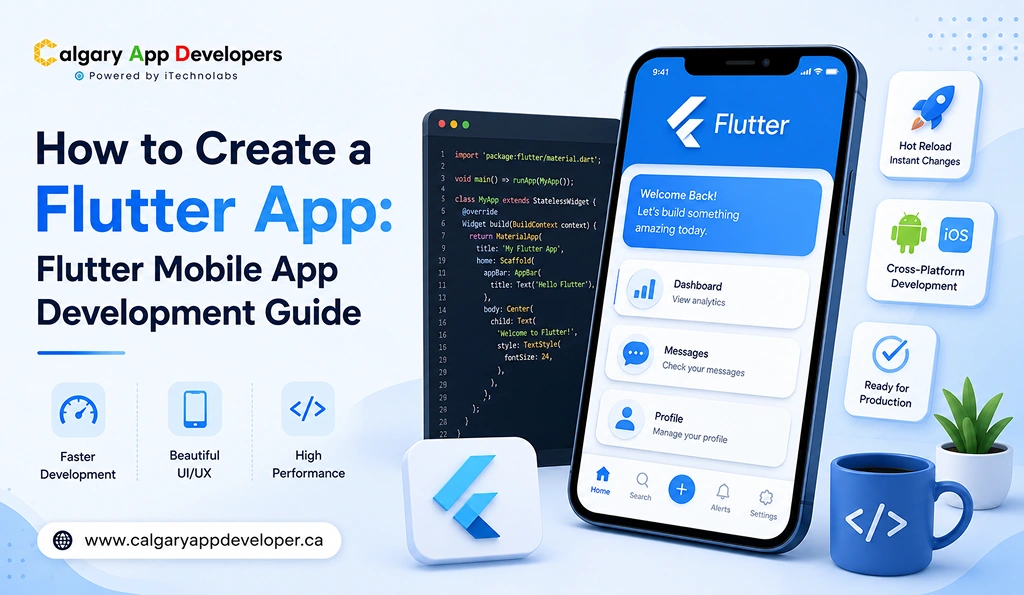
How to Create Flutter App: Flutter Mobile App Development Guide
Building a mobile app is no longer only about having an idea and then moving on. The real trouble usually starts with picking the right tech, keeping development costs lower, and getting it out there faster, but still without hurting performance. That’s kinda why Flutter has turned into one of the most preferred frameworks for modern mobile app development in 2026.
With a single codebase for both Android and iOS, Flutter helps businesses speed up development, maintain consistency across platforms, and scale products more efficiently. But successful Flutter app development still depends on making the right technical decisions from the beginning.
This guide is built from our hands-on experience developing Flutter apps for startups, growing businesses, and enterprise-level products across multiple industries. Instead of repeating generic framework comparisons, we’re sharing practical insights, proven development strategies, and the real challenges teams face while building scalable Flutter applications.
Whether you’re validating a new app idea, rebuilding an existing product, or evaluating frameworks for your next digital product, this Flutter mobile app development guide will help you understand exactly how to create a Flutter app that performs reliably, scales smoothly, and delivers long-term business value.
TL;DR
- Flutter allows businesses to build high-performance apps for iOS and Android using a single codebase.
- Flutter app development in 2026 focuses heavily on speed, scalability, cost efficiency, and multi-platform reach.
- Building a successful Flutter app requires strong planning, architecture, testing, and post-launch support.
- Flutter continues to grow because of its performance, developer ecosystem, and expanding enterprise adoption.
Key Points
- Flutter helps businesses reduce development and maintenance costs by allowing teams to manage one shared codebase across multiple platforms.
- Flutter mobile app development supports a wide range of products, including ecommerce apps, fintech platforms, SaaS tools, healthcare apps, on-demand services, and enterprise applications.
- A successful Flutter app development process includes idea validation, requirement planning, architecture design, UI and UX design, feature development, testing, deployment, and ongoing maintenance.
- Flutter delivers near native performance through its own rendering engine, making it suitable for apps with animations, real-time updates, and complex user interactions.
- Development costs for Flutter apps in 2026 vary significantly based on app complexity, backend infrastructure, integrations, design requirements, and security needs.
- Flutter is often preferred over other cross-platform frameworks because of its consistent UI rendering, strong Google support, growing package ecosystem, and faster iteration cycles.
- Common mistakes in Flutter app development include poor scope planning, weak architecture decisions, insufficient testing, ignored compliance requirements, and a lack of post-launch planning.
- Emerging Flutter trends in 2026 include AI-powered app features, improved web and desktop support, stronger offline capabilities, automation-driven deployment workflows, and growing enterprise adoption.
Flutter Mobile App Development Market Overview
Flutter has evolved from a promising cross-platform framework into one of the most dominant technologies in modern mobile app development. In 2026, businesses are increasingly choosing Flutter because it reduces development costs, speeds up launch timelines, and allows teams to maintain a single codebase across Android, iOS, web, and desktop platforms.
The market growth around Flutter is no longer driven only by startups. Enterprises, SaaS companies, fintech brands, ecommerce platforms, healthcare providers, and logistics businesses are now investing heavily in Flutter-based applications to improve scalability and reduce long-term maintenance complexity.
Here are some of the most important Flutter market statistics and future predictions shaping the industry in 2026:
Key Flutter Market Statistics 2026
- Businesses adopting Flutter report up to 40% to 60% faster development cycles compared to building separate native apps for Android and iOS.
- Companies using Flutter often reduce mobile app development and maintenance costs by approximately 40% to 50% because of the shared codebase architecture.
- Flutter apps generated more than $283 million in app revenue according to recent mobile market reports, showing strong commercial viability across industries.
- Flutter developer demand continues to rise globally as businesses seek faster cross-platform development solutions with lower operational overhead.
Future of Flutter App Development
The future outlook for Flutter remains extremely strong heading toward 2027 and beyond.
Several market analysts and development reports predict Flutter will continue leading the cross-platform ecosystem because of:
- Increasing enterprise adoption
- Expansion into web and desktop applications
- Improved rendering performance with the Impeller engine
- Growing AI-powered app integrations
- Faster MVP development for startups
- Reduced long-term maintenance costs
Industry projections also suggest Flutter could become the default framework for a large percentage of enterprise grade cross platform applications over the next few years.
Major global brands, including BMW, Toyota, Google, eBay, and Alibaba, are already using Flutter in production environments, further strengthening confidence in its long-term scalability and ecosystem maturity.
Also Check: Best Flutter App Development Companies in Calgary, Canada
Why Choose Flutter for Mobile App Development in 2026
There’s a version of this conversation that’s purely technical. Flutter uses a compiled rendering engine; it doesn’t rely on JavaScript bridges, and it produces smooth 60fps and 120fps animations natively. That’s all true and relevant. But for most business decision-makers, the more useful framing is simpler: Flutter lets you build Flutter app solutions once and ship them everywhere, without the compromises that cross-platform frameworks used to force on you.
Here’s what that actually means in practice for businesses evaluating their options.
- Single codebase: When you develop Flutter app products, your team maintains one codebase instead of two. That reduces developer headcount, simplifies testing, and cuts the ongoing maintenance cost that tends to quietly escalate over time with separate iOS and Android codebases.
- Performance: Flutter renders its own widgets using Google’s Skia and Impeller graphics engines. It doesn’t wrap native components or rely on a JavaScript bridge. The result is consistent, high-performance rendering across devices, which matters if your product includes animations, real-time updates, or complex UI interactions.
- Dart is faster: If your team already knows Java, Kotlin, Swift, or TypeScript, Dart’s syntax feels familiar within days. The learning curve is real, but it’s not steep. Most development teams hit productive velocity within the first two to three weeks.
- Flutter’s widget library: Material Design and Cupertino widgets are built in, and the pub.dev package ecosystem has grown significantly. You’re not reinventing solutions for common problems. Most payment, maps, analytics, push notification, and camera integrations have well-maintained Flutter packages.
- Strong Google backing: Flutter isn’t a community-maintained side project. Google uses it internally for products like Google Pay, and continues to invest heavily in its roadmap. For businesses making a multi-year technology bet, that backing reduces platform risk.
- Faster iteration for startups: Flutter’s hot reload feature lets developers see code changes reflected instantly without restarting the app. That sounds minor, but it genuinely accelerates UI development and makes design iteration faster during early-stage builds.
For Canadian businesses, there’s one more practical advantage. Flutter development talent is more widely available today than it was three years ago, including in Calgary, which keeps team-building more predictable and less dependent on remote-only hiring.
Benefits of Flutter App Development for Businesses and Startups
Flutter mobile app development offers a set of real, measurable advantages that go beyond technical performance. For businesses and startups planning to create Flutter app products in 2026, these benefits directly affect cost, speed, quality, and long-term scalability.
- Cross-Platform Reach From a Single Build: Flutter lets you build Flutter app solutions that run on iOS, Android, web, and desktop from one codebase. This means your product reaches a wider audience without requiring separate development efforts for each platform. For startups validating ideas across markets, that reach is a significant early advantage.
- Lower Development and Maintenance Costs: Maintaining one Flutter codebase is significantly cheaper than maintaining separate native iOS and Android projects. You need fewer developers, fewer separate test suites, and fewer platform-specific bug cycles. Over a 12 to 24-month period, this cost difference adds up to real savings for businesses watching their development budget.
- Faster Time to Market: Flutter’s hot reload, extensive widget library, and shared codebase let teams build Flutter app products and ship faster than they could with parallel native development. For startups competing in fast-moving markets or businesses trying to capture seasonal opportunities, that speed advantage is meaningful.
- Consistent UI and Brand Experience Across Platforms: Flutter renders its own widgets rather than wrapping native ones, which means your app looks and behaves identically on iOS and Android. For businesses with strong brand standards, that consistency is harder to achieve with other cross-platform frameworks.
- High Performance Without Native Trade-Offs: Flutter compiles to native ARM code and uses its own rendering engine. The result is smooth animations, fast load times, and responsive interactions that feel genuinely native, without the performance ceiling that JavaScript-based frameworks tend to hit.
- Broad Monetization Flexibility: Flutter apps support all standard monetization models, including subscriptions, in-app purchases, advertising, and enterprise licensing. The framework doesn’t impose limitations on how you structure your revenue model, which gives product teams full flexibility to test and optimize.
- Strong Package Ecosystem on pub.dev: Flutter’s package registry has thousands of well-maintained libraries for everything from payment gateways and maps to analytics, authentication, and camera access. Most integration needs are covered without custom development, which reduces both cost and delivery time.
- Built-In Accessibility Support: Flutter includes native accessibility support for screen readers, dynamic text sizing, and high-contrast modes. This matters for Canadian businesses serving a broad user base and for any product where AODA or federal accessibility compliance is a consideration.
- Scalable Architecture for Growing Products: Flutter works well with clean architecture patterns like BLoC, Riverpod, and Provider. These patterns make it easier to scale your codebase as your product grows without accumulating technical debt that slows future development.
- Multi-Platform Expansion Without Rebuilding: Once you create a Flutter app for mobile, expanding to web or desktop is a fraction of the effort compared to starting fresh. For businesses with long-term platform expansion plans, reusability is a real strategic asset.
- Active Community and Long-Term Ecosystem Stability: Flutter has one of the most active developer communities of any mobile framework. Regular updates, strong documentation, and a large talent pool mean you’re not betting on a framework that could stagnate in two years.
Types of Flutter Apps You Can Build
One of Flutter’s genuine strengths is how broadly it applies across product types. Whether you’re planning to develop Flutter app solutions for consumers, enterprise teams, or internal operations, the framework handles a wide range of use cases effectively.
- Consumer Mobile Apps: Flutter is widely used for consumer-facing products where UI polish and cross-platform consistency are priorities. E-commerce apps, lifestyle apps, and social platforms all benefit from Flutter’s rendering performance and fast iteration cycle.
- On-Demand Service Apps: Ride-hailing, food delivery, home services, and logistics apps are common Flutter builds. Real-time location tracking, push notifications, and dynamic content updates all work well within Flutter’s architecture, making it a practical choice for on-demand platforms.
- Ecommerce and Retail Apps: Flutter’s rich animation and layout capabilities make it well-suited for product browsing, cart management, payment flows, and loyalty programs. Canadian retailers targeting both iOS and Android users get full platform coverage from a single development investment.
- Enterprise and Internal Business Apps: Flutter handles enterprise use cases effectively. Workforce management, field service tools, CRM companions, and internal reporting dashboards are common enterprise Flutter builds. These apps prioritize security, performance, and system integration over public distribution aesthetics.
- Fintech and Payments Apps: Flutter is increasingly used in financial services for mobile banking companions, expense trackers, and payment tools. It supports secure authentication, biometric login, and encrypted data handling, which are baseline requirements in Canadian fintech development.
- Healthcare and Wellness Apps: Health tracking, telemedicine support, appointment management, and wellness coaching apps are active areas for Flutter development in Canada. Teams building in this space need to consider PIPEDA compliance and, where applicable, provincial health data regulations when architecting the backend.
- MVP and Startup Validation Products: Flutter is one of the best frameworks for building an MVP quickly without sacrificing the quality of the user experience. A single Flutter build lets founders test their product with both iOS and Android users simultaneously, which compresses validation timelines significantly.
- SaaS Mobile Companions: Many SaaS products add mobile companion apps to their web platforms. Flutter makes this practical and cost-efficient because the mobile app shares logic with the broader product without requiring a completely separate engineering track.
- EdTech and Learning Platforms: Flutter supports video playback, interactive content, progress tracking, and offline access, all of which are core requirements in educational app development. Canadian edtech businesses building for national audiences benefit from Flutter’s bilingual UI support for English and French content.
- Real Estate and Property Apps: Property search, listing management, virtual tour integration, and mortgage calculators are common features in real estate Flutter builds. Calgary’s active real estate market has driven demand for well-built mobile experiences in this category.
- IoT and Connected Device Interfaces: Flutter’s ability to communicate with Bluetooth devices, sensors, and connected hardware makes it a viable choice for IoT companion apps in industries like oil and gas, agriculture, and industrial monitoring, all of which have active development communities in Alberta.
Choosing the right Flutter app type early aligns your architecture decisions with your actual user needs. The framework is flexible enough to support all of these categories, but each type comes with its own technical considerations that shape how you build and scale.
Read Also: Flutter App Development Cost in Calgary, Canada | Complete Guide
Step-by-Step Process to Create a Flutter App
Building a Flutter app that performs reliably in the real world is a disciplined, multi-phase effort. Every step in this process connects to the quality of what ships at the end. Skipping or compressing phases doesn’t save time; it borrows against future rework. Here’s how professional Flutter mobile app development actually unfolds.
1. Idea Validation and Strategic Clarity
Before you write a single line of Dart, the idea needs to hold up under scrutiny. This step determines whether the app should exist and what success actually looks like.
- Define the core problem the app is solving and who it’s solving it for.
- Research existing solutions on both iOS and Android to understand the competitive landscape.
- Identify the primary and secondary user segments and their key behaviors.
- Validate demand through user interviews, early landing page testing, or competitive signal analysis.
- Set measurable business objectives: user acquisition targets, revenue milestones, or efficiency improvements.
- Establish realistic expectations around timeline, investment, and go-to-market approach.
Strong validation at this stage prevents the far more expensive mistake of building the wrong product with precision.
2. Requirement Gathering and Scope Definition
Once the idea is validated, it needs to be converted into structured, unambiguous requirements that every team member and stakeholder can work from.
- Document all user-facing features in clear, non-technical language.
- Define detailed user journeys for every major interaction flow.
- Identify technical requirements, including performance targets, security standards, and availability expectations.
- List all third-party services, APIs, and integrations needed from day one.
- Separate core MVP features from future-phase enhancements clearly.
- Lock the scope to prevent constant additions that derail timelines and budgets.
Clear requirements are the difference between a project that delivers on time and one that expands indefinitely.
3. Technical Planning and Flutter Architecture Design
This phase sets the technical foundation. The architecture decisions made here determine how well the app performs and how easily it scales.
- Choose the appropriate Flutter state management solution based on app complexity: BLoC for large apps, Riverpod or Provider for mid-scale, and setState for simple builds.
- Define the overall app architecture using a clean, layered approach that separates presentation, business logic, and data layers.
- Plan backend systems, REST or GraphQL APIs, and database architecture.
- Decide how data will be cached locally and synchronized with remote services.
- Define authentication and authorization patterns, including support for biometrics if required.
- Set coding standards, Git branching strategy, and CI/CD pipeline expectations before development begins.
Thoughtful architecture at this stage is what separates Flutter apps that scale cleanly from ones that require painful rewrites six months after launch.
4. Flutter SDK Setup and Development Environment Configuration
This step is specific to Flutter and often underestimated in planning. Getting the development environment right from the start saves significant friction later.
- Install the Flutter SDK and Dart runtime, and configure environment variables correctly on each developer machine.
- Set up Android Studio and Xcode for iOS and Android emulation and device testing.
- Configure VS Code or Android Studio with Flutter and Dart plugins, linting rules, and formatter settings.
- Create a new Flutter project with the correct package name and initial directory structure.
- Set up version control, configure .gitignore for Flutter-specific files, and establish branch protection rules.
- Connect physical test devices for both iOS and Android to catch device-specific issues early.
- Configure Firebase or your chosen backend service and validate that the development environment connects correctly before feature work begins.
This setup phase is unglamorous, but teams that skip proper environment configuration consistently run into integration issues mid-project that could have been avoided entirely.
5. UI and UX Design Development
Design in Flutter isn’t just about aesthetics. It’s about how users move through the app, what they understand intuitively, and where they drop off.
- Create wireframes that map screen layouts and navigation flows before visual design begins.
- Design visual components aligned with your brand identity and Flutter’s Material or Cupertino design systems.
- Build interactive prototypes to test navigation logic before development begins.
- Design for multiple screen sizes, orientations, and pixel densities since Flutter’s layout system makes responsive design achievable, but requires deliberate planning.
- Apply accessibility best practices, including sufficient color contrast, scalable text, and screen reader compatibility.
- Review designs with actual users or internal stakeholders and iterate before handing off to development.
Strong design decisions at this stage reduce the number of mid-development changes that slow delivery and increase cost.
6. Flutter App Development and Feature Implementation
This is where the plan becomes a working product. Disciplined execution here is what separates Flutter apps that ship on time from ones that drag.
- Set up a clean, modular project structure with clearly defined layers for UI, business logic, and data.
- Build Flutter widgets for each screen, starting with the core navigation structure and primary user flows.
- Implement business logic in the appropriate state management layer, keeping UI components free of logic where possible.
- Integrate backend APIs, payment gateways, map services, push notifications, and any third-party SDKs.
- Implement local storage using shared preferences, Hive, or SQLite, depending on data complexity.
- Handle offline scenarios explicitly: what does the app show when there’s no connection, and how does it sync when connectivity resumes?
- Optimize for performance throughout: avoid unnecessary widget rebuilds, use const constructors where applicable, and profile with Flutter DevTools regularly.
Building features incrementally and reviewing code consistently keeps the codebase maintainable and testable as the project grows.
7. Testing, Quality Assurance, and Refinement
Flutter’s testing framework is one of its genuine strengths. Unit tests, widget tests, and integration tests are all first-class citizens in the framework, and skipping them creates problems that compound.
- Write unit tests for all business logic and data layer functions.
- Write widget tests for critical UI components and interaction flows.
- Run integration tests against real device scenarios, including slow network conditions and low battery states.
- Test on a range of physical Android and iOS devices, not just emulators, to catch rendering and hardware issues.
- Conduct security testing for any screens handling authentication, payments, or personal data.
- Test PIPEDA compliance for data collection, consent flows, and storage practices if your app serves Canadian users and handles personal information.
- Fix identified issues, refine interactions, and validate the final product against original requirements.
Thorough testing at this stage protects your launch from the negative reviews and user churn that avoidable bugs cause.
8. App Store and Google Play Deployment
Flutter’s cross-platform nature means you’re submitting to both the App Store and Google Play. That submission process has specific requirements that need preparation.
- Build release versions for both platforms: flutter build apk or flutter build appbundle for Android, flutter build ipa for iOS.
- Configure app signing for both platforms, including Android keystore and iOS provisioning profiles.
- Prepare App Store and Play Store listings with accurate descriptions, keywords, screenshots, and promotional assets.
- Ensure all permission declarations are accurate and justified, since both platforms scrutinize permissions more carefully than they used to.
- Submit to both stores and manage the review process, responding promptly to any reviewer feedback.
- Plan a staged rollout so you can monitor early user behavior and catch issues before they reach your full user base.
Dual-platform submission is one area where Flutter saves significant effort compared to maintaining separate native builds.
9. Post-Launch Monitoring, Maintenance, and Growth
The lifecycle of a Flutter app extends well beyond its first release. Teams that plan for this from the start build better products and retain users longer.
- Monitor crash reports and performance metrics using Firebase Crashlytics, Sentry, or a similar tool.
- Track user behavior with analytics to identify where users drop off, which features they use most, and where the experience breaks down.
- Release regular updates that address bugs, improve performance, and support new Android and iOS versions as they are released.
- Gather user feedback through in-app surveys, App Store reviews, and direct user interviews.
- Scale backend infrastructure proactively as user demand grows rather than reactively after performance issues appear.
- Plan the next feature phase based on real usage data rather than assumptions, and revisit your original business objectives regularly to confirm the product is delivering on them.
Apps that are maintained and improved consistently outperform those that are launched and left alone. That’s not a theory. It’s the pattern across every successful long-term Flutter product.
Also Read: Hire Flutter Developers Calgary: Top 10 Sites to Hire
How Much Does It Cost to Build a Flutter App in 2026
Most Flutter app projects in Canada range from $20,000 to $200,000+ CAD, depending on complexity, feature depth, backend requirements, and the experience level of the development team. That range is wide because the scope of Flutter mobile app development varies enormously from a focused MVP to a full-featured platform with real-time data, custom integrations, and enterprise-grade security.
Here’s a breakdown of typical cost ranges by development stage:
Estimated Cost Breakdown for Flutter App Development
| Development Stage | Estimated Cost Range (CAD) |
| Idea validation and planning | $2,000 to $8,000 |
| UI and UX design | $4,000 to $18,000 |
| Flutter app development | $10,000 to $120,000 |
| Backend development and APIs | $5,000 to $45,000 |
| Testing and quality assurance | $3,000 to $20,000 |
| App Store and Play Store launch | $1,500 to $6,000 |
| Post-launch support and maintenance | $3,000 to $25,000 annually |
| Total Estimated Cost | $20,000 to $200,000+ |
One important note: these are ranges, not averages. Where your project falls depends on the factors covered below.
Flutter App Development Cost by Canadian City
Development team location has a meaningful effect on both cost and project outcomes. Here’s how Flutter mobile app development rates typically compare across major Canadian markets:
| Location | Typical Cost Range (CAD) | Notes |
| Toronto, ON | $95,000 to $250,000+ | Highest rates in Canada; large agency market with premium pricing |
| Vancouver, BC | $85,000 to $220,000+ | Strong Flutter talent pool; premium market rates |
| Calgary, AB | $55,000 to $160,000 | Competitive rates, senior Flutter talent, lower overhead than Toronto or Vancouver |
| Ottawa, ON | $65,000 to $170,000 | Strong tech ecosystem; government-adjacent pricing |
| Montreal, QC | $45,000 to $140,000 | Cost-effective option with bilingual development capability |
| Offshore | $15,000 to $60,000 | Lower upfront cost; higher risk of communication friction, revision cycles, and post-launch accountability gaps |
Calgary sits in a strong position here. You get senior-level Flutter expertise at rates that are significantly more competitive than Toronto or Vancouver, without the accountability and communication risks that offshore engagements consistently introduce once the project gets complex.
Factors That Affect Flutter App Development Cost
- App Complexity and Feature Depth: The number of screens, interactions, and integrations drives cost more than anything else. A focused MVP with five to eight core screens costs a fraction of a full-featured platform with real-time data, admin panels, and multiple user roles. Defining the scope clearly before development begins is the most effective way to control cost.
- UI and UX Design Requirements: Standard Flutter widget implementations cost less than custom animations, branded illustration systems, or highly tailored interaction patterns. That said, investing in strong design typically pays back through better retention and lower support volume. The question isn’t whether design costs money; it’s whether the design investment is aligned with your product’s stage.
- State Management and Architecture Complexity: Simple apps using setState are faster to build than complex apps requiring BLoC or Riverpod with reactive data flows across multiple screens. The right architecture choice depends on your product’s long-term scope, not just its current feature set.
- Backend Infrastructure and API Integrations: Every third-party integration adds development and testing time. Payment gateways, mapping services, push notification systems, CRM connections, and analytics platforms all need to be built, tested, and maintained. The more connected your app is, the more backend complexity you’re carrying.
- Security and Compliance Needs: Apps handling financial data, health information, or personal user data require additional investment in secure authentication, encrypted storage, and compliant data handling. For Canadian businesses, PIPEDA compliance isn’t optional; it affects how you architect consent flows, data storage, and user data deletion capabilities.
- Testing Scope and Device Coverage: Flutter’s cross-platform nature is an advantage, but testing still needs to cover both iOS and Android across multiple device types and OS versions. Skipping thorough testing is one of the fastest ways to generate negative reviews post-launch.
- Team Location and Engagement Model: Where your team is based affects both hourly rates and how the project is managed. Calgary-based teams offer a meaningful combination of technical depth, timezone alignment, and direct communication that reduces the coordination overhead that offshore projects typically accumulate.
- Post-Launch Maintenance and Updates: Flutter apps require ongoing updates to stay compatible with new iOS and Android releases, address bugs, and improve based on user feedback. Planning for 10 to 15 percent of the initial development cost annually as a maintenance budget is a reasonable baseline for most products.
- Canadian Funding Opportunities Worth Knowing: Canadian businesses investing in technology development may be eligible for SR&ED (Scientific Research and Experimental Development) tax credits or CDAP (Canada Digital Adoption Program) grants. These programs can meaningfully offset Flutter app development costs and are worth exploring with your accountant or a funding specialist before committing your full budget.
Flutter vs React Native vs Native: Which Is Right for You?
This is one of the most common decisions teams face when planning cross-platform mobile development. The honest answer is that the right choice depends on your specific product requirements, timeline, and budget, but here’s how the options actually compare in practice:
| Factor | Flutter | React Native | Native (iOS + Android) |
| Performance | High; compiles to native ARM, own rendering engine | Moderate to high; JS bridge can introduce latency on complex UIs | Highest: direct access to platform APIs |
| Codebase | Single codebase for iOS, Android, web, and desktop | Single codebase for iOS and Android | Separate codebases for each platform |
| Development Cost (CAD) | $20,000 to $200,000+ | $20,000 to $180,000+ | $40,000 to $350,000+ combined |
| UI Consistency | Identical across platforms; renders own widgets | Near-consistent; wraps native components | Platform-specific look and feel |
| Best For | Products needing consistent UI, fast iteration, and multi-platform reach | Teams with existing JavaScript/React expertise | Apps requiring deep OS integration or platform-specific features |
Flutter is the strongest choice when UI consistency and cross-platform reach are priorities and when your team doesn’t have a heavy existing investment in JavaScript frameworks. React Native makes sense when your team already knows React, and you’re building primarily for mobile. Native development is the right call when your product requires deep system integration, platform-exclusive features, or performance at a level that cross-platform frameworks can’t match.
For most Canadian startups and growing businesses building standard mobile products, Flutter hits the best balance of cost, performance, and delivery speed.
Common Mistakes to Avoid When Creating Flutter Apps
Flutter mobile app development is more forgiving than many frameworks, but it still has failure patterns that show up consistently across projects. These are the mistakes that matter most.
- Skipping Idea Validation and Jumping Straight to Development: The most expensive mistake in any app project isn’t a technical one. Building the wrong product with excellent execution still results in a product nobody uses. Validation before development isn’t optional for teams serious about shipping something that lasts.
- Poorly Defined Scope Leading to Feature Creep: Flutter’s speed of development can create a false sense that adding features mid-project is low risk. It isn’t. Every unplanned feature adds testing time, integration complexity, and timeline pressure. Lock scope before development begins and manage additions through a formal change process.
- Choosing the Wrong State Management Approach: Using setState for a complex multi-screen app creates maintainability problems within weeks. Choosing an overly complex state management pattern for a simple app creates unnecessary overhead. Match your state management choice to your actual product complexity, not to what’s trending on Reddit.
- Ignoring Performance Profiling Until It’s Too Late: Flutter’s rendering is fast, but it’s not infinitely forgiving of bad code. Unnecessary widget rebuilds, unoptimized list views, and blocking operations on the main thread all degrade performance. Profile with Flutter DevTools throughout development, not just before launch.
- Testing Only on Emulators: Emulators don’t replicate real device behavior accurately enough for production confidence. GPU differences, touch latency, camera access, and Bluetooth behavior all need to be validated on physical hardware. Testing on at least three to five physical devices across iOS and Android is a minimum for anything shipping publicly.
- Underestimating Backend Complexity: Many Flutter projects start frontend-first and treat the backend as something to figure out later. That approach consistently creates painful integration problems mid-project. Backend architecture needs to be planned in parallel with frontend development, not after it.
- Weak Security Practices in Authentication and Data Storage: Storing sensitive data in shared preferences without encryption, using HTTP instead of HTTPS in development builds that later slip into production, or skipping proper token management are common and serious mistakes. Security needs to be built in from day one, especially for apps handling payments or personal data.
- Ignoring PIPEDA Compliance for Canadian Users: If your Flutter app collects personal information from Canadian users, PIPEDA applies. That means explicit consent flows, clear data use disclosures, user deletion capabilities, and proper data residency considerations. This isn’t just a legal requirement; users increasingly expect it and reward apps that handle data transparently.
- Releasing Without a Post-Launch Plan: Launching without monitoring, crash reporting, or a plan for the first round of updates is setting the app up for avoidable failure. The first two weeks post-launch are when real-world issues surface that testing didn’t catch. Being prepared to respond quickly is as important as the launch itself.
- Treating Cross-Platform as Identical to No-Platform-Specific Work: Flutter handles most cross-platform differences automatically, but not all. Platform-specific behaviors around notifications, background processing, and deep linking still require platform-aware implementation. Teams that assume cross-platform means zero platform-specific code consistently run into late-stage surprises.
Flutter App Development Trends to Watch in 2026
Flutter’s roadmap and the broader mobile development landscape are both moving fast. These are the trends shaping how teams build Flutter app products in 2026 and beyond.
- Dart 3 and Beyond: Stronger Type Safety and Records: Dart 3 introduced records and patterns, making complex data handling more expressive and less error-prone. Teams that adopt Dart 3 features consistently see cleaner, more maintainable codebases. Staying current with Dart updates isn’t optional for production teams.
- Flutter Web Reaching Production Maturity: Flutter Web has improved significantly in rendering performance and SEO capability. More teams are now deploying Flutter builds as full web applications alongside their mobile products, which multiplies the value of a single codebase investment.
- AI-Powered Features Becoming Baseline Expectations: Users increasingly expect intelligent personalization, natural language interfaces, and predictive behavior in the apps they use daily. Flutter’s integration with Firebase ML, Google’s Gemini APIs, and on-device inference frameworks makes adding AI capabilities to Flutter apps more accessible than it was two years ago.
- Impeller Rendering Engine Replacing Skia: Google’s Impeller engine, now the default on iOS and progressively rolling out on Android, eliminates the shader compilation jank that affected Flutter apps on first run. For apps that rely on smooth animations and transitions, this is a meaningful quality improvement that requires no additional development effort.
- Multi-Window and Foldable Device Support: As foldable phones and large-screen Android devices grow in adoption, Flutter’s layout system is evolving to support adaptive UIs that respond intelligently to form factor changes. Teams building for enterprise use cases, where tablets and foldables are more common, need to account for this now.
- Stronger Privacy Controls and Permission Management: Both Apple and Google continue to tighten permission frameworks. Flutter apps need to handle dynamic permission requests gracefully and clearly communicate why each permission is needed. Apps that do this well build more user trust; apps that don’t face lower install conversion and higher uninstall rates.
- Offline-First Architecture Becoming the Expectation: As mobile apps are used in more varied environments, including remote worksites in Alberta’s oil and gas sector, rural healthcare clinics, and field logistics teams, offline capability is no longer a nice-to-have. Flutter’s support for local databases and background sync makes offline-first architecture practical.
- Flutter for Desktop Growing in Enterprise Use Cases: Flutter’s desktop support for macOS, Windows, and Linux has reached a level of maturity that makes it viable for enterprise tooling. Companies looking to unify their mobile and desktop internal tools under one codebase are finding Flutter’s desktop build increasingly attractive.
- Subscription Models Replacing One-Time Purchases: The shift toward subscription-based monetization continues across mobile categories. Flutter’s RevenueCat integration and in-app purchase libraries have matured to support sophisticated subscription management. Teams that plan their monetization architecture early avoid painful mid-launch rewrites.
- Faster Release Cycles Through CI/CD Automation: Codemagic, Fastlane, and GitHub Actions with Flutter-specific workflows are making continuous delivery to both App Store and Play Store far more practical. Teams that invest in building automation early ship more reliably, catch regressions faster, and spend less engineering time on manual release tasks.
How Calgary App Developer Can Help You Build a Flutter App
At Calgary App Developer, we build Flutter applications that solve real business problems and hold up under real-world conditions. Our approach isn’t to ship fast and hope for the best. It’s to plan carefully, build with discipline, and stay accountable through every phase of the project.
- Flutter Expertise Applied to Real Business Outcomes: Our team has delivered Flutter mobile app development across consumer apps, enterprise platforms, on-demand services, and SaaS products. We don’t treat Flutter as a one-size-fits-all answer; we help you determine whether it’s the right fit for your specific product before development begins.
- AI-Powered Features Where They Actually Add Value: We integrate AI capabilities into Flutter apps where they improve the user experience or business metrics in measurable ways. Not because AI is trending, but because the right AI feature in the right context genuinely changes how users engage with a product.
- Transparent Cost Planning From Day One: You’ll know what your Flutter app development project costs before we write a line of code. Detailed breakdowns, realistic timelines, and clear scope documentation are part of every engagement. No surprise invoices, no scope ambiguity mid-project.
- Clean Architecture Built for Scale: Every Flutter app we build uses a clean, layered architecture designed to grow. Whether you’re at 500 users or 500,000, the codebase shouldn’t need a rewrite to handle the difference. We plan for scale from the start because retrofitting it later is always more expensive.
- Full Accountability Through Every Phase: You work with a dedicated team, not a rotating roster of contractors. Regular milestone reviews, transparent progress reporting, and direct communication with the developers building your product are standard, not premium add-ons.
- Free App Consultation to Validate Your Idea: Before you commit budget, talk to us. Our free consultation covers technical feasibility, feature prioritization, realistic cost estimation, and growth planning for your specific product. You’ll leave with a clearer picture of scope and investment, whether you work with us or not.
Final Words
Building a Flutter app in 2026 isn’t complicated when you approach it with the right process. What makes it hard is the combination of rushed planning, unclear scope, and underestimated post-launch commitment that most development struggles come from. Flutter itself is a strong, mature framework. The teams that get the most out of it are the ones that pair the framework’s capabilities with disciplined execution from the start.
If you’re ready to create a Flutter app, develop Flutter app solutions for your business, or explore whether Flutter is the right choice for your product, the next step is a conversation. No pressure, no pitch. Just a clear-eyed look at what your product needs and what it realistically takes to build it well.
Talk to the Calgary App Developer team today, and let’s figure out the right approach for your specific situation.
FAQs
1. How long does it take to create a Flutter app from scratch?
Timeline depends on app complexity and feature scope. A focused Flutter MVP with core functionality typically takes 8 to 14 weeks. A mid-complexity app with custom design, backend integrations, and multiple user roles usually runs 4 to 6 months. Full-featured platforms with real-time data, enterprise integrations, and extensive testing requirements can take 8 months or more from planning through to launch. Flutter’s single-codebase advantage does reduce total development time compared to building separate native apps, but it doesn’t eliminate the time required for good design, testing, and architecture.
2. What is the cost to develop a Flutter app in Canada in 2026?
Most Flutter app projects in Canada range from $20,000 to $200,000+ CAD. A simple MVP sits at the lower end of that range, while a full-featured platform with custom design, backend systems, payment integrations, and ongoing maintenance sits at the higher end. Calgary-based Flutter development offers a strong combination of senior-level expertise and competitive rates compared to Toronto or Vancouver, making it a practical choice for businesses that want quality without the highest-market pricing. Offshore quotes often look attractive upfront, but consistently carry hidden costs in revision cycles, communication delays, and post-launch accountability.
3. Is Flutter better than React Native for building mobile apps in 2026?
Flutter and React Native are both strong frameworks, but they suit different situations. Flutter is the better choice when you need consistent UI across platforms, are building for iOS and Android simultaneously, and want a framework with strong long-term Google backing. React Native makes more sense when your team has deep JavaScript and React expertise,e and you’re primarily targeting mobile without web or desktop expansion plans. For most Canadian startups and businesses starting fresh, Flutter’s performance characteristics, rendering consistency, and multi-platform reach make it the more practical default.
4. Do I need to know Dart to build a Flutter app?
Yes, Flutter uses Dart as its programming language. The good news is that Dart is a strongly-typed, object-oriented language with syntax that feels familiar to anyone who’s worked with Java, Kotlin, TypeScript, or Swift. Most experienced developers reach productive Flutter velocity within two to three weeks of picking up Dart. For business stakeholders, the practical implication is that Flutter development requires Dart-experienced developers, not just any mobile developer, which affects how you evaluate team composition and hiring.
5. What does PIPEDA compliance mean for a Flutter app serving Canadian users?
PIPEDA, Canada’s federal privacy law, governs how organizations collect, use, and disclose personal information. For Flutter apps serving Canadian users, PIPEDA compliance means your app needs explicit, informed consent flows before collecting personal data, a clear privacy policy explaining how data is used, user-accessible mechanisms to request data access or deletion, and secure data storage and transmission practices. If your app handles health data, additional provincial regulations may also apply. Building PIPEDA compliance into your Flutter app’s architecture from day one is significantly cheaper than retrofitting it after launch.
6. What’s the difference between building a Flutter MVP and a full Flutter app?
An MVP focuses on the smallest set of features that lets you validate your product with real users. In Flutter development, that typically means two to five core screens, basic authentication, and one primary user flow, built to production quality but without the full feature set of a mature product. A full Flutter app includes expanded feature sets, admin panels, analytics integration, multi-role user systems, and the backend infrastructure to support scale. The MVP approach is right when you need to validate demand before committing the full budget. The full build is right when you’ve already validated the concept and are building for scale.
7. Can a Calgary App Developer team handle both Flutter development and post-launch support?
Yes, and post-launch support is a critical part of any Flutter app’s lifecycle. New iOS and Android releases happen every year, and apps that aren’t updated for compatibility start generating user complaints quickly. Our team provides ongoing maintenance packages that cover OS compatibility updates, bug fixes, performance improvements, and feature additions based on real user feedback. Building a long-term relationship with your development team after launch is almost always more effective and cost-efficient than handing off to a new team that needs to learn your codebase from scratch.


Pankaj Arora is a seasoned technology leader and the Founder of Calgary App Developer, with 10+ years of expertise in crafting high-performance digital solutions. His core competencies include full-stack app development, cloud-native architecture, API integration, and agile product delivery. Under his leadership, Calgary App Developers has empowered startups and enterprises alike with scalable mobile applications, secure web platforms, and AI-driven SaaS products.