







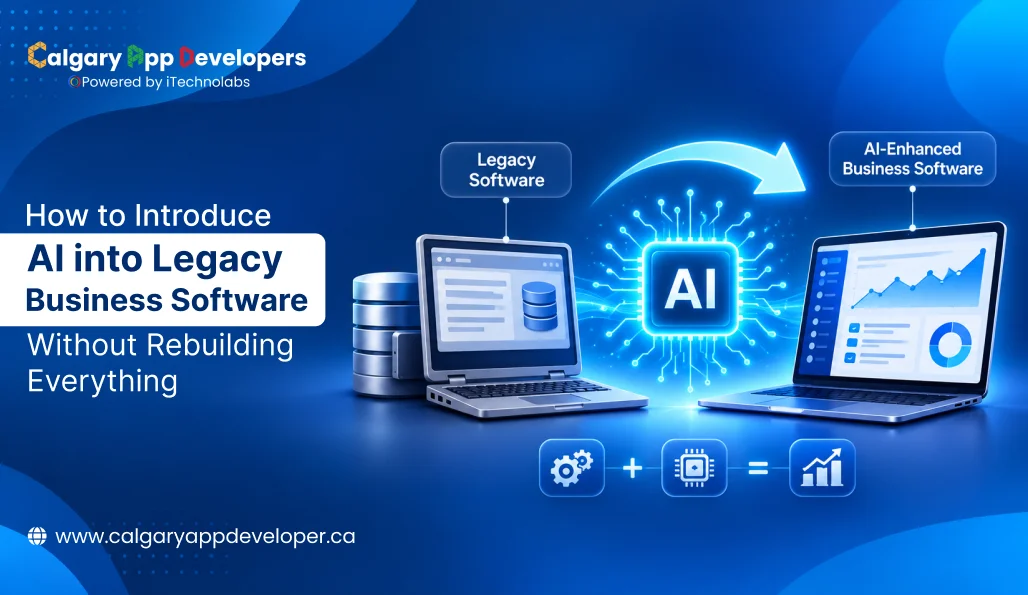
How to Introduce AI into Legacy Business Software Without Rebuilding Everything
Legacy business software holds years of operational data, established workflows, and business logic that companies rely on. Replacing these systems to introduce AI can involve high costs, migration risks, employee training, and operational disruption.
Yet AI adoption continues to expand. McKinsey’s 2026 State of AI survey found that 89% of respondents’ organizations regularly use AI in at least one business function, while 44% report scaling AI across their enterprise. Gartner forecasts that worldwide AI spending will reach approximately $4.05 trillion in 2027, reflecting growing investment in AI infrastructure, software, and services.
These developments make AI integration increasingly relevant, but they do not mean businesses need to replace their existing systems. Through APIs, middleware, and secure data connections, organizations can introduce AI capabilities while retaining functional software.
This guide explains how to assess legacy systems, choose suitable integration methods, manage implementation challenges, and determine when modernization or replacement is necessary.
TL;DR
- AI can be added to legacy business software without replacing the entire system.
- Businesses should identify high-value use cases and assess existing infrastructure before implementation.
- APIs, middleware, and other integration methods can connect AI capabilities with older applications.
- A phased implementation helps control costs, reduce disruption, and measure business value.
Key Points
- Legacy business software can support AI capabilities while preserving existing workflows, data, and core functionality.
- AI can improve existing applications through intelligent automation, predictive analytics, document processing, customer support, and decision assistance.
- Preparing legacy software involves reviewing system architecture, data quality, security requirements, and integration capabilities.
- APIs, middleware, microservices, RAG, and robotic process automation offer different ways to introduce AI into existing systems.
- Common implementation challenges include data silos, compatibility issues, security risks, integration costs, and employee adoption.
- AI integration costs depend on the complexity of the existing software, selected use cases, data readiness, and required integrations.
- Businesses should consider a complete rebuild only when the existing system has limitations that make integration impractical or too costly.
Why Legacy Business Software Doesn’t Need a Complete Rebuild to Support AI
Legacy software is not necessarily outdated or ineffective. Many established ERP, CRM, accounting, inventory, and enterprise applications continue to support essential business operations despite having older architectures.
The challenge is that these applications may lack capabilities such as intelligent automation, natural language processing, predictive analytics, and AI-powered decision support.
Rebuilding everything to introduce these features can create unnecessary complexity.
A better approach is to extend the existing application with targeted AI capabilities.
For example, a company using an established ERP system can introduce AI-powered demand forecasting without replacing its inventory management infrastructure. Similarly, a CRM platform can incorporate AI lead scoring and customer interaction summaries while retaining its existing customer records and sales workflows.
There are several reasons this approach makes sense:
- Lower disruption: Existing business processes can continue operating while new AI capabilities are introduced.
- Controlled investment: Businesses can prioritize specific workflows instead of funding a complete software replacement.
- Preserved business logic: Established rules, configurations, and integrations remain available.
- Incremental improvements: AI features can be introduced gradually based on actual business requirements.
However, integration is not always the answer. If the underlying software has serious security vulnerabilities, unsupported infrastructure, or unreliable data architecture, selective modernization may be necessary before introducing AI.
The objective is not to preserve every legacy component indefinitely. It is to modernize what needs attention while retaining what already works.
What Can AI Actually Do Inside Your Existing Business Software?
AI can improve existing business applications by adding intelligence to workflows that traditionally depend on manual effort, fixed rules, or time-consuming data analysis.
The right opportunities depend on the application’s purpose and the quality of its available data.
Here are some practical applications.
Automate repetitive business processes
AI can identify information, interpret requests, classify records, and initiate appropriate workflow actions.
For example, an existing finance application can use AI to extract invoice details, match purchase orders, flag discrepancies, and send exceptions for approval.
Extract and process business documents
Intelligent document processing combines technologies such as optical character recognition, machine learning, and natural language processing to extract structured information from unstructured documents.
This can help businesses process invoices, contracts, purchase orders, applications, and compliance documents without manually entering every field.
Improve customer support
AI assistants can connect with existing CRM and knowledge management systems to retrieve customer information, answer routine questions, and summarize previous interactions.
Support teams can access relevant information faster without switching between multiple applications.
Generate reports and business insights
AI can analyze historical business data, identify patterns, and generate summaries in natural language.
For example, managers can ask questions about monthly sales performance, inventory movement, or outstanding payments instead of manually reviewing multiple reports.
Predict operational risks
Machine learning models can analyze historical patterns to identify potential equipment failures, unusual transactions, changing customer demand, and supply chain disruptions.
These predictions can help teams investigate issues before they create larger operational problems.
Enable natural language access to business data
AI-powered assistants can allow authorized employees to interact with business information through conversational queries.
Instead of navigating multiple reporting screens, an employee might ask which orders are delayed or which customers have overdue invoices.
The AI retrieves relevant information from connected systems while respecting existing access permissions.
How to Prepare Legacy Software for AI Integration
Before connecting an AI model to an existing business application, businesses need to understand how the current system operates. A successful integration depends on more than selecting an AI tool. It requires accessible data, reliable connections, appropriate security controls, and a clear understanding of existing workflows.
Here are the key areas to evaluate.
Assess the existing software architecture
Start by reviewing the application’s technology stack, database structure, dependencies, and integration capabilities.
Determine whether the software uses a monolithic architecture, a service-oriented architecture, or a combination of older and newer components. This helps identify where AI services can connect without interfering with core application functionality.
Identify relevant data sources
AI systems need access to the right information to produce useful results.
Identify where business data is stored, including relational databases, document repositories, CRM records, ERP modules, spreadsheets, and third-party applications.
Also check whether information is consistent, complete, and regularly updated. Poor quality data can affect AI accuracy regardless of the model being used.
Evaluate API availability
Check whether the existing application provides APIs that allow external services to access specific functions or information.
If APIs are available, they can provide a controlled connection between the legacy application and AI services. If they are missing, middleware, database connectors, or custom integration adapters may provide alternative options.
Review security and access permissions
Determine which employees, applications, and services can access different categories of business information.
AI integration should follow existing authorization rules rather than creating unrestricted access to company databases.
Consider encryption, authentication, audit logging, data retention, and applicable regulatory requirements before connecting external AI services.
Identify workflows suitable for AI
Not every business process needs artificial intelligence.
Look for workflows involving repetitive decisions, large volumes of documents, frequent information searches, manual data entry, or time-consuming reporting.
Prioritize processes where AI can produce measurable improvements without introducing unnecessary operational risks.
How to Introduce AI into Legacy Business Software Without Rebuilding It
Once the existing software has been assessed, businesses can begin introducing AI through a phased implementation process.
The following steps help minimize disruption while creating opportunities to expand AI capabilities over time.
Step 1: Identify one high-value business process
Start with a specific business problem rather than introducing AI across the entire application.
For example, a manufacturing company might struggle with manually reviewing purchase orders and matching them against inventory records. A finance department might spend considerable time extracting information from invoices.
Identify the process, understand its current limitations, and establish measurable performance indicators.
Useful metrics include:
- Time required to complete a task
- Number of manual processing steps
- Error and exception rates
- Employee time spent on repetitive activities
- Cost per transaction
- Processing volume per employee
Having a baseline makes it easier to determine whether the AI implementation delivers meaningful improvements.
Step 2: Choose the right AI technology
Different business problems require different AI capabilities.
For instance, document extraction may require OCR and machine learning, while a conversational knowledge assistant may need a large language model combined with Retrieval Augmented Generation (RAG).
Consider the following options:
| Business requirement | Suitable AI technology |
| Document extraction | OCR and intelligent document processing |
| Customer support | Large language models and conversational AI |
| Sales forecasting | Predictive machine learning |
| Fraud detection | Anomaly detection models |
| Business knowledge search | RAG and semantic search |
| Workflow automation | AI agents and process automation |
The selection should depend on the problem, available data, expected accuracy, integration complexity, and security requirements.
A simple classification model may be more appropriate than an advanced AI agent for a predictable business task.
Step 3: Connect AI through APIs, middleware, or integration layers
The next step is establishing communication between the existing application and the AI service.
When legacy software provides APIs, developers can use them to exchange information with external AI components.
For example, an ERP system can send purchase order details to an AI service through an API. The AI service analyzes the information and returns extracted fields, classifications, or recommendations.
If the application does not support modern APIs, an integration layer can help bridge the gap.
This layer may include middleware, custom adapters, message queues, or controlled database connections.
The objective is to keep AI functionality separate from the core application wherever practical. This makes it easier to update AI components without repeatedly changing the underlying business software.
For example, consider a legacy accounting application that does not have built-in AI capabilities. An integration layer can receive invoice information from the application, send it to an AI document processing service, and return the extracted details for validation. Once approved, the information can move through the accounting application’s existing payment workflow. The original system continues managing financial records, while the AI service handles document interpretation.
Step 4: Give AI secure access to existing business data
AI becomes useful when it can work with relevant business information.
However, that does not mean every AI model should receive unrestricted access to the company’s database.
A better approach is to provide controlled access through approved data services.
For example, a RAG system can retrieve relevant information from internal documents, product manuals, policies, and knowledge repositories before providing context to a language model.
For structured information, applications can use controlled database queries or APIs to retrieve specific records.
Consider an employee asking an internal AI assistant about a customer’s outstanding invoices. The assistant can retrieve the relevant records from the accounting system and generate a summary based on the employee’s existing permissions.
This allows businesses to introduce conversational AI without migrating all their operational data into a new platform.
Step 5: Introduce AI capabilities into existing user interfaces
Employees should not have to learn an entirely new application just to use AI features.
Where possible, integrate AI functionality into the interfaces they already use.
For example:
- Add an AI assistant to an existing CRM dashboard.
- Display invoice extraction results within the accounting application.
- Introduce automated report summaries into ERP reporting screens.
- Add AI-generated recommendations to inventory management workflows.
This reduces the learning curve and helps employees incorporate AI into their existing routines.
Step 6: Test AI outputs before enabling automated actions
AI outputs should be validated before they influence important business decisions.
Start with a controlled environment where AI generates recommendations or processes sample information without directly changing production records.
Test for accuracy, consistency, unexpected outputs, data leakage, and failure scenarios.
For higher-risk workflows, introduce human approval before an AI system can execute actions such as approving payments, modifying customer records, or changing inventory levels.
Also establish fallback procedures, so the original workflow remains available if the AI service becomes unavailable.
Step 7: Monitor performance and expand gradually
After deployment, monitor whether the AI feature is delivering the expected results.
Track processing accuracy, response times, operational costs, user adoption, and the number of tasks requiring human intervention.
Collect feedback from employees and identify areas where the model or integration needs improvement.
Once the initial implementation demonstrates value, expand into other workflows.
This gradual approach allows businesses to introduce AI without committing to a large-scale transformation before understanding the results.
AI Integration Approaches That Work With Legacy Systems
There is no single integration architecture suitable for every legacy application. The right approach depends on the software’s existing capabilities, data environment, security requirements, and operational complexity.
Here are six common approaches.
1. API based AI integration
APIs allow legacy applications to exchange information with external AI services through defined interfaces.
They are suitable when the existing software already exposes the required business functions or data.
For example, a CRM can send customer interaction records to an AI service for sentiment analysis and receive the results through an API.
2. Middleware and integration layers
Middleware connects applications that use different technologies, communication protocols, or data formats.
It can translate requests, manage authentication, route information, and coordinate communication between legacy applications and AI services.
This approach is especially useful when older systems lack modern integration capabilities.
3. Retrieval Augmented Generation (RAG)
RAG combines information retrieval with large language models.
Instead of relying only on information learned during training, the system retrieves relevant content from approved business knowledge sources before generating a response.
It works well for internal knowledge assistants, document search, customer support, and enterprise information retrieval.
4. AI Capabilities Delivered Through Microservices
Microservices allow businesses to introduce individual AI capabilities as independent services without modifying the entire application. This approach can separate functions such as document classification, demand forecasting, and customer sentiment analysis from the core business software.
For example, document classification, demand forecasting, and customer sentiment analysis can operate as separate services.
This creates flexibility because individual components can be updated, scaled, or replaced independently.
5. Robotic Process Automation with AI
RPA can automate interactions with existing software through its user interface when direct integration options are limited.
Combining RPA with AI adds capabilities such as document interpretation, information classification, and handling less predictable inputs.
However, screen-based automation can be sensitive to interface changes, so it should not replace stable APIs when suitable alternatives exist.
6. Event-driven AI integration
Event-driven architecture allows applications to trigger AI processes when specific business events occur.
For example, when a new invoice enters an accounting system, an event can trigger document extraction and validation.
The results can then be returned to the accounting workflow for review.
This approach is useful when businesses need AI capabilities to operate alongside existing processes without requiring every action to happen synchronously.
AI Integration Scenarios Across Business Software
Businesses can introduce AI into different types of legacy applications without replacing the systems responsible for their core operations. The following scenarios illustrate how AI capabilities can extend existing software across common business functions.
AI integration in ERP systems
An established ERP platform can incorporate AI-powered demand forecasting, inventory recommendations, and automated purchase order processing.
For example, AI can analyze historical sales, seasonal demand, and inventory movement to recommend replenishment quantities. The ERP continues managing inventory records while AI provides additional analysis.
AI capabilities in CRM platforms
Businesses can integrate AI into existing CRM applications to improve lead qualification, customer segmentation, and sales forecasting.
An AI component can analyze customer interactions, identify purchase intent, and recommend follow-up actions. Sales representatives can review these insights within their existing CRM dashboards.
AI-powered inventory and supply chain management
AI can analyze supplier performance, historical orders, delivery schedules, and inventory levels to identify potential supply chain disruptions.
An existing inventory application can receive these predictions and notify managers about potential shortages or delayed shipments.
AI integration in finance and accounting software
Accounting applications can use intelligent document processing to extract invoice details, identify discrepancies, and match transactions against purchase orders.
Instead of replacing the accounting platform, businesses can connect an AI service that handles document interpretation while the existing system maintains financial records and approval workflows.
AI-powered HR and document management systems
HR platforms can introduce AI-powered resume screening, employee query assistants, and document classification.
Similarly, document management systems can use AI to categorize files, extract important information, and improve internal search.
In each case, the existing application remains responsible for its core business functions while AI adds specific capabilities where they are needed.
Common Challenges When Adding AI to Legacy Software and How to Address Them
Although AI integration can extend existing software, it introduces technical and operational challenges that businesses should address early.
Outdated infrastructure and limited APIs
Older applications may not support modern communication standards or external service connections.
Custom adapters, middleware, and carefully designed integration layers can help connect these systems without rewriting their entire codebase.
Inconsistent or fragmented business data
AI performance depends heavily on the quality and relevance of its input data.
Businesses should establish data validation processes, resolve inconsistencies, and create clear data ownership rules before deployment.
Security and access control concerns
Connecting AI to business information introduces additional security considerations.
Use least-privilege access, encryption, audit trails, and appropriate data handling policies. For sensitive information, assess whether private deployment or an approved enterprise AI environment is more suitable.
AI accuracy and unreliable outputs
Generative AI can produce incorrect or unsupported responses. Predictive models can also become less accurate when business conditions change.
Use representative test datasets, monitor model performance, and introduce human review for important decisions.
Employee adoption and change management
Employees may hesitate to use AI if they do not understand how it affects their responsibilities.
Explain what the AI feature does, provide practical training, and make it clear when human judgment remains necessary.
When Should You Integrate AI and When Should You Consider Rebuilding?
AI integration is a practical option when existing business software continues to perform its core functions but lacks intelligent capabilities.
However, some systems require more substantial changes before AI can deliver meaningful value.
| Situation | Recommended approach |
| Existing software works reliably but lacks AI features | Integrate AI |
| Application has usable APIs and accessible data | API based integration |
| Software lacks modern APIs but remains functional | Middleware or custom adapters |
| Certain modules have accumulated technical debt | Selective modernization |
| Infrastructure has serious security vulnerabilities | Modernize or replace affected components |
| Core architecture cannot support required business operations | Consider rebuilding |
A hybrid approach may also be appropriate.
For example, a company can retain its existing ERP platform while modernizing its reporting module and introducing AI-powered forecasting through a separate service.
The decision should depend on business requirements, infrastructure limitations, long-term maintenance, and the total cost of ownership.
The goal is to avoid rebuilding functional software simply to introduce new technology while also recognizing when the existing foundation needs improvement.
How Calgary App Developer Helps Businesses Introduce AI into Existing Software
Introducing AI into legacy business software requires the right technical expertise, a clear understanding of existing systems, and an implementation strategy that minimizes disruption.
At Calgary App Developer, we help businesses identify opportunities to integrate AI into their existing applications, improve operational workflows, and extend software capabilities without unnecessary redevelopment.
Our services include AI consulting, custom AI development, API integration, intelligent document processing, AI-powered workflow automation, and legacy software modernization. We focus on practical solutions that align with your existing infrastructure and business objectives.
Whether you want to introduce an AI assistant, automate repetitive processes, or modernize specific application components, our team can help you plan and implement the right approach.
Final Words
Introducing AI into legacy business software does not have to mean replacing systems that already support your business. With the right strategy, organizations can add intelligent capabilities to existing applications, improve workflows, reduce manual effort, and make better use of their operational data.
The key is to start with specific business challenges rather than adopting AI for its own sake. Assess your current infrastructure, identify suitable integration points, prepare your data, and choose an approach that fits your technical environment. A phased implementation also helps manage costs, reduce disruption, and measure results before expanding AI across other processes.
Legacy software can continue to deliver value while evolving to meet new business requirements. By taking a practical approach to AI integration with legacy systems, businesses can modernize what matters, preserve what works, and build a foundation for future growth.
FAQs
- Can AI be added to legacy software without replacing it?
Yes. AI can be integrated into existing software through APIs, middleware, custom connectors, and separate AI services. Businesses can introduce capabilities such as document processing, predictive analytics, and intelligent automation while retaining their existing applications and databases.
- How do you integrate AI into software without APIs?
Software without APIs can connect to AI through middleware, custom adapters, controlled database access, message queues, or robotic process automation. The appropriate method depends on the application’s architecture, security requirements, and available integration options.
- Does AI integration require migrating existing business data?
No. AI integration does not automatically require complete data migration. Businesses can provide controlled access to existing databases, document repositories, and business applications through secure connectors, APIs, and retrieval systems.
- How long does it take to add AI to existing software?
The timeline depends on the application’s architecture, data readiness, integration requirements, and complexity of the AI feature. A focused feature using accessible APIs and prepared data may take a few weeks. More complex enterprise integrations involving legacy databases, custom connectors, security reviews, and extensive testing can take several months. A technical assessment is needed to establish a realistic project timeline.
- Is AI integration secure for enterprise applications?
AI integration can be designed to meet enterprise security requirements through encryption, authentication, role-based permissions, audit logging, and controlled data access. Businesses should also evaluate model hosting, data retention, and compliance requirements before deployment.


Pankaj Arora is a seasoned technology leader and the Founder of Calgary App Developer, with 10+ years of expertise in crafting high-performance digital solutions. His core competencies include full-stack app development, cloud-native architecture, API integration, and agile product delivery. Under his leadership, Calgary App Developers has empowered startups and enterprises alike with scalable mobile applications, secure web platforms, and AI-driven SaaS products.