





Restaurant Management Software Development Guide 2026
Operating a successful restaurant in order to thrive is dependent on more than just good food and service. It also means good and efficient processes, which is where restaurant management systems come in: a system that ties together orders, inventory, staff schedules, and customer information so you aren’t managing orders through spreadsheets or sticky notes. Whether you have a single city eatery or are expanding a chain, the right software will make your life easier with a clear path for your employees.
A couple of big points that should be noted: the global restaurant management software market was worth close to USD 5.79 billion in 2024, and by 2030 it will nearly double to about USD 14.70 billion, with a compound annual growth rate (CAGR) of 17.4% during 2025-2030.
This eventually translates to restaurants depending more and more on digital tools not solely for payments or reservations but for the full-scale management of the operation.
By 2026 this shift becomes even more pronounced. With rising labor costs, supply chain challenges, and higher customer expectations, restaurant owners who adopt the right software will be better positioned to compete. In short: if you’re still managing your operations by hand, now is a good time to explore the tools that will become industry standard.
- Restaurant Management Software simplifies operations by integrating POS, inventory, staff management, and customer data in one system.
- The global market is growing fast, expected to reach nearly USD 14.7 billion by 2030.
- Building efficient software involves careful planning, development, and ongoing support.
- The right solution enhances efficiency, improves customer experience, and supports long-term growth.
- Restaurant Management Software centralizes operations like billing, inventory, reservations, and workforce management into a unified platform.
- The industry’s rapid growth is driven by the need for automation, data-driven insights, and digital ordering capabilities.
- Developing such software requires key stages: research, planning, UI/UX design, coding, testing, deployment, and post-launch maintenance.
- The cost of development typically ranges from $25,000 to $150,000, depending on features, integrations, and scalability.
- Essential features include POS integration, real-time inventory tracking, employee scheduling, CRM tools, and analytics dashboards.
- Emerging trends such as AI-based forecasting, mobile-first systems, IoT integrations, and eco-friendly tools are redefining restaurant technology.
- Choosing the best system depends on restaurant size, service model, and long-term goals, ensuring a balance between functionality and affordability.
- The right software not only simplifies management but also helps restaurants deliver consistent service, reduce waste, and grow sustainably.
What Is Restaurant Management Software and How Does It Work?
Restaurant Management Software is a digital solution designed to simplify and organize all the daily operations that keep a restaurant running smoothly. It acts as the backbone of your business, connecting every function from taking customer orders to managing staff and tracking finances.
Instead of relying on manual methods or multiple disconnected tools, Restaurant Management Software brings everything into one platform. This improves accuracy, saves time, and allows managers and owners to focus on improving service and profitability.
Here’s what it typically does
- Point of Sale (POS) Management: Handles billing, payments, and order processing quickly and securely.
- Inventory and Supply Tracking: Monitors ingredient levels, predicts shortages, and reduces food waste.
- Employee Scheduling: Simplifies shift planning, attendance tracking, and payroll integration.
- Customer Relationship Management (CRM): Stores guest information, tracks preferences, and supports loyalty programs.
- Reporting and Analytics: Generates data-driven insights to improve menu planning, staffing, and pricing decisions.
- Online Ordering and Delivery Integration: Connects with delivery platforms or your own website to manage digital orders efficiently.
How It Works
Restaurant Management Software works by integrating all key processes into a single interface accessible through computers, tablets, or mobile devices. When a customer places an order, the system automatically updates the kitchen display, adjusts inventory levels, records the sale, and can even send data to your accounting software.
In short, it automates what used to take hours of manual coordination. Whether you operate a small café or a multi-branch restaurant, this software keeps your business organized, efficient, and ready to grow.
Also Check: Best Food Ordering App for Restaurants
Key Steps to Build a Restaurant Management Software
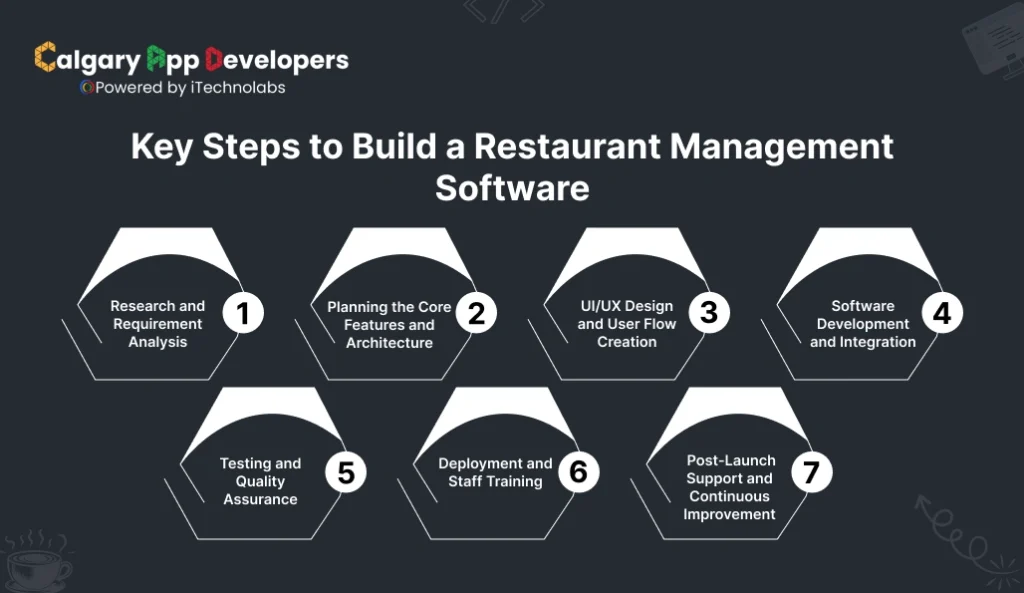
Building a Restaurant Management Software requires a structured process that balances technical development with real-world restaurant operations. The goal is to create a system that is fast, reliable, and adaptable to different service models. Here’s a complete step-by-step breakdown of how it’s done.
- Research and Requirement Analysis
Before writing a single line of code, the process starts with understanding the restaurant’s needs.
- Identify daily challenges such as slow billing, manual order tracking, or mismanaged inventory.
- Define the type of restaurant you’re targeting: fine dining, quick service, or a café.
- Gather insights from managers, staff, and customers to define what features will truly improve efficiency.
This stage ensures the software design aligns with the restaurant’s operations from day one.
- Planning the Core Features and Architecture
Once the requirements are clear, the next step is to map out the software architecture and decide on the core modules.
- Core features often include POS integration, inventory management, CRM, reporting, and employee scheduling.
- Plan whether the platform will be cloud-based, hybrid, or offline-compatible.
- Define scalability needs to ensure the system can handle multiple locations and growing transaction volumes.
A solid architecture ensures stability, flexibility, and long-term performance.
- UI/UX Design and User Flow Creation
The design phase focuses on usability. The interface should be simple enough for staff to learn quickly yet powerful enough for management to track everything easily.
- Create wireframes and interactive prototypes for POS screens, dashboards, and analytics panels.
- Ensure mobile and tablet compatibility for on-the-go use.
- Keep the user flow intuitive so actions like adding an order, checking inventory, or scheduling staff are effortless.
A clear, practical design ensures faster onboarding and better adoption by staff.
- Software Development and Integration
Here’s where coding begins. Developers build each module and integrate them into a cohesive system.
- Frontend development focuses on a clean, responsive interface.
- Backend development handles databases, user management, and security protocols.
- Integrate with APIs for payment gateways, delivery services, or accounting platforms.
- Include role-based access so different users have permissions suited to their responsibilities.
This step transforms design concepts into a functional digital platform.
- Testing and Quality Assurance
Before launch, every feature must be tested thoroughly to ensure reliability under real-world conditions.
- Conduct functional, performance, and security testing.
- Test integrations with POS hardware, printers, and mobile devices.
- Simulate live scenarios such as rush-hour orders, inventory depletion, and simultaneous logins.
Quality assurance ensures the system works smoothly, even during high-demand hours.
- Deployment and Staff Training
After successful testing, the software is deployed across all restaurant systems.
- Configure servers and databases for live use.
- Train staff and managers on using each feature efficiently.
- Gather early feedback to fix any usability issues quickly.
This stage ensures the transition from manual to digital management is smooth and error-free.
- Post-Launch Support and Continuous Improvement
A good Restaurant Management Software isn’t static. It evolves as your business grows.
- Provide ongoing maintenance and technical support.
- Regularly update the system for security patches, new features, and performance enhancements.
- Track usage analytics to identify areas for improvement or automation.
Consistent updates help restaurants stay ahead of changing technology and customer expectations.
Building Restaurant Management Software is about more than just development. It’s about creating a system that connects people, processes, and performance into one unified experience. With careful planning, expert execution, and continuous optimization, your software can become the operational backbone of any successful restaurant.
Read Also: How To Build Restaurant App For Food Ordering Business
Essential Features to include in Restaurant Management Software
When selecting Restaurant Management Software, it’s important to focus on the features that directly impact your restaurant’s daily operations and long-term growth. The right system simplifies management, saves time, and helps your team work more efficiently.
- Point of Sale (POS) Integration: A reliable POS system should handle order taking, billing, and payments with speed and accuracy. It must connect smoothly with other modules like inventory, accounting, and delivery platforms to ensure data consistency.
- Inventory Management: Accurate inventory control prevents food waste and supply shortages. The software should track stock levels in real time, send low-stock alerts, and help plan purchases based on sales trends.
- Employee Management: Built-in scheduling and attendance tracking keep staffing organized. This feature also helps monitor labor costs, manage payroll, and ensure smooth coordination among team members.
- Table and Reservation Management: Efficient reservation tools allow restaurants to manage bookings, waiting lists, and seating arrangements. This reduces customer wait times and improves the overall dining experience.
- Reporting and Analytics: Data insights help owners make smarter decisions. Real-time reports on sales, expenses, and performance metrics reveal what’s working and where improvements are needed.
- Customer Relationship Management (CRM): CRM tools collect guest data, track preferences, and support loyalty programs. They play a key role in personalizing service and encouraging repeat visits.
- Online Ordering Integration: Integration with delivery apps or in-house online ordering systems helps manage dine-in, pickup, and delivery operations from a single platform, ensuring smooth order flow and customer satisfaction.
Focusing on these essential features ensures that your Restaurant Management Software enhances both operational efficiency and customer experience, setting your business up for sustainable success.
Cost to Build a Restaurant Management Software
The cost to develop complete Restaurant Management Software typically ranges between $25,000 and $150,000, depending on complexity, features, and scalability. A simple POS-based system for small restaurants costs far less than a full-suite enterprise solution built for multi-location operations.
Here’s a clear breakdown of the estimated costs involved in each stage of development.
| Development Stage | Description | Estimated Cost (USD) |
| Research & Requirement Analysis | Market study, competitor research, and requirement gathering | $2,000 – $5,000 |
| UI/UX Design | Wireframing, prototyping, and user interface design for web and mobile | $3,000 – $8,000 |
| Backend Development | Database setup, APIs, integrations, and admin functionality | $8,000 – $30,000 |
| Frontend Development | POS interface, dashboards, menus, and customer-facing features | $7,000 – $25,000 |
| Testing & Quality Assurance | Functionality, performance, and security testing | $2,000 – $6,000 |
| Deployment & Integration | Server setup, payment gateways, and app store deployment | $1,000 – $3,000 |
| Post-Launch Support & Maintenance | Bug fixes, updates, and ongoing technical support (annual) | $2,000 – $8,000 per year |
| Total Estimated Cost | Depends on scale, technology stack, and features | $25,000 – $150,000+ |
Key Factors Affecting the Cost of Restaurant Management Software:
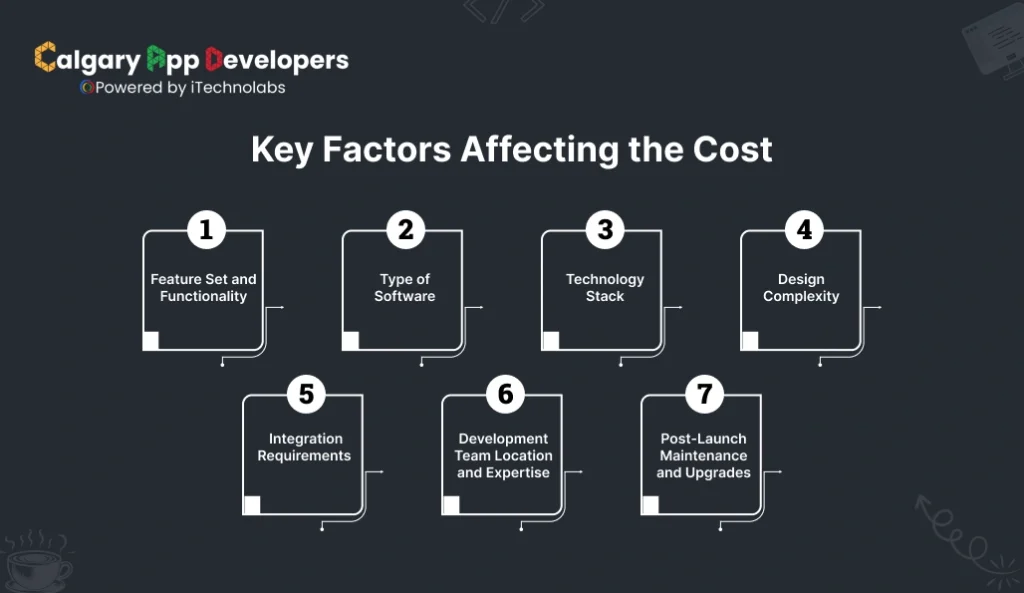
The total cost of developing Restaurant Management Software depends on several technical and operational factors. Each of these plays a major role in determining how much time, skill, and resources are required during development. Let’s look at them in detail.
- Feature Set and Functionality
The depth and range of features are the biggest cost drivers.
- Basic systems usually include core POS, order management, and billing functions. These are faster and cheaper to build.
- Advanced solutions include modules for inventory management, CRM, reporting dashboards, payroll, and analytics.
- Enterprise platforms go a step further with AI-driven insights, custom integrations, loyalty systems, and automated accounting.
Each added feature increases the design complexity, testing time, and data integration needs, which collectively raise the overall budget.
- Type of Software
Different restaurant models require different levels of functionality. The type of system you choose directly impacts your development cost.
| Software Type | Description | Estimated Cost Range (USD) |
| Standalone POS System | Basic point-of-sale software handling billing and order processing for small restaurants | $25,000 – $40,000 |
| Mid-Level Restaurant Suite | Includes POS, CRM, and inventory modules suitable for growing restaurants | $40,000 – $80,000 |
| Enterprise-Level Platform | Multi-branch setup with advanced integrations, analytics, and AI-driven reporting | $100,000 – $150,000+ |
This classification helps decide whether you need a lean version for fast deployment or a scalable system with extended control.
- Technology Stack
The tools, frameworks, and platforms used for development strongly affect both cost and performance.
- Web-based systems are ideal for admin dashboards and reporting.
- Mobile applications (iOS/Android) add cost due to separate development processes.
- Hybrid or cloud-based systems need additional backend infrastructure but provide superior scalability and security.
- The choice of programming language (for example, Node.js, React, or Python) and database (MySQL, MongoDB, or PostgreSQL) also influences time and budget requirements.
- Design Complexity
Good design isn’t just about looks; it’s about usability and performance.
- Basic UI with standard screens and simple navigation fits smaller restaurants.
- Custom UX with detailed dashboards, analytics visualization, and branded themes requires more design hours.
- Multi-device compatibility (POS screens, tablets, and mobile apps) adds another layer of effort for responsive and consistent interfaces.
Visually rich and user-friendly designs take more time to prototype, test, and refine but improve the system’s long-term efficiency.
- Integration Requirements
Every integration adds functionality but also extra development effort.
Common integrations include:
-
- Payment gateways (Stripe, Razorpay, PayPal)
- Delivery platforms (Zomato, Swiggy, Uber Eats)
- Accounting systems (QuickBooks, Xero)
- CRM and loyalty tools (HubSpot, Mailchimp)
Each external API integration requires backend configuration, data mapping, and error handling, increasing both development time and QA efforts.
- Development Team Location and Expertise
Where your team is based can significantly influence your total development cost. Different regions offer different pricing structures, and choosing the right one can make a major difference in your overall budget without compromising on quality.
| Region | Average Hourly Rate (USD) | Typical Pros & Cons |
| North America / Western Europe | $70 – $150 | High technical expertise and rapid delivery, but premium cost |
| Eastern Europe | $40 – $80 | Strong engineering base, moderate pricing, dependable communication |
| India / Southeast Asia | $25 – $50 | Most affordable region, skilled in scalable, end-to-end development |
| Calgary (Canada) | $30 – $60 | Cost-effective within North America, access to experienced developers, and tailored solutions for startups and enterprises alike |
Calgary stands out as one of the most affordable development hubs in North America, offering quality software engineering at competitive rates.
- Post-Launch Maintenance and Upgrades
Development doesn’t end at deployment. A good system requires ongoing maintenance for reliability and new feature rollouts.
- Annual maintenance cost: 15–20% of the original development cost.
- Includes bug fixes, version updates, data backups, and technical support.
- Many businesses also invest in feature upgrades and performance tuning after 6–12 months of real-world use.
Consistent maintenance ensures smooth operations, stronger security, and scalability as the business grows.
Each of these factors contributes to the total investment required for building a Restaurant Management Software.
Also Read: How to Create a Food Delivery App: A Simple 6-Step Guide
Types of Restaurant Management Software You Should Know
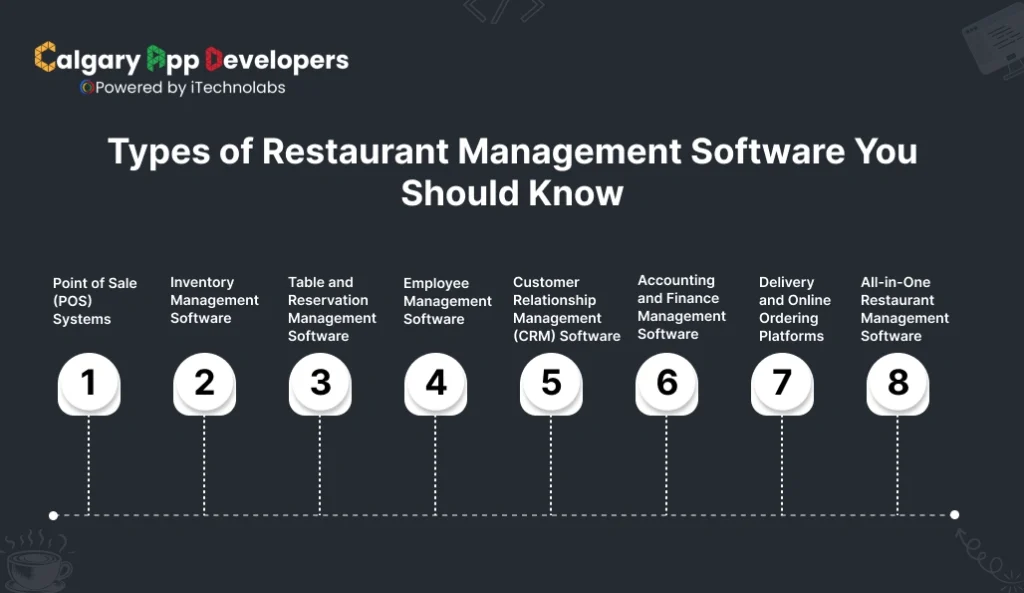
Restaurant Management Software comes in several types, each designed to address specific needs within your business. Choosing the right one depends on your restaurant’s size, service model, and daily operations. Understanding these types helps you decide what combination of tools will deliver the most value.
- Point of Sale (POS) Systems: A POS system is the heart of most restaurants. It processes customer orders, manages billing, and handles payments. Modern POS systems also sync with kitchen displays, making order tracking smoother and reducing communication errors.
- Inventory Management Software: This type keeps a close watch on stock levels, ingredient usage, and supplier deliveries. It alerts you before supplies run out and helps cut food waste. Restaurants that rely on fresh ingredients benefit most from this tool.
- Table and Reservation Management Software: For dine-in restaurants, this software manages table bookings, seating arrangements, and guest flow. It ensures efficient use of space, shorter wait times, and better customer experiences.
- Employee Management Software: This software helps with scheduling shifts, tracking attendance, and managing payroll. It can also track staff performance and simplify communication among team members.
- Customer Relationship Management (CRM) Software: CRM tools store guest data such as order history, preferences, and contact information. They are key to building loyalty programs, running targeted promotions, and improving repeat visits.
- Accounting and Finance Management Software: It handles the financial side of your business, from daily sales reports to expense tracking and tax calculations. Integration with POS systems ensures accurate and real-time financial data.
- Delivery and Online Ordering Platforms: These platforms connect your restaurant to online customers. They manage delivery requests, payment processing, and order tracking, helping your business expand beyond physical tables.
- All-in-One Restaurant Management Software: This is a complete solution that combines POS, inventory, employee management, CRM, and analytics in one dashboard. It is ideal for restaurants that prefer a unified system rather than multiple separate tools.
Choosing the right type of Restaurant Management Software can transform how your restaurant operates. It allows you to focus less on administrative work and more on serving customers and growing your brand.
Top 10 Restaurant Management Software Solutions
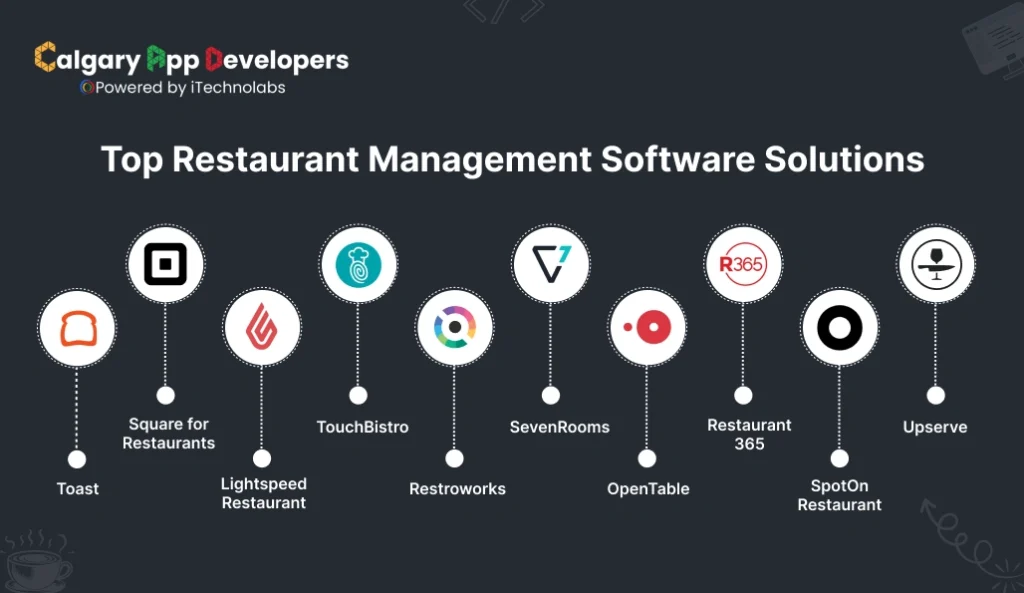
- Toast
Toast is a cloud-based Restaurant Management Software designed exclusively for the food service industry. It helps restaurant owners streamline operations, manage online and offline orders, and maintain consistent service quality across locations. With its all-in-one approach, Toast connects the kitchen, front-of-house, and back-office functions, giving real-time visibility into sales, inventory, and labor performance.
- Square for Restaurants
Square for Restaurants provides a simple yet powerful solution that adapts to a variety of dining formats, from small cafés to full-service restaurants. It combines point-of-sale functionality with online ordering, payments, and inventory control. The software is known for its ease of use, fast setup, and flexible pricing, making it accessible for restaurant owners who want a scalable digital system without complex onboarding.
- Lightspeed Restaurant
Lightspeed Restaurant is a modern cloud-based system built to optimize both customer service and operational efficiency. It offers extensive customization, detailed reporting, and integration with popular delivery and payment platforms. The software’s strength lies in its ability to support large restaurant chains and fine-dining establishments that need precision and data-driven control in their daily operations.
- TouchBistro
TouchBistro is an iPad-based Restaurant Management Software focused on improving the guest experience and increasing table turnover. It helps servers take orders directly at the table, syncs instantly with the kitchen, and processes payments on the spot. Its intuitive interface and offline functionality make it a reliable choice for restaurants that prioritize service quality and speed.
- Restroworks
Restroworks, formerly known as Posist, is an enterprise-level Restaurant Management Software built for scalability and multi-location operations. It combines POS, inventory, and analytics in a single cloud-based platform that supports real-time data syncing across outlets. Designed for restaurant chains and growing brands, Restroworks offers detailed control over operations, supply chain, and business performance from one unified dashboard.
- SevenRooms
SevenRooms is a guest experience and reservation management platform designed for hospitality businesses that prioritize customer engagement. It helps restaurants go beyond basic booking systems by offering detailed guest profiles, loyalty tracking, and marketing automation. The platform centralizes reservations, seating, and customer data to deliver personalized service and build long-term relationships with guests.
- OpenTable
OpenTable is one of the world’s most recognized restaurant reservation systems, used by millions of diners globally. It allows restaurants to manage online bookings, walk-ins, and guest lists from a single dashboard. The platform also provides data on guest behavior and dining trends, helping managers make informed decisions about staffing and promotions. It’s ideal for restaurants seeking visibility and efficiency in managing reservations.
- Restaurant365
Restaurant365 is a complete back-office management solution that brings accounting, inventory, and workforce operations under one system. It is designed to simplify financial control and data analysis for restaurant groups and franchises. The platform reduces manual reporting and improves accuracy through automation, helping owners monitor profit margins and performance in real time.
- SpotOn Restaurant
SpotOn Restaurant provides a flexible management platform tailored for growing restaurants and quick-service establishments. It focuses on speed, simplicity, and customer engagement, offering POS, marketing, and loyalty tools in one place. With its modern interface and affordable pricing, SpotOn is a strong choice for businesses looking to upgrade from traditional systems without heavy investment.
- Upserve
Upserve, now part of Lightspeed, is a restaurant-specific management platform designed to combine POS operations with data analytics. It helps owners understand sales trends, employee performance, and guest preferences through easy-to-read dashboards. The platform focuses on giving restaurateurs practical insights that improve efficiency and customer satisfaction.
Also Check: Top Food Delivery Apps in Canada
Emerging Trends in Restaurant Management Software
Restaurant technology is evolving rapidly, transforming how businesses operate and connect with customers. Modern Restaurant Management Software now blends automation, intelligence, and mobility to deliver smarter, more efficient operations. Here are the key trends driving innovation in 2026.
- Artificial Intelligence and Predictive Insights: AI-powered analytics help restaurants forecast demand, track ingredient usage, and optimize staffing. By turning operational data into actionable insights, AI enables managers to make faster, smarter decisions that boost efficiency and reduce costs.
- Cloud-Based and Hybrid Systems: Cloud technology allows real-time access to data from multiple locations. Hybrid models ensure business continuity even during internet outages, offering the perfect mix of flexibility, security, and cost savings for restaurants of all sizes.
- Mobile-First Management: Mobile dashboards let owners monitor sales, inventory, and staff performance anywhere. Staff can process orders and payments on tablets, creating a faster and more connected restaurant environment with smoother service delivery.
- Integration with Smart Devices: IoT-enabled tools now track equipment performance, monitor stock freshness, and manage kitchen operations automatically. This integration reduces downtime, cuts waste, and helps restaurants operate more efficiently.
- Personalized Customer Experience: Modern CRM tools personalize promotions and menus using customer preferences and order history. Restaurants can deliver targeted offers and loyalty programs that strengthen customer relationships and drive repeat visits.
- Sustainability and Waste Control: Software platforms now help restaurants track food waste, manage eco-friendly sourcing, and monitor energy use. These tools support sustainable dining practices and align operations with environmental goals.
- Enhanced Security and Compliance: Stronger encryption, role-based access, and automated compliance checks protect restaurant data. As digital payments grow, secure systems ensure customer trust and operational reliability.
- Rise of White-Label Solutions: White-label and custom-built restaurant systems are gaining popularity. They offer brand control, faster deployment, and cost efficiency. Calgary-based developers lead this space with flexible, budget-friendly solutions tailored for scalability.
Restaurant Management Software is becoming more intelligent, mobile, and sustainable. Businesses that embrace these innovations are not only improving efficiency but also building stronger customer connections and long-term growth opportunities.
How to Choose the Best Restaurant Management Software for Your Business
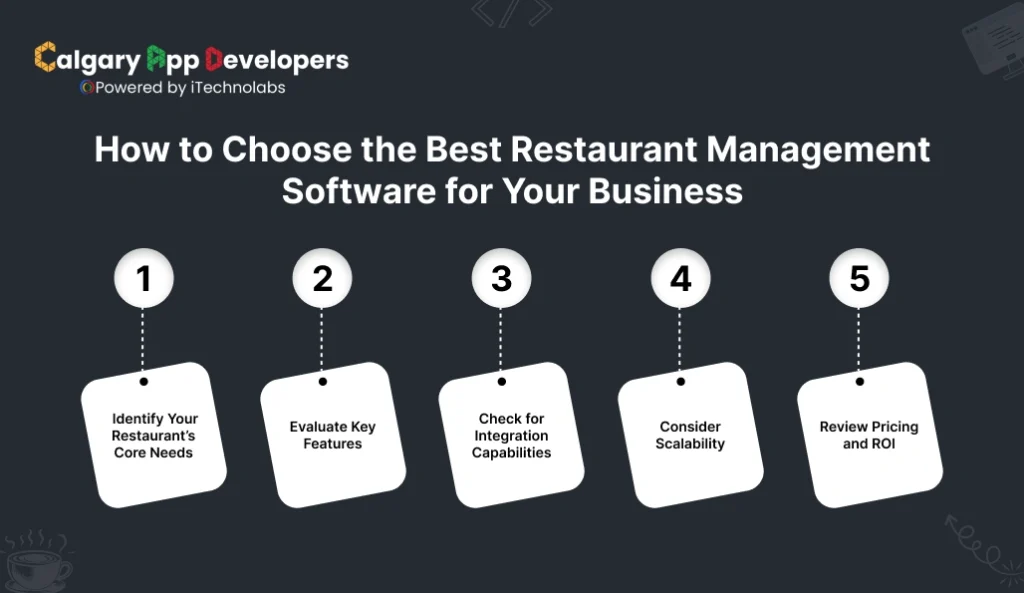
Selecting the right Restaurant Management Software is a decision that shapes the way your restaurant operates, serves customers, and grows over time. With so many platforms available, the goal is to find one that matches your restaurant’s size, service style, and long-term goals. Here’s how to make the right choice.
- Identify Your Restaurant’s Core Needs
Start by listing the daily challenges your team faces. A quick-service café may need faster billing and order tracking, while a fine-dining restaurant might focus on reservations and guest management. Understanding your priorities helps narrow down software options that truly add value.
- Evaluate Key Features
Look for software that covers your essential operations in one place. The best systems include POS integration, inventory control, employee scheduling, CRM, and detailed reporting. Make sure the features are not only available but also easy to use for your staff.
- Check for Integration Capabilities
Your Restaurant Management Software should connect seamlessly with existing tools such as accounting platforms, delivery apps, or marketing systems. Integration ensures smooth data flow, eliminates duplicate work, and keeps every department aligned.
- Consider Scalability
Choose a platform that can grow with your business. Whether you plan to open a second branch or expand delivery services, the software should handle increased transactions, new menus, and multi-location management without additional complexity.
- Review Pricing and ROI
Compare pricing plans carefully. Some software offers basic plans with optional add-ons, while others provide all-inclusive packages. Focus on long-term value instead of the lowest cost. Reliable systems often pay for themselves through reduced waste, better efficiency, and stronger customer retention.
Choosing the best Restaurant Management Software is about finding the right balance between technology and practicality. When the system fits your business goals, it not only simplifies management but also helps your restaurant deliver consistent service, reduce costs, and grow with confidence.
Also Read: How to Create a Branded Mobile App for Restaurants?
Our Proven Experience in Restaurant Management Software Development
Restaurants face a unique set of challenges. High commission fees from third-party platforms cut into margins. Staff shortages slow service during peak hours. Customers expect faster ordering, more control, and a smoother dining experience. Our work in restaurant management software focuses on solving these exact problems with practical, revenue-driven solutions.
-
iShopo
The Problem
Restaurants and coffee shops rely heavily on third-party delivery platforms that charge high commissions and limit ownership of customer relationships. This reduces profitability and makes it harder to build long-term loyalty.
The Solution
iShopo empowers restaurants to launch their own branded mobile apps and commission-free online ordering systems. It puts the restaurant back in control of its customers, data, and revenue while making ordering simple and accessible.
Key Features
- Branded mobile apps that reflect the restaurant’s identity
- Commission-free online ordering for pickup and delivery
- Full menu visibility with easy browsing and reordering
- Customer data ownership for remarketing and loyalty
- Repeat order-focused flows that increase customer lifetime value
Impact
iShopo helps restaurants protect margins, strengthen direct customer relationships, and drive repeat business without depending on third-party platforms.
-
Eatypay
The Problem
Traditional dine-in service often struggles with slow ordering, overworked staff, and rigid payment flows that disrupt the dining experience. Guests want convenience and flexibility, while restaurants need efficiency.
The Solution
Eatypay modernizes the dine-in experience by giving guests control over how they order, interact, and pay. It blends self-service convenience with optional human interaction, creating a balanced and flexible dining flow.
Key Features
- QR code-based digital menus accessible on personal smartphones
- Self-ordering directly from the table without waiting
- Option to request a personal waiter at any time
- Pay later functionality for relaxed, unhurried dining
- Reduced staff dependency during peak hours
Impact
Eatypay improves table turnover efficiency, lowers service pressure on staff, and delivers a dining experience that feels modern, comfortable, and guest-centric.
Our restaurant management software experience is rooted in real operational pain points. By solving margin loss, service delays, and customer experience gaps, platforms like iShopo and Eatypay show how technology can simplify operations while increasing loyalty and revenue.
Conclusion:
Running a restaurant successfully is about more than great food. It’s about managing people, inventory, and customer experience with precision and consistency. The right Restaurant Management Software helps you do exactly that. It streamlines daily tasks, reduces manual errors, and gives you the data needed to make smart decisions that drive growth.
Every restaurant operates differently, which is why choosing software that fits your unique needs matters more than simply picking the most popular one. From small cafés to large dining chains, investing in a system that integrates every part of your operation is a step toward long-term success.
If you’re looking to build custom Restaurant Management Software tailored to your brand, our team at Calgary App Developers can help. We specialize in creating high-performance restaurant management solutions that blend intuitive design, real-time analytics, and easy scalability. Whether you need a cloud-based POS system, an online ordering platform, or an all-in-one management tool, we develop solutions that grow with your business. Calgary App Developers turn your restaurant operations into a smarter, more efficient system built for the future of dining.
FAQ’s
1. What is restaurant management software and why is it important?
Restaurant management software helps restaurants manage ordering, payments, menus, and customer interactions through digital systems. It reduces manual work, speeds up service, and improves accuracy. What this really means is better control over operations, lower costs, and a smoother experience for both customers and staff.
2. How does commission-free online ordering benefit restaurants?
Commission-free ordering allows restaurants to accept orders directly without paying high fees to third-party platforms. This protects profit margins and gives full ownership of customer data. Over time, restaurants can build direct relationships, encourage repeat orders, and increase revenue without losing a percentage on every sale.
3. Can branded restaurant apps really increase repeat orders?
Yes. Branded apps keep the restaurant visible on a customer’s phone and make reordering effortless. Features like saved favorites, order history, and direct notifications encourage customers to return. This consistent presence builds familiarity and loyalty, which naturally leads to more repeat business.
4. How does QR code ordering improve the dine-in experience?
QR code ordering removes waiting time for menus or staff during busy hours. Guests can browse the menu, place orders, and make requests directly from their phone. This gives diners more control over their experience while allowing staff to focus on service quality rather than routine tasks.
5. Will self-ordering reduce the need for restaurant staff?
Self-ordering does not replace staff but supports them. It reduces pressure during peak hours by handling routine ordering and payments. Staff can then focus on hospitality, food quality, and customer engagement, which often improves overall service rather than diminishing it.
6. How secure are mobile ordering and payment systems for restaurants?
Modern restaurant management platforms use secure payment gateways, encrypted data handling, and role-based access controls. These measures protect customer information and transaction data. For restaurants, this means reduced risk, better compliance, and higher customer trust when using digital ordering systems.
7. Can restaurant management software work for small cafés and large chains?
Yes. These systems are designed to scale. Small cafés can use basic features like digital menus and direct ordering, while larger chains can manage multiple locations, menus, and customer data centrally. The software adapts to business size without forcing unnecessary complexity.
8. How long does it take to implement a restaurant management solution?
Implementation time depends on features and customization. Simple setups like QR menus and online ordering can go live quickly, while branded apps and full integrations take longer. Here’s the thing: most restaurants can start seeing value within weeks rather than months.


Pankaj Arora is a seasoned technology leader and the Founder of Calgary App Developer, with 10+ years of expertise in crafting high-performance digital solutions. His core competencies include full-stack app development, cloud-native architecture, API integration, and agile product delivery. Under his leadership, Calgary App Developers has empowered startups and enterprises alike with scalable mobile applications, secure web platforms, and AI-driven SaaS products.