





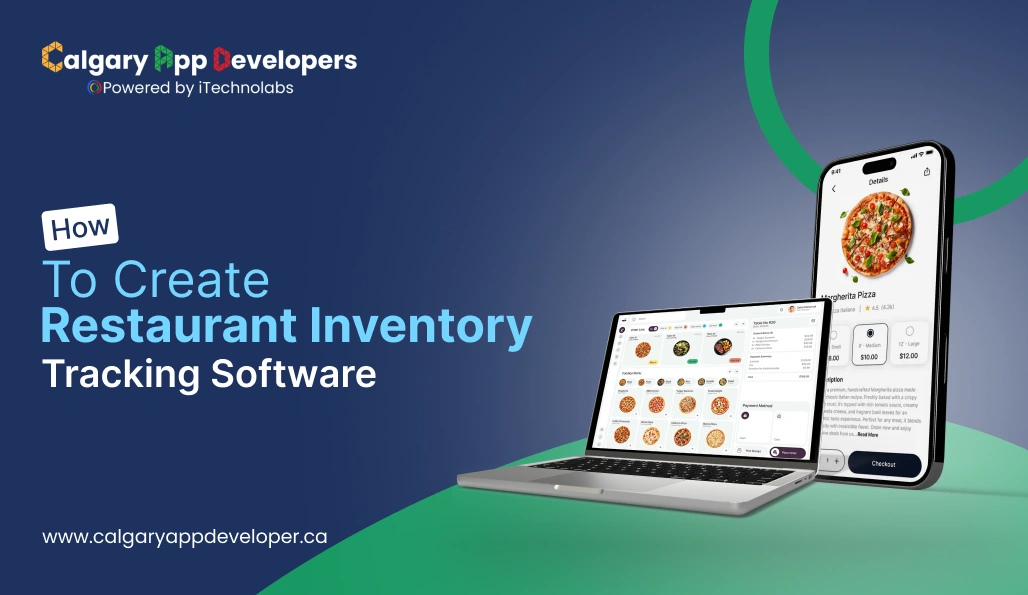
How to Create Restaurant Inventory Tracking Software
Picture this. You’ve just opened your dream restaurant. The aroma of spices fills the air, the kitchen hums with energy, and every plate that leaves the counter feels like a small victory. But behind that smooth service lies a familiar struggle. Ingredients run out before you notice, stock levels fluctuate without warning, and that old Excel sheet no longer makes any sense. What this really means is your restaurant needs a smarter system to stay in control.
In a time when every bit of food cost affects profit, shifting from manual logs to intelligent inventory tracking is no longer optional. It is essential. According to recent projections, the global restaurant inventory management software market is expected to grow at a compound annual growth rate of more than 10 percent, reaching about USD 12.4 billion by 2033.
This pattern indicates that all the restaurants are putting money into more intelligent methods to monitor the stock, get rid of less, and take data-based decisions. You are absolutely at the right place if you intend to design a program that overhauls the workflow, delivers insights on the spot, and maintains good control over the kitchen’s efficiency. Let’s take a look at the construction process of this project from the basics up.
- The restaurant inventory tracking software enables restaurants to keep track of their ingredients, monitor their wastage, and communicate their operations more effectively with the help of automatic and analytical processes.
- The creation of such a software package would require an extensive amount of time and effort to cover all the aspects of planning, designing, integrating, and scaling the software in accordance with actual kitchen workflows.
- Today’s systems are equipped with AI (Artificial Intelligence), cloud access, and POS (Point-of-Sale) integration to offer real-time accuracy at a lower cost.
- If you invest in a custom solution, you will improve your profit margins, quality control, and operational control in the long run.
- Innovative inventory management systems are responsible for higher productivity through the automation of stock updates, the minimization of waste, and the precision that is achieved in every restaurant operation.
- Activities such as core tracking, supplier management, and analytics feature prominently in the software, making it very suitable for controlling food costs and thus, the making of better purchasing decisions.
- The easy-to-use, mobile-friendly design is a guarantee of quick adoption, easy access, and real-time visibility across teams and locations.
- The methodical development from planning to testing results in the production of scalable, dependable, and high-performing restaurant inventory tracking software.
- While project costs may differ based on size, integrations, and design, the right system eventually offers savings and consistency over a long period.
- The new technologies such as artificial intelligence, the Internet of things, and automation are the ones responsible for the restaurant inventory operations upgrading in terms of forecasting, accuracy, and productivity.
- The more intelligent systems not only help to increase profits but also to decrease manual work and provide restaurants with complete control over inventory and costs.
What Is Restaurant Inventory Tracking Software and How Does It Work?
A restaurant’s inventory management software is a digital tool through which the restaurant controls and optimizes the flow of all ingredients, beverages and supplies into and out of the kitchen, i.e., through restaurant monitoring. This way, owners and kitchen managers will be able to make quick and precise decisions about buying, using and wasting by having a single source of accurate data instead of dealing with handwritten notes or disorganized spreadsheets.
Here’s how it works in simple terms:
- Real-time stock monitoring: As a stock item is used either in a recipe or sold, the software records that the item is no longer available at that level. This means that the quantities are updated automatically and you will not have to do manual counting to know what is in the stock and what is about to run out.
- Automated purchase management: Once the stock levels drop below the threshold, the system can either produce a purchase order or notify the supplier. In this way, the supply is kept constant while overordering and last-minute shortages are avoided.
- Ingredient-level tracking: The leading restaurant inventory management software not only categorizes products but also identifies them at the level of ingredients. It pairs them with specific dishes, portion sizes, and menu performance to derive food cost accurately during food preparation.
- Waste reduction and cost control: The software, by tracking historical data of usage, spoilage and the like, points out the factors causing wastage. It is then the managers’ prerogative to change portion sizes, supplier quantities, or even storage methods to save both money and do away with the loss of the product that is not generated at all.
- Integration with POS and accounting systems: The contemporary solutions have built-in integrations with POS systems that allow real-time updating of stock after each sale automatically. In addition, they can also be linked with accounting software to create a clear image of the financial performance and percentages of wastage in the food cost.
- Insightful reporting and analytics: Inventory data is turned into visual reports that highlight top-performing items, seasonal trends, and cost fluctuations. These insights help in strategic planning and smarter menu decisions.
Restaurant inventory management software transforms a time-consuming manual task into an intelligent process that boosts efficiency and profit. It allows restaurant owners to focus on what really matters: delivering great food and experiences while staying in full control of operations.
Also Read: How To Build Restaurant App For Food Ordering Business
Steps to Build a Restaurant Inventory Management System
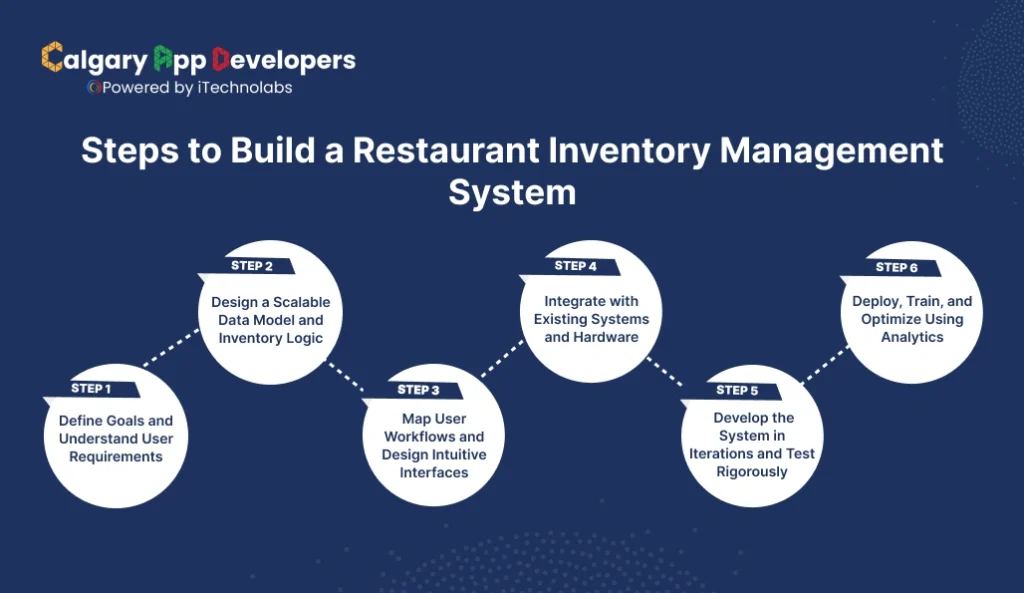
Developing an effective and powerful restaurant inventory tracking software is not simply a code-writing task. It is a full-scale operation where the developer must have a considerable understanding of the operational procedures of a restaurant, the habits of users in a fast-paced kitchen, and the behavior of the inventory. Each step formulates the basis for precision and long-term scalability.
Let’s go step by step through the complete process.
Step 1: Define Goals and Understand User Requirements
Before writing a single line of code, clarify the purpose and scope of the software. The system must solve real operational challenges that restaurant teams face daily.
- Identify all end users such as restaurant owners, kitchen managers, chefs, and purchasing teams. Each has unique needs and pain points.
- Document the biggest inventory-related challenges like overstocking, wastage, inconsistent supplier deliveries, or lack of real-time visibility.
- Set measurable goals such as a 15% reduction in food waste, improved purchase forecasting, or fewer out-of-stock items.
- Define a clear feature hierarchy. Separate essential modules like inventory tracking and purchasing from advanced features such as analytics and supplier automation.
A well-defined goal ensures that your development team focuses on building solutions that truly support daily operations instead of adding unnecessary complexity.
Step 2: Design a Scalable Data Model and Inventory Logic
Inventory accuracy begins with a solid data structure. This step defines how ingredients, suppliers, and transactions are stored and managed within the system.
- Create a detailed inventory database structure covering ingredients, recipes, units of measurement, storage locations, and supplier details.
- Build conversion logic so the system can handle multiple units (for example, kilograms, grams, liters, and portions) without confusion.
- Connect each menu item to its recipe and ingredient list. This ensures that every sale automatically deducts the right quantities.
- Include expiry date tracking and batch management for perishable items, along with FIFO or FEFO methods for proper stock rotation.
- Implement cost calculation formulas to reflect real-time ingredient prices and supplier changes.
A robust data model forms the backbone of your restaurant inventory tracking software. It enables precise reporting, seamless integration, and consistent stock updates.
Step 3: Map User Workflows and Design Intuitive Interfaces
Usability defines whether staff will actually adopt your software. The system should make everyday tasks simple, quick, and accessible from multiple devices.
- Outline all essential workflows, including receiving shipments, conducting stock counts, tracking wastage, and placing purchase orders.
- Design a mobile-first interface for staff in the kitchen and a detailed dashboard for managers handling analytics and reporting.
- Keep navigation minimal. Users should be able to complete frequent actions such as updating stock or scanning items in seconds.
- Add contextual alerts for low stock, upcoming expirations, and pending supplier orders to help teams stay proactive.
This stage turns functionality into a usable product. The easier the experience, the faster teams adopt it and maintain accurate records.
Step 4: Integrate with Existing Systems and Hardware
No restaurant operates in isolation. The software should connect with existing digital tools to ensure data consistency across the business.
- Integrate with the Point of Sale (POS) system so every sale automatically reduces inventory quantities.
- Connect to accounting software for real-time cost tracking and financial reporting.
- Enable barcode or QR code scanning to simplify receiving and stock verification.
- Provide API or supplier integration to streamline purchase orders and delivery tracking.
- Consider hardware compatibility with tablets, barcode scanners, and label printers for efficient back-end operations.
Integration ensures that your restaurant inventory tracking software becomes the central hub of operational intelligence rather than another disconnected system.
Step 5: Develop the System in Iterations and Test Rigorously
With the architecture and workflows in place, move into the development phase. Building iteratively allows your team to release functional versions, gather feedback, and make improvements early.
- Begin with a minimum viable product (MVP) that includes inventory management, stock adjustment, and purchase ordering features.
- Conduct pilot testing in selected restaurants to capture real-world challenges.
- Simulate complex scenarios like partial deliveries, supplier delays, and recipe changes to ensure system flexibility.
- Collect user feedback regularly and make continuous refinements based on real kitchen experiences.
This approach ensures the system performs reliably in high-pressure environments where precision and speed matter most.
Step 6: Deploy, Train, and Optimize Using Analytics
Successful deployment is not just about installation. It’s about ensuring teams understand and embrace the new system.
- Roll out the system in stages, starting with one or two outlets before expanding chain-wide.
- Conduct structured training sessions to guide teams on daily operations, reporting, and troubleshooting.
- Track performance metrics such as usage frequency, time saved, and accuracy of stock records.
- Use built-in analytics to monitor purchasing trends, supplier performance, and seasonal demand patterns.
- Continue optimizing features and automation based on insights from data and feedback.
Post-deployment analytics help refine the software’s efficiency and deliver measurable business impact over time.
Building restaurant inventory tracking software is both a technical and strategic project. It combines the precision of data management with the realities of kitchen operations. When designed thoughtfully, it transforms inventory control from a repetitive manual task into a smart, automated system that saves money, reduces waste, and strengthens decision-making across the business.
Also Check: Best Food Ordering App for Restaurants
Key Features to Include in Restaurant Inventory Management Software
The success of restaurant inventory management software depends on how effectively it handles real-time operations, minimizes manual work, and supports smart decision-making. Here are the essential features every system should include.
- Real-Time Inventory Tracking: A good system updates stock automatically as items are sold or used in recipes. It shows live inventory levels across locations, sends alerts for low stock, and prevents last-minute shortages. This ensures every kitchen runs smoothly without manual stock checks or guesswork.
- Smart Purchasing and Supplier Management: Automated purchase orders keep supplies consistent and costs predictable. The software maintains supplier details, pricing records, and lead times while generating reorders at the right moment. Managers can track performance, approve orders, and avoid overstocking through timely and data-driven purchasing.
- Recipe and Menu Management: This feature links menu items directly to ingredient usage and costs. It calculates food cost per dish, updates recipes automatically, and helps restaurants maintain consistent quality. With accurate cost tracking, managers can adjust pricing and protect profit margins without guesswork.
- Waste and Spoilage Control: By recording spoilage, returns, and expired ingredients, the software helps identify waste patterns. It highlights reasons for loss, measures their financial impact, and suggests improvements. Reducing waste not only saves money but also supports sustainability and better portion control.
- POS and Accounting Integration: Integrating the system with point-of-sale and accounting tools ensures data flows smoothly across departments. Each sale updates inventory automatically, while purchase and expense data stay synced. This reduces manual entry, improves accuracy, and keeps financial reports consistent and reliable.
- Multi-Location and Cloud Access: For restaurant chains, cloud connectivity allows centralized monitoring across outlets. Managers can view real-time stock data, assign user permissions, and control purchasing from one dashboard. It keeps every branch aligned, reduces duplication, and ensures complete visibility from anywhere.
- Analytics and Reporting Dashboard: Analytics turn daily operations into insights. Custom reports show stock usage, supplier performance, and cost trends. Predictive tools forecast demand and seasonal needs, helping managers plan smarter. Data-driven decisions lead to better control, lower costs, and improved profit margins.
A well-built restaurant inventory management software simplifies operations, improves accuracy, and reduces waste. By focusing on automation, integration, and actionable insights, it becomes more than an inventory tool. It becomes the foundation for a smarter, more efficient restaurant business.
Cost to Develop a Restaurant Inventory Tracking Software
The average cost to develop restaurant inventory tracking software ranges from $25,000 to $150,000, depending on its features, complexity, and scale. A basic system for single-restaurant use costs on the lower end, while multi-location, analytics-driven, or cloud-integrated platforms fall in the higher range.
Estimated Cost Breakdown:
| Development Phase | Description | Estimated Cost (USD) |
| Research and Planning | Market analysis, requirement gathering, and technical documentation. | $2,000 – $5,000 |
| UI/UX Design | Wireframing, prototyping, and visual design for web and mobile interfaces. | $3,000 – $8,000 |
| Core Development | Frontend and backend development, inventory logic, and integrations. | $10,000 – $60,000 |
| Integrations and APIs | POS, accounting, and supplier system integrations. | $5,000 – $20,000 |
| Testing and QA | Manual and automated testing to ensure performance and reliability. | $3,000 – $10,000 |
| Deployment and Cloud Setup | Server setup, cloud configuration, and security implementation. | $2,000 – $6,000 |
| Maintenance and Support | Updates, bug fixes, and feature enhancements post-launch. | $1,500 – $5,000 per year |
Key Factors Affecting Development Cost
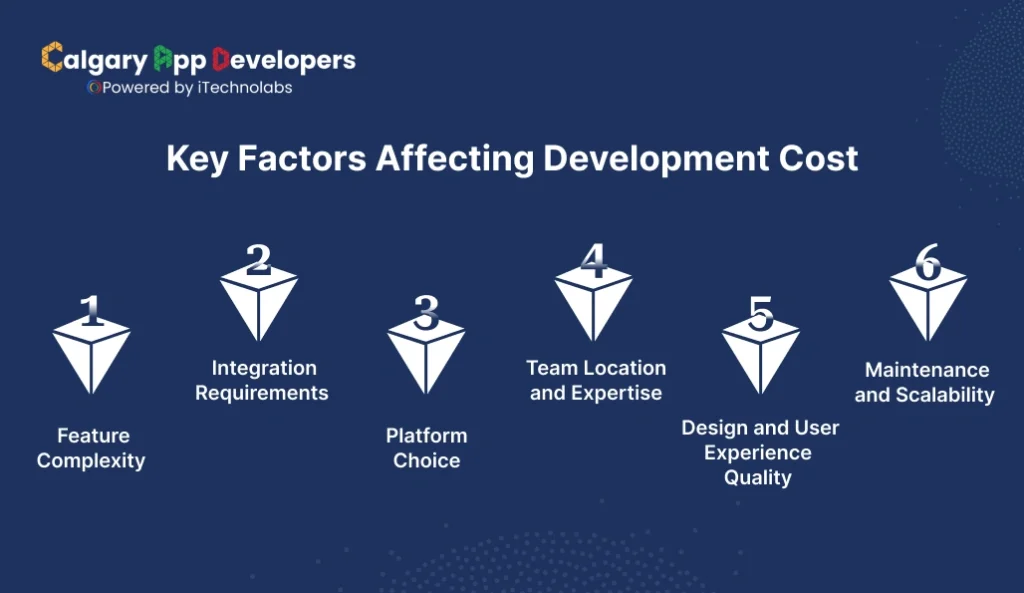
A number of factors determine the cost of your restaurant inventory tracking software. Knowing these helps you plan a more realistic budget and timeline.
- Feature Complexity
The more advanced the functionality, the higher the development cost.
Basic Features might include:
- Stock tracking, reporting, and basic alert systems.
- Manual input for suppliers and recipes.
Advanced Features often include:
- AI-powered demand forecasting and predictive analytics.
- Real-time POS integration and automated reorder management.
- Cloud-based dashboards and mobile app synchronization.
Each new feature adds development hours, testing requirements, and backend logic, influencing total cost significantly.
- Integration Requirements
Integrations are essential for operational efficiency but increase both complexity and cost.
Common integrations include:
| Integration Type | Purpose | Impact on Cost |
| POS Systems | Syncs sales data with inventory for automatic stock deductions. | Moderate |
| Accounting Software | Tracks expenses, invoices, and purchase orders. | Moderate to High |
| Supplier APIs | Enables automatic purchase orders and delivery tracking. | High |
| ERP Systems | Connects with enterprise-level management tools. | High |
Each integration requires custom APIs, data mapping, and rigorous testing to ensure stability.
- Platform Choice
The development cost also depends on whether the system is built for web, mobile, or both.
- Web Application: Faster to develop and suitable for back-office use.
- Mobile App (Android/iOS): Ideal for kitchen staff, but adds additional development layers and testing.
- Cross-Platform or Cloud System: Offers flexibility and scalability but requires higher upfront investment.
A hybrid approach that supports both web and mobile often delivers the best user experience for multi-outlet restaurants.
- Team Location and Expertise
Development rates vary widely depending on where your team is based. Labor costs, expertise level, and currency differences all influence the overall budget.
| Region | Average Hourly Rate (USD) | Cost Impact |
| North America (US) | $80 – $150 | High |
| Western Europe | $70 – $120 | High |
| Eastern Europe | $40 – $70 | Moderate |
| India & Southeast Asia | $25 – $50 | Cost-Effective |
| Calgary, Canada | $20 – $45 | Most Affordable |
Choosing the right location for your development team can have a huge effect on your overall budget. Calgary stands out as one of the most affordable and reliable destinations for software development, offering a blend of technical expertise, stable infrastructure, and cost-efficiency that’s hard to match.
- Design and User Experience Quality
Design is a critical investment, not a cosmetic add-on. A well-planned interface improves adoption and reduces training time.
- Clean dashboards with clear metrics.
- Mobile-optimized workflows for quick stock entry and updates.
- Intuitive navigation for staff who may not be tech-savvy.
High-quality design increases initial cost but pays off with fewer user errors, faster onboarding, and stronger daily engagement.
- Maintenance and Scalability
After launch, ongoing costs ensure smooth operation and adaptability.
- Software Updates: To fix bugs, enhance performance, and add new features.
- Cloud Hosting: Monthly or yearly server fees, depending on usage and data size.
- Customer Support: Technical help and user training for restaurant teams.
Typically, annual maintenance costs range between 15–25% of the initial development investment.
Also Read: Restaurant Management Software Development Guide
Top 10 Restaurant Inventory Tracking Software in 2026
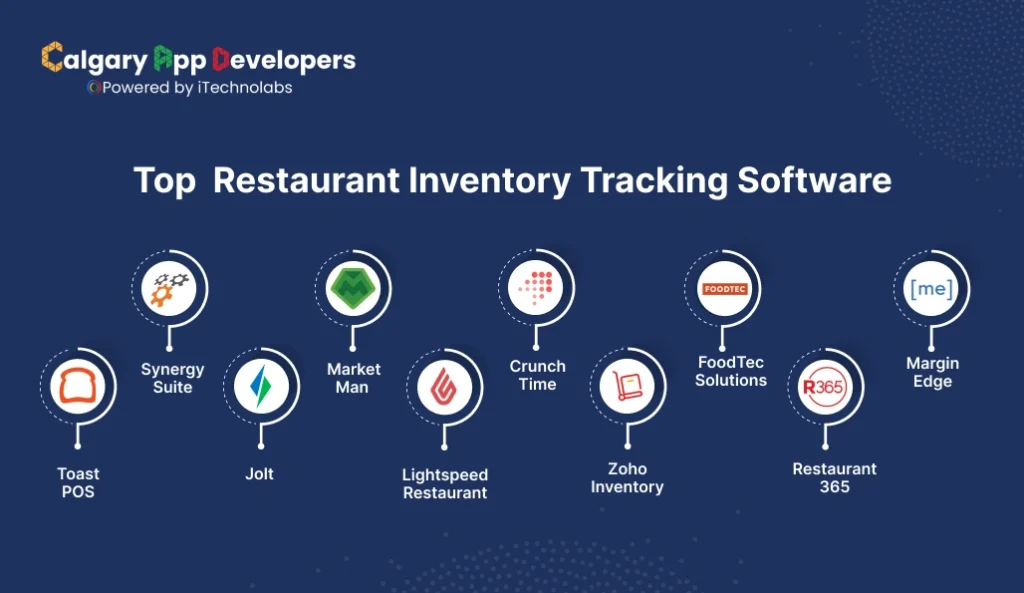
| Software | Launch Date | Plan / Pricing | USPs / Key Strengths |
| Toast POS | 2016 | Starts around $69/month per terminal (+ hardware) | Real-time inventory, modular, strong POS integration |
| SynergySuite | 2011 | Starter: $75/month; Per-location: $225+/month | AI forecasting, all-in-one back office |
| Jolt | 2012 | Core: $89.99/month per location; Suite: $296/month + setup fee | Food safety, task automation, compliance |
| MarketMan | 2013 | Typically custom pricing (~$149/month average) | Ingredient tracking, automated ordering |
| Lightspeed | 2012 | Around $69/month (starter), varies with modules | Cloud-based, recipe costing, multi-location |
| CrunchTime | 1995 | Custom / Quote-based (Enterprise) | Enterprise-scale, real-time analytics |
| Zoho Inventory | 2015 | Free (basic); Standard: $59/month+ | Multi-channel sync, POS/ecommerce integration |
| FoodTec Solutions | 2000s | Custom / Quote-based (Enterprise) | Enterprise suite, real-time sync |
| Restaurant365 | 2011 | Starter: $435/month; Core: $635/month (annual contract) | Cloud platform, accounting & payroll integration |
| MarginEdge | 2015 | $330–$450/month typical | Invoice automation, live food costing |
1. Toast POS
Toast is an all-in-one restaurant management and POS platform designed specifically for food service operations. It combines sales, payments, and inventory tracking in a single cloud-based system used by restaurants of all sizes.
Key Features:
- Real-time inventory tracking linked with sales and recipes.
- Mobile POS and handheld ordering for quick service.
- Integrated online ordering, delivery, and loyalty programs.
- Centralized reporting for multi-location restaurants.
- Hardware suite with offline functionality.
2. SynergySuite
SynergySuite is an enterprise-grade back-office management solution that simplifies operations for restaurant chains. It offers complete control over inventory, purchasing, scheduling, and HR all powered by real-time analytics.
Key Features:
- AI-driven forecasting for demand and purchasing.
- Centralized back office for inventory, payroll, and accounting.
- Multi-location management with cloud synchronization.
- Food safety, compliance, and recipe cost tracking.
- POS and third-party software integrations.
3. Jolt
Jolt is a digital operations platform that helps restaurants automate checklists, food safety routines, and staff management. It’s ideal for maintaining consistency and compliance across multiple outlets.
Key Features:
- Digital food safety monitoring and audit-ready logs.
- Automated task scheduling and shift management.
- Employee time tracking and accountability tools.
- Mobile-first interface for easy daily operations.
- Document storage for policies and compliance records.
4. MarketMan
MarketMan focuses on restaurant inventory, purchasing, and cost control. It’s designed for managers who want to automate ordering and gain deeper visibility into ingredient-level spending and usage.
Key Features:
- Ingredient-level inventory tracking and alerts.
- Automated supplier order creation and approval.
- Recipe costing and waste analysis for profitability.
- Mobile app for inventory counts and ordering.
- Integration with major POS and accounting tools.
5. Lightspeed Restaurant
Lightspeed Restaurant is a cloud-native POS and inventory system that streamlines operations, menu management, and data reporting for modern restaurants and brewpubs.
Key Features:
- POS and inventory management in one dashboard.
- Menu customization and performance tracking.
- Real-time sales and stock analytics.
- Multi-location management with centralized control.
- Cloud and mobile access with offline capabilities.
6. CrunchTime
CrunchTime is a veteran in restaurant operations software, built for large-scale food chains. It focuses on inventory control, forecasting, labor optimization, and profitability through data-driven automation.
Key Features:
- Real-time inventory and food cost tracking.
- Centralized purchasing and vendor management.
- Forecasting tools for demand and labor planning.
- Multi-location visibility for enterprise chains.
- Robust reporting and business intelligence analytics.
7. Zoho Inventory
Zoho Inventory is a versatile, cloud-based inventory management platform suited for small and mid-sized businesses. While not built solely for restaurants, it’s flexible enough to manage food stock, supplies, and purchase orders efficiently.
Key Features:
- Stock, batch, and expiry tracking for perishables.
- Multi-channel inventory control across outlets.
- Integration with e-commerce, POS, and accounting tools.
- Automated order management and invoicing.
- Affordable pricing with a free starter plan.
8. FoodTec Solutions
FoodTec Solutions offers a comprehensive enterprise suite for restaurant chains. Its all-in-one approach covers POS, delivery, catering, and inventory management, making it ideal for large-scale operations.
Key Features:
- Real-time inventory updates tied to sales and delivery.
- Advanced reporting for performance and cost control.
- Modules for delivery, catering, and drive-thru operations.
- Centralized multi-location management.
- Custom-built solutions tailored for enterprise clients.
9. Restaurant365
Restaurant365 combines accounting, payroll, and inventory management in one cloud platform. It’s designed to help growing restaurant groups streamline financial operations while maintaining precise control over food costs.
Key Features:
- Unified platform for accounting, payroll, and inventory.
- Automated invoice processing and purchase order tracking.
- Real-time dashboards with food cost analytics.
- Deep integration with POS and payroll systems.
- Cloud-based multi-location control and reporting.
10. MarginEdge
MarginEdge focuses on automating restaurant cost management through invoice processing and real-time food cost tracking. It’s designed for managers who want immediate visibility into financial performance.
Key Features:
- Automated invoice scanning and cost data entry.
- Live food costs connected with POS data.
- Supplier integration for direct ordering and tracking.
- Recipe costing and performance reports.
- Easy-to-use web and mobile dashboards.
Read Also: How to Create a Food Delivery App: A Simple 6-Step Guide
Latest Trends in Restaurant Inventory Tracking Technology
The landscape of restaurant inventory management software is evolving fast. From automation to data analytics, new technologies are transforming how restaurants manage stock, reduce waste, and make smarter business decisions. Here are the key trends shaping the industry today.
- Artificial Intelligence and Automation: AI-driven systems now predict demand, alert low-stock items, and automate reorders. By learning from sales data, they help minimize waste and prevent overordering. Automation also cuts manual tasks like physical counts, saving time and improving accuracy across restaurant operations.
- Cloud-Based and Mobile Access: Cloud technology gives managers access to inventory data anytime, anywhere. With mobile apps and dashboards, restaurants can track supplies, update stock, and manage multi-location operations remotely. Cloud access also ensures better collaboration and faster decision-making between teams.
- POS and Supply Chain Integration: Modern restaurant inventory management software integrates with POS systems and supplier databases. Every sale updates stock levels automatically, and purchase orders sync with vendor platforms. This ensures smoother communication, fewer manual entries, and faster restocking cycles.
- Data-Driven Insights and Waste Reduction: Inventory systems now generate detailed analytics to track usage, waste, and cost patterns. These insights help managers identify inefficiencies, reduce spoilage, and adjust purchasing strategies. Smarter reporting also promotes sustainability by reducing overproduction and unnecessary resource use.
- Multi-Location Management and Scalability: Restaurant chains are adopting scalable systems that centralize inventory management across outlets. Managers can monitor stock levels, pricing, and supplier performance from a single dashboard. This unified approach improves transparency and maintains consistency in quality and cost control.
- IoT and Smart Sensor Technology: Emerging tools like IoT sensors and smart cameras are redefining stock management. These devices track temperature, storage conditions, and real-time stock levels. Integrating them with software improves accuracy, reduces human error, and provides continuous visibility into inventory conditions.
These innovations show that restaurant inventory management software is no longer just a back-office tool. It’s becoming the strategic heart of operations, helping restaurants stay lean, data-driven, and resilient in a competitive food service market.
How to Choose the Right Restaurant Inventory Management Software for Your Business
Choosing the best restaurant inventory tracking software is a long-term decision that affects cost control, efficiency, and consistency. The right system streamlines stock management, eliminates manual work and provides reliable insights into your restaurant’s performance. Here are five points to guide your selection.
- Define Clear Business Objectives
Start by identifying your restaurant’s operational priorities. Whether you aim to reduce food waste, improve purchasing accuracy, or manage inventory across multiple branches, clarity in goals helps you choose software that actually meets your needs. Avoid one-size-fits-all tools and focus on systems designed around your specific business structure and growth plans.
- Evaluate Core Features and Scalability
A strong restaurant inventory tracking software should handle real-time stock monitoring, recipe-level costing, supplier ordering, and waste analysis. However, the best systems also scale effortlessly as your restaurant grows. Look for customizable modules that allow new users, outlets, or features without major upgrades, ensuring your investment stays relevant as your business evolves.
- Ensure Smooth Integration with Existing Systems
Your new software should connect seamlessly with existing POS, accounting, and supplier management systems. Integrated data flow ensures that each sale, order, or delivery automatically updates inventory levels in real time. This reduces human error, eliminates duplication, and gives you one unified dashboard for tracking financial and operational performance accurately.
- Prioritize Ease of Use and Cloud Accessibility
Even powerful tools lose value if your team struggles to use them. Choose software with an intuitive, mobile-friendly design that works across devices. Cloud-based access ensures managers and staff can update stock, track deliveries, or review analytics anywhere. Easy navigation and responsive interfaces encourage adoption and reduce training time for employees.
- Compare Pricing, Support, and Long-Term Value
Don’t base your decision solely on upfront cost. Evaluate total ownership value, including updates, maintenance, and technical support. Reliable restaurant inventory tracking software providers offer transparent pricing, strong customer service, and consistent feature upgrades. A slightly higher initial investment can yield major savings through accuracy, automation, and reduced waste in the long run.
The ideal restaurant inventory tracking software fits your workflow, scales with your business, and delivers clear visibility into every ingredient and cost. A thoughtful choice today can streamline operations, reduce waste, and drive profitability for years to come.
Our Experience in Restaurant Management Software Development
Running a restaurant today is not just about food quality. It is about speed, control, margins, and customer loyalty. Many restaurants struggle with heavy commissions from third-party platforms, disconnected POS systems, and limited visibility into daily operations. What this really means is lost revenue and missed opportunities to build direct customer relationships.
Our experience in restaurant management software development is shaped by solving exactly these problems through purpose-built platforms like iShopo and UPT POS.
-
iShopo
Problem:
Restaurants and coffee shops rely heavily on third-party delivery platforms that charge high commissions, limit brand control, and own customer data. This cuts into profits and weakens long-term loyalty.
Solution:
iShopo was built to help restaurants take ownership back. It enables businesses to launch their own branded mobile apps with commission-free online ordering, putting the restaurant directly in control of sales and customer relationships.
Key Capabilities:
- Branded ordering apps that reflect the restaurant’s identity
- Commission-free online ordering to protect margins
- Direct customer engagement through offers and repeat ordering
- Simple menu management with real-time updates
- Built-in loyalty and retention-focused experiences
iShopo helps restaurants grow repeat orders, strengthen brand recall, and keep every transaction in-house instead of paying recurring platform fees.
-
UPT POS
Problem:
Many restaurants operate with outdated or fragmented POS systems that slow down service, create billing errors, and provide little operational insight.
Solution:
UPT POS was designed as a modern restaurant POS system that simplifies front-of-house and back-of-house operations while keeping data accurate and accessible in real time.
Key Capabilities:
- Fast and reliable order and billing management
- Real-time sales and transaction tracking
- Menu and pricing control from a centralized system
- Support for smooth kitchen and counter workflows
- Operational data visibility to support daily decision-making
UPT POS enables restaurants to move faster, reduce manual errors, and maintain consistency across service and billing.
By working on platforms like iShopo and UPT POS, we understand restaurant workflows from ordering to payment and beyond. We design systems that reduce dependency on third parties, improve operational control, and create better experiences for both customers and staff.
This hands-on experience allows us to build restaurant management software that is practical, scalable, and aligned with real business outcomes, not just features on a checklist.
Conclusion
The future of restaurant operations lies in precision, automation, and data-backed decisions. A well-built restaurant inventory tracking software doesn’t just simplify stock management; it transforms how restaurants control costs, minimize waste, and scale efficiently. From real-time analytics to supplier automation, every feature plays a role in improving performance and profitability.
Choosing the right technology partner is just as important as choosing the right software. That’s where Calgary App Developers comes in as a leading software development company in Calgary. Our team specializes in creating customized restaurant management solutions designed to fit your business goals, budget, and operational workflow. Whether you’re running a single outlet or managing a growing chain, we help you turn everyday operations into strategic growth.
FAQ’s
1. What is restaurant inventory tracking software?
Restaurant inventory tracking software is a digital system that helps restaurants monitor ingredients, supplies, and stock usage in real time. It replaces manual logs and spreadsheets by automatically updating inventory as items are sold or used. This improves accuracy, reduces waste, controls food costs, and gives managers clear visibility into daily operations.
2. How does inventory tracking software reduce food waste?
The software tracks usage patterns, expiry dates, and spoilage data to identify where waste occurs. By analyzing this information, restaurants can adjust portion sizes, reorder quantities, and change storage methods. This leads to smarter purchasing decisions, less overstocking, and lower food loss over time.
3. Can restaurant inventory software integrate with POS systems?
Yes, most modern restaurant inventory tracking software integrates with POS systems. Every sale automatically updates stock levels in real time. This eliminates manual data entry, reduces errors, and ensures inventory numbers always match actual sales activity, improving both accuracy and efficiency.
4. Is inventory tracking software suitable for small restaurants?
Absolutely. Small restaurants benefit greatly from inventory tracking software because it simplifies stock management and reduces manual effort. Even basic systems help owners control food costs, avoid stock shortages, and make informed purchasing decisions without needing a large management team.
5. How much does it cost to build restaurant inventory tracking software?
Development costs typically range from $25,000 to $150,000, depending on features, integrations, and scale. A basic system for a single restaurant costs less, while cloud-based, multi-location, or analytics-driven platforms require a higher investment due to added complexity and customization.
6. How long does it take to develop inventory tracking software?
Development timelines usually range from three to six months. A basic system can be built faster, while advanced platforms with POS integration, analytics, and mobile access take longer. Timelines depend on feature scope, testing requirements, and deployment strategy.
7. Can inventory tracking software scale for restaurant chains?
Yes, modern systems are designed to scale. Cloud-based inventory tracking software supports multiple locations from a single dashboard, allowing centralized control, role-based access, and real-time visibility. This makes it ideal for growing restaurant chains and franchise operations.


Pankaj Arora is a seasoned technology leader and the Founder of Calgary App Developer, with 10+ years of expertise in crafting high-performance digital solutions. His core competencies include full-stack app development, cloud-native architecture, API integration, and agile product delivery. Under his leadership, Calgary App Developers has empowered startups and enterprises alike with scalable mobile applications, secure web platforms, and AI-driven SaaS products.