





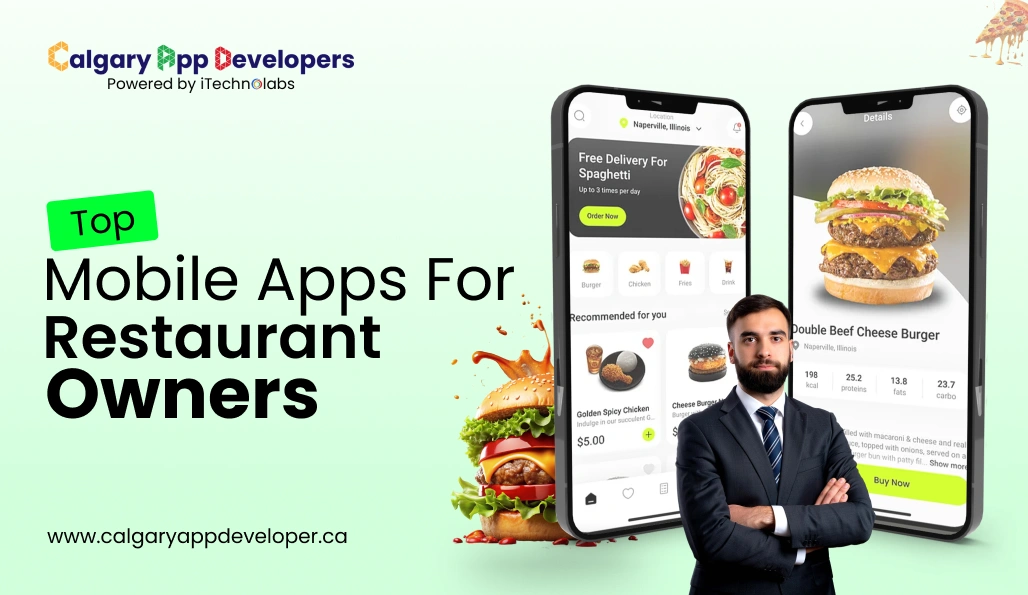
Top 15 Apps For Restaurant Owners to Boost Sales
Running a restaurant today is about more than great food and service; it’s about efficiency, insight, and staying ahead in an increasingly digital landscape. From managing inventory and schedules to responding to customer trends and labor challenges, hospitality operators are under constant pressure.
Technology is no longer optional. Real-time data and automation are especially critical: 79 % of restaurants now view real-time data as essential to decision-making, yet many struggle to access reliable insights without the right systems in place.
The right apps can transform how your restaurant runs, simplifying workflows, cutting waste, improving service speed, and giving you instant operational visibility. But not all tools deliver real value. Some streamline your day; others create more friction.
This guide highlights the most useful mobile apps for restaurant owners in 2026, explaining what each does, the features that matter most, and how they can help you run a smoother, more profitable operation. Whether you seek stronger front-of-house efficiency, better back-of-house control, or smarter customer engagement, this is your roadmap to the technology that actually works.
TL;DR
- Mobile apps simplify daily restaurant operations and reduce manual work.
- The right tools improve customer experience, staff coordination, and cost control.
- A curated set of essential apps helps restaurants operate more efficiently and grow steadily.
- Direct digital engagement supports stronger loyalty and long-term performance.
Key Points
- Mobile apps enhance restaurant efficiency by improving scheduling, reservations, inventory management, marketing, and customer communication.
- A dedicated online ordering system or branded app gives restaurants more control over margins and customer relationships.
- Staff-focused tools like scheduling platforms help reduce labor issues and improve team coordination.
- Inventory, safety, and workflow apps support better accuracy and operational consistency across the kitchen.
- Customer-facing solutions such as reservations, waitlists, and delivery networks strengthen visibility and accessibility.
- Adopting the right digital tools positions restaurants for long-term competitiveness in an increasingly mobile-driven market.
Why Mobile Apps for Restaurant Are Essential for Restaurant Growth
Mobile technology has become a central part of how customers discover, evaluate, and interact with restaurants. Industry research shows that the global online food delivery services market is expected to grow from about USD 177.9 billion in 2025 to USD 198.99 billion in 2026, reflecting continued demand for convenience and digital engagement in dining.
This growth signals a clear reality: restaurants that rely solely on traditional processes risk losing visibility, agility, and customer loyalty as diners increasingly turn to mobile platforms for ordering and service.
Here is how mobile apps strengthen restaurant operations and long-term performance.
1. Stronger customer reach and convenience
Most diners now start their journey on their phones. A dedicated app gives customers a direct path to your menu, promotions, and ordering system. This reduces friction and increases the likelihood that a customer chooses your restaurant over competitors.
2. Greater control of margins
When orders move through your own app, you avoid high commission fees associated with aggregator platforms. This protects your profit per order and creates room to reinvest in quality, marketing, or staff development.
3. Higher customer retention
Mobile apps make it easy for guests to reorder, save favorites, track loyalty points, and receive personalized offers. These features encourage repeat visits and build a stronger brand relationship over time.
4. Improved operational efficiency
Apps simplify complex tasks such as order management, payment processing, inventory alerts, and table reservations. This reduces manual errors, speeds up service, and allows staff to focus on food preparation and guest experience.
5. Data-driven decision-making
Every interaction through your app generates valuable insight. You gain clarity on customer behavior, peak service times, popular items, and spending patterns. With this data you can optimize staffing, pricing, menu design, and promotions.
6. Future readiness
The restaurant industry is steadily moving toward digital-first experiences. A mobile app positions your business to adopt emerging capabilities such as voice-based ordering, predictive recommendations, and automated loyalty programs. It ensures your restaurant keeps pace with changing consumer expectations.
Mobile apps are no longer an optional add-on for restaurant owners. They are a foundational tool that supports growth, efficiency, and long-term competitiveness in 2026 and beyond.
Also Check: Best Food Ordering App for Restaurants
How We Selected the Best Mobile Apps for Restaurant Owners in 2026
There is no shortage of apps claiming to improve restaurant operations. Some promise higher profits. Others promise smoother workflows. The reality is that only a small number truly deliver consistent, measurable value.
This list was not built on popularity alone. Each app was evaluated using practical standards that reflect what restaurant owners actually need in 2026: efficiency, profitability, scalability, and clarity.
Here is the framework behind our selection.
- Real Operational Value: First, we examined whether the app solves a real restaurant problem. Does it reduce manual work? Does it cut food waste? Does it improve scheduling accuracy? Tools that create visible operational improvement ranked higher than those offering surface-level features.
- Ease of Use for Owners and Staff: Restaurants move fast. An app that requires weeks of training will slow teams down. We evaluated how intuitive each platform is, how quickly staff can adopt it, and whether the interface supports daily use without confusion. Simplicity matters because adoption determines impact.
- Integration with Core Systems: Most restaurants already rely on POS systems, payroll tools, payment processors, and delivery platforms. Apps that integrate smoothly with these systems scored higher. Strong integrations reduce duplicate work, improve data accuracy, and prevent operational bottlenecks.
- Pricing Clarity and ROI Potential: We reviewed subscription models, commission structures, and hidden fees. Transparent pricing was essential. More importantly, we assessed whether the app provides a clear return on investment through labor savings, increased order volume, improved retention, or cost control.
- Scalability for Growing Operations: An app should support both single-location restaurants and expanding brands. Platforms that offer centralized reporting, multi-location management, and flexible upgrades were prioritized. Growth should not require switching systems every year.
- Data and Performance Insights: Modern restaurants depend on real-time data. We evaluated reporting dashboards, sales analytics, labor tracking, and customer insights. Apps that convert raw data into clear decision-making tools ranked higher than those offering basic summaries.
- Security and Reliability: Any platform handling payments, reservations, or customer data must meet strong security standards. We considered uptime reliability, encryption, compliance readiness, and system stability during peak hours.
- Alignment with 2026 Industry Trends: Finally, we assessed how well each app reflects where the restaurant industry is heading. Mobile-first ordering, automation, digital loyalty programs, AI-driven insights, and contactless operations are no longer optional. Apps that adapt to these trends earned stronger placement.
This framework ensures the apps featured in this guide are not simply popular. They are practical, reliable, and built to support real restaurant growth in 2026 and beyond.
Top 15 Restaurant Mobile Apps for Owners in 2026
Here’s a list of some of the best apps for restaurant owners in 2026, categorized by their pricing & USP.
| App | Pricing (Approx.) | USP |
| iShopo | Starting at $299 | Fully branded online ordering built for restaurants. |
| 7shifts | Starts around $35 per month per location | Easy staff scheduling with labor cost control. |
| Buildify | Custom quote | Simple app creation for restaurants without coding. |
| Wisk | Starts around $199 per month | Accurate inventory tracking and recipe costing. |
| OpenTable | Starts around $149 per month | Reliable reservation management and guest insights. |
| Hootsuite | Plan-based pricing | Central social media scheduling and analytics. |
| Uber Eats | Commission-based | Large delivery network to expand order volume. |
| FoodDocs | Custom quote | Digital food safety and compliance management. |
| Evernote | Free and paid plans | Organized notes, checklists, and team documentation. |
| NextMe | Plan-based pricing | Digital waitlist that reduces walk-in congestion. |
| Square POS | Free plan available, paid plans from around $60 per month | All-in-one POS with payments, inventory, and reporting. |
| QuickBooks Online | Starts around $30 per month | Simplifies accounting, expense tracking, and payroll. |
| Mailchimp | Free and paid plans from around $13 per month | Email marketing automation to drive repeat business. |
| Yelp for Business | Free profile, ads at additional cost | Reputation management and customer review engagement. |
| Toast POS | Custom pricing | Restaurant-focused POS with integrated online ordering and analytics. |
1. iShopo (Custom Branded Online Ordering App)

iShopo gives restaurant owners a fully branded online ordering system that places control back in their hands. Instead of relying on third-party delivery apps, restaurants can build their own digital storefront with custom design, menu flexibility, and direct payment processing. This helps protect margins, improves customer loyalty, and creates a consistent brand experience from the first tap to the final checkout. iShopo also captures valuable customer data that supports smarter marketing and repeat sales.
Pros and Cons
| Pros | Cons |
| Full control over branding and customer experience | Requires upfront setup and customisation time |
| No commission on orders | Works best when promoted consistently |
| Direct customer data access | |
| Supports loyalty, offers, and repeat ordering |
2. 7shifts (Staff Scheduling & Team Management)

7shifts focuses entirely on the staffing challenges restaurants face every day. It helps managers create schedules that match demand, prevent unnecessary overtime, and avoid last-minute staffing gaps. The mobile app gives teams a clear space to communicate, swap shifts, and track availability. Managers also gain insights into labour costs so scheduling becomes more strategic. With reliable integrations for payroll and POS systems, 7shifts becomes a central tool for workforce productivity.
Pros and Cons
| Pros | Cons |
| Easy scheduling and shift coordination | Cost increases with more locations |
| Built-in labour cost insights | Some features locked behind higher tiers |
| Strong POS and payroll integrations | Best results require team adoption |
| Mobile app for staff communication | Learning curve for new managers |
3. Buildify (App Building)

Buildify gives restaurants the ability to design their own mobile app without writing a single line of code. Owners can add menus, loyalty features, announcements, and ordering tools in a simple visual builder. This helps even small restaurants create a polished digital presence that strengthens customer engagement. Restaurants can update app content anytime, which keeps promotions and menus fresh. It is a flexible solution for businesses that want to elevate their brand while staying within a reasonable budget.
Pros and Cons
| Pros | Cons |
| No coding required | Advanced customisations may need support |
| Fast app creation for small and midsize restaurants | Pricing not openly published |
| Useful for branding and customer retention | Not as specialised as restaurant-only tools |
| Flexible layouts and features | May require updates to maintain performance |
Also Check: Top 10 POS Systems for Restaurants with AI Tools
4. Wisk (Inventory Management)

Wisk provides a precise approach to inventory management for restaurants that want to control food costs and reduce waste. It tracks ingredient usage in real time and compares expected consumption with actual numbers. This creates a clear view of where losses may be happening. Wisk also helps with recipe costing and supplier management, which supports menu profitability. With strong integrations and automated counts, it eliminates guesswork and improves operational accuracy across the kitchen.
Pros and Cons
| Pros | Cons |
| Highly accurate inventory tracking | Higher price compared to basic tools |
| Strong recipe costing and variance analysis | Initial setup can be time-consuming |
| POS and supplier integrations | Detailed features may overwhelm small teams |
| Helps control food costs and waste | Works best with consistent data entry |
5. OpenTable (Reservation & Customer Management)

OpenTable remains one of the most trusted platforms for reservations and table management. It gives restaurants a reliable system for handling bookings, managing wait times, and organizing floor plans for peak hours. Guest profiles help staff offer more personalized service because preferences and past visits are stored automatically. Restaurants also gain visibility within OpenTable’s large diner community, which can increase new bookings. It is a powerful tool for both guest experience and operational control.
Pros and Cons
| Pros | Cons |
| Large global diner network | Monthly fees can be significant |
| Reliable reservation and table management | Some plans include cover charges |
| Guest profiles support personalised service | Requires staff training for full use |
| Helps increase bookings and visibility | High competition on the platform |
6. Hootsuite (Social Media Management & Marketing)

Hootsuite helps restaurants manage their entire social media presence from one dashboard. It lets you schedule posts, reply to customer comments, monitor brand mentions, and review performance metrics across all major platforms. This reduces the time spent jumping between accounts and keeps your messaging consistent. Restaurants can plan campaigns, promote new menu items, highlight special events, and maintain an active online presence that attracts new customers and keeps regulars engaged.
Pros and Cons
| Pros | Cons |
| Centralised platform for all social accounts | Paid plans can be costly for small teams |
| Easy post scheduling and planning | Advanced analytics in higher tiers |
| Helpful for maintaining brand consistency | Requires regular content creation |
| Useful performance insights | Not built specifically for restaurants |
Also Check: Top 20 Best Restaurant Management Software
7. Uber Eats (Food Delivery)

Uber Eats gives restaurants access to a large base of customers looking for quick delivery options. It helps expand reach beyond physical foot traffic and adds an additional revenue stream. Restaurants can upload menus, run promotions, and receive orders with minimal setup. The platform handles logistics and delivery, which reduces the operational load on staff. For many restaurants, Uber Eats is a convenient way to boost order volume and stay visible in a competitive market.
Pros and Cons
| Pros | Cons |
| Huge delivery network with strong visibility | Commission fees reduce profit margins |
| Easy setup and broad customer base | High competition from nearby restaurants |
| Handles delivery logistics | Menu control may feel limited |
| Useful for reaching new customers | Reviews depend heavily on delivery experience |
8. FoodDocs (Quality Management)

FoodDocs helps restaurants maintain food safety standards without dealing with piles of paperwork. It automates daily checks, tracks compliance tasks, stores documentation, and alerts staff when something needs attention. This supports a safer kitchen environment and reduces the risk of violations. Restaurants also benefit from digital logs that simplify audits and inspections. FoodDocs provides a dependable structure for ensuring that food handling processes stay consistent across shifts and staff members.
Pros and Cons
| Pros | Cons |
| Helps maintain strong food safety standards | Pricing requires direct inquiry |
| Automated reminders for compliance tasks | Initial setup requires careful attention |
| Digital checklists reduce paperwork | Staff training is needed for full adoption |
| Simplifies audits and inspections | Works best with disciplined usage |
9. Evernote (Note Taking)

Evernote serves as a practical tool for capturing ideas, documenting processes, and organizing daily tasks. Restaurant owners can use it for meeting notes, training materials, recipes, standard operating procedures, and inventory checklists. Its search function makes it easy to retrieve information quickly. Evernote keeps everything structured in one place, which helps managers stay organized and ensures important details are never lost during busy days.
Pros and Cons
| Pros | Cons |
| Great for notes and organisational tasks | Some advanced features require paid plans |
| Easy to search and categorise information | Not tailored specifically for restaurants |
| Useful for training and internal documentation | Requires consistent use to stay effective |
| Works across devices | Limited collaboration tools in free tier |
10. NextMe (Waitlist & Reservation Management)

NextMe helps restaurants manage waitlists and reservations more efficiently. Customers can join a digital queue, receive text updates, and know exactly when their table will be ready. This reduces lobby crowding and improves the guest experience. Staff can track table turns, estimate wait times, and manage seating more strategically. For busy restaurants dealing with walk-in traffic, NextMe creates a smoother and more predictable front-of-house flow.
Pros and Cons
| Pros | Cons |
| Streamlines waitlist management | Pricing not clearly listed online |
| Reduces lobby congestion | Works best in high-traffic restaurants |
| Improves guest communication through text updates | Staff training required for consistent use |
| Helps optimise table turnover | Limited features compared to full reservation suites |
11. Square POS (Point of Sale & Payments)

Square POS gives restaurants a flexible system to manage payments, track sales, and monitor inventory from one central dashboard. It works well for small and mid-sized restaurants that want a clean interface without complicated setup. With built-in reporting and customer insights, Square helps owners understand peak hours, best-selling items, and revenue patterns. Its hardware options also make in-store checkout smooth and reliable.
| Pros | Cons |
| Easy setup with a user-friendly interface | Transaction fees apply per sale |
| Integrated payments and sales tracking | Advanced features require paid plans |
| Real-time reporting and analytics | Limited customization compared to enterprise POS systems |
| Scalable for growing restaurants | Hardware costs add to the overall investment |
Also Read: How To Build Restaurant App For Food Ordering Business
12. QuickBooks Online (Accounting & Financial Management)

QuickBooks Online simplifies accounting for restaurant owners who need clarity around expenses, payroll, and taxes. It tracks income, categorizes expenses, and generates financial reports automatically. Integration with POS systems and bank accounts reduces manual work and errors. With a mobile app that allows real-time monitoring, owners can keep financial performance visible without being tied to a desk.
| Pros | Cons |
| Clear financial reporting and expense tracking | Monthly subscription cost |
| Automates invoicing and payroll processes | Learning curve for non-finance users |
| Strong integration with banking systems | Advanced features cost extra |
| Mobile access to real-time financial data | Requires regular updates for accuracy |
13. Mailchimp (Email Marketing & Customer Retention)

Mailchimp helps restaurants build stronger relationships through targeted email campaigns. Owners can promote seasonal menus, special events, loyalty programs, and exclusive offers directly to subscribers. Automation features allow follow-ups based on customer behavior, increasing repeat visits. Detailed analytics show which campaigns perform best, helping refine marketing strategies over time.
| Pros | Cons |
| Easy campaign creation and automation | Advanced automation requires higher-tier plans |
| Useful analytics and performance tracking | Needs consistent content planning |
| Supports audience segmentation | Limited restaurant-specific features |
| Affordable entry-level plans | Email engagement depends on list quality |
14. Yelp for Business (Reputation Management)

Yelp for Business helps restaurant owners monitor and respond to customer reviews from one platform. Managing online reputation is critical in 2026, as many customers check ratings before visiting. The app provides insights into customer feedback trends and allows restaurants to update photos, menus, and business information easily. Paid advertising options can also increase visibility in competitive markets.
| Pros | Cons |
| Direct access to customer reviews and feedback | Negative reviews can impact visibility |
| Improves brand credibility and trust | Paid ads increase costs |
| Profile management and analytics tools | Highly competitive platform |
| Advertising options for increased exposure | Requires active engagement to manage reputation |
15. Toast POS (All-in-One Restaurant Management)

Toast POS is built specifically for restaurants and combines ordering, payments, reporting, and online integration into one system. It supports both dine-in and delivery workflows, helping staff manage orders smoothly between front and back of house. Detailed analytics provide insights into sales trends, labor costs, and customer behavior, making it a strong option for growing restaurants.
| Pros | Cons |
| Restaurant-focused POS system | Custom pricing can be higher than basic POS tools |
| Integrated online ordering and reporting | Hardware investment required |
| Scalable for multi-location operations | Training is needed for staff adoption |
| Strong analytics for data-driven decisions | Long-term contracts may apply |
Build Custom Restaurant Apps Tailored With Us.
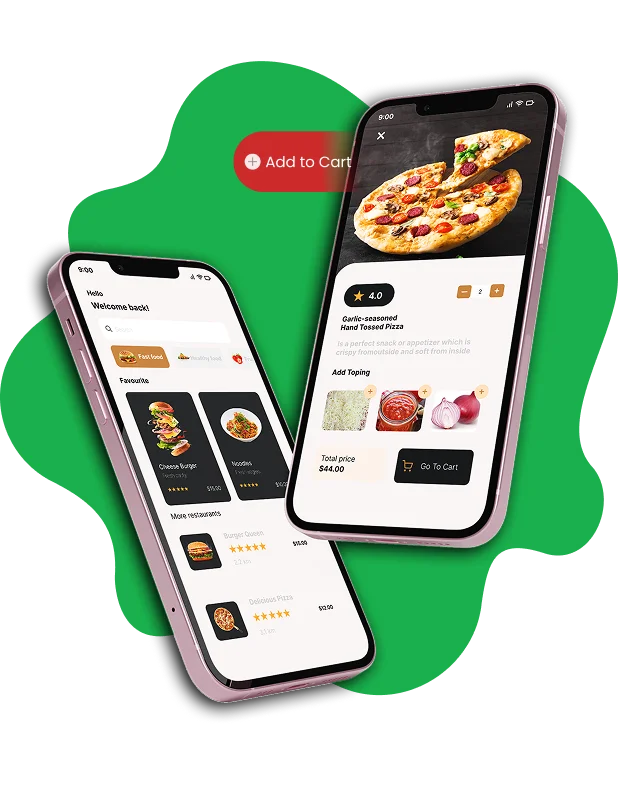
Building a custom branded restaurant app gives your business a direct path to your customers, and Calgary App Developers helps you create an experience that reflects your identity with clarity and purpose. Your app becomes a dedicated space where guests can explore your menu, place orders, redeem rewards, and stay connected with your updates. This strengthens loyalty and keeps your brand present every time they reach for their phone.
We work closely with you to understand your restaurant, your audience, and your goals. Every feature is designed to support smoother operations and a better customer journey. You get a digital product that feels authentic, purposeful, and aligned with your long-term growth.
Here are the advantages your restaurant gains
- A fully branded app that showcases your visual identity
- Direct ordering that protects your margins
- Loyalty and rewards features that encourage repeat visits
- Push notifications that boost engagement and sales
- Easy menu control for quick updates and seasonal changes
- A streamlined user experience that simplifies customer choices
With Calgary App Developers, you receive more than a functional app. You gain a focused partner committed to helping your restaurant stand out, build stronger relationships, and grow with confidence.
Takeaway:
A well-chosen set of mobile apps for restaurant owners can reshape the way a restaurant operates. These tools minimize routine tasks, give clearer control over costs, and help teams work with more confidence and coordination. They also make it easier for customers to connect with your restaurant, whether they are booking a table, placing an order, or following your updates online.
What becomes clear is that technology is no longer a secondary add-on. It has become a practical asset that supports smoother operations and stronger customer relationships. Restaurants that adopt modern digital tools are better equipped to stay competitive, respond to changing expectations, and create a more dependable experience for their guests.
By integrating the right apps into your workflow, you set the stage for steady improvement across service, communication, and overall performance. This creates a foundation that supports both daily operations and long-term growth.
FAQ’s About Apps For Restaurant Owners:
1. What is the best form of ownership for a restaurant?
The best ownership structure depends on your goals, risk level, and scale. Many restaurant owners choose a private limited company because it offers liability protection, easier access to investment, and clear financial separation. Small single-location restaurants sometimes start as sole proprietorships, but growing businesses usually benefit from a more formal structure.
2. What is the best restaurant management software?
There is no single winner for every restaurant, but the best solutions usually combine reservations, POS integration, staff scheduling, and inventory tracking in one system. Platforms like Toast, TouchBistro, and 7shifts are often preferred because they streamline daily operations, provide useful reporting, and help teams stay organized. The right choice depends on your size, workflow, and service style.
3. Where can I find restaurant owners?
You can connect with restaurant owners through industry associations, local business groups, trade shows, food service expos, and hospitality events. Social platforms like LinkedIn and Facebook communities are active spaces where owners share ideas and network. Supplier networks, culinary schools, and co-working kitchens also attract professionals from the restaurant industry.
4. How to run a restaurant remotely?
Running a restaurant remotely requires reliable systems for communication, scheduling, inventory control, and real-time reporting. Use tools for staff coordination, reservation management, cloud-based POS, and digital audits. Set clear procedures for daily operations and use regular video check-ins with managers. With the right structure, a restaurant can operate smoothly even when the owner is offsite.


Pankaj Arora is a seasoned technology leader and the Founder of Calgary App Developer, with 10+ years of expertise in crafting high-performance digital solutions. His core competencies include full-stack app development, cloud-native architecture, API integration, and agile product delivery. Under his leadership, Calgary App Developers has empowered startups and enterprises alike with scalable mobile applications, secure web platforms, and AI-driven SaaS products.