






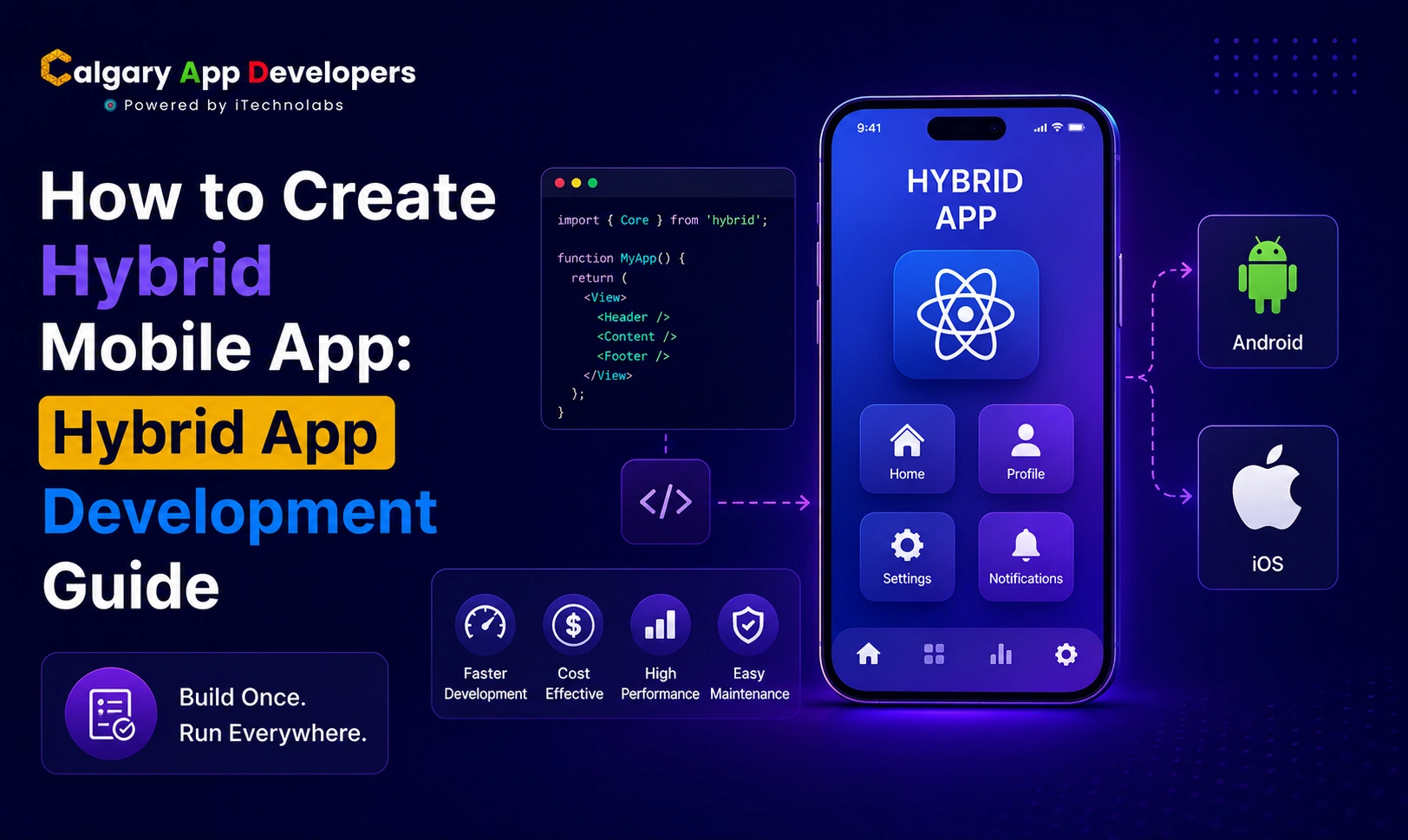
How to Create Hybrid Mobile App: Hybrid App Development Guide
The field of mobile app development has undergone significant transformations throughout the past few years. Businesses can now develop complete mobile applications for both iOS and Android platforms without compromising their application quality to meet budget restrictions. Hybrid mobile application development has emerged as the most effective method for creating scalable mobile applications that operate at optimal performance levels during their development process in 2026.
Modern frameworks like Flutter and React Native now allow businesses to build apps from a single codebase while still delivering smooth performance, responsive interfaces, and near native user experiences across both platforms. This approach helps companies reduce development time, simplify maintenance, speed up updates, and bring products to market without doubling development costs.
For startups validating an idea, growing businesses expanding digitally, and enterprises modernizing customer experiences, hybrid app development offers a practical balance between speed, performance, and long-term scalability.
This guide is based on our real-world experience developing hybrid mobile applications for businesses across Calgary and Canada. We’ll walk through the complete hybrid app development process, including how hybrid apps work, choosing the right app type, selecting frameworks, planning features, estimating development costs in Canadian dollars, avoiding common development mistakes, and understanding the future trends shaping hybrid mobile apps in 2026 and beyond.
TL;DR
- Hybrid mobile app development lets you build once and deploy on both iOS and Android from a single codebase.
- Flutter and React Native are the dominant frameworks for hybrid development in 2026, each with distinct strengths.
- The step-by-step process to create hybrid mobile app solutions runs through eight phases, from idea validation to post-launch maintenance.
- Hybrid mobile app development costs in Canada typically range from $25,000 to $160,000 CAD, depending on complexity, features, and team location.
- Common mistakes like skipping discovery, choosing the wrong framework, and neglecting testing can be avoided with proper planning.
Key Points
- Creating a hybrid mobile app goes beyond writing code. It involves strategic validation, architecture planning, cross-platform UI design, framework selection, rigorous QA, and post-launch iteration.
- Hybrid app development delivers cost savings of 30 to 50% compared to building two separate native apps, without sacrificing user experience for most use cases.
- Choosing the right hybrid framework early (Flutter, React Native, or Ionic) directly affects app performance, developer experience, and long-term maintenance cost.
- A structured step-by-step hybrid development process reduces cross-platform compatibility risks and improves product quality across both iOS and Android.
- Canadian businesses building hybrid apps need to factor in PIPEDA compliance, bilingual French support for national reach, and SR&ED tax credit eligibility from the project outset.
- Avoidable mistakes, including poor framework selection, skipping QA, and ignoring platform-specific UX guidelines, can significantly impact app quality and user retention.
- Trends like AI-powered hybrid features, offline-first architecture, and edge computing are reshaping what hybrid apps can deliver in 2026.
Hybrid Mobile App Development Market Overview
Hybrid mobile app development has evolved far beyond being a budget alternative to native apps. In 2026, it became the preferred development strategy for businesses that want faster launches, lower development costs, and scalable mobile experiences across both iOS and Android platforms.
As mobile usage continues to grow worldwide, companies are investing heavily in cross-platform technologies that reduce complexity while maintaining strong app performance and user experience.
Here are the biggest trends shaping the hybrid mobile app development market in 2026.
1. The Cross-Platform App Market Continues to Expand
The global cross-platform app development market is growing rapidly as businesses look for more efficient ways to build and maintain mobile applications. Industry projections estimate the market will exceed $47 billion by 2035, driven by increasing mobile demand, rising native development costs, and the growing adoption of AI-powered applications.
Businesses are now prioritizing development models that support faster deployment, easier scalability, and long-term cost savings without compromising user experience.
2. Flutter and React Native Dominate Hybrid App Development
Flutter and React Native continue to lead the hybrid app development ecosystem in 2026. These frameworks are widely used by startups, SMBs, and enterprise organizations because they allow developers to build apps for multiple platforms using a single codebase.
Their growing popularity comes from several major advantages:
- Faster development and deployment cycles
- Lower maintenance costs compared to separate native apps
- Smooth and responsive user interfaces
- Near native application performance
- Easier integration with APIs, cloud platforms, and AI services
- Simultaneous feature releases across Android and iOS
Modern versions of Flutter and React Native now deliver performance levels that are extremely close to native applications for most business use cases, making hybrid development a practical long-term solution rather than a temporary shortcut.
3. Canadian Businesses Are Choosing Hybrid Development to Reduce Costs
Across Canada, businesses are increasingly adopting hybrid mobile app development to manage rising software development expenses and shorten time to market.
Developing separate native apps for iOS and Android often requires larger teams, longer timelines, and higher maintenance costs. Hybrid development helps businesses reduce initial development expenses by approximately 30% to 40% while simplifying future updates and feature management.
For startups and growing businesses in Calgary and across Canada, this makes hybrid development one of the most cost-effective ways to launch scalable digital products without overextending budgets.
4. AI Integration Is Accelerating Hybrid App Growth
AI-powered features are becoming a standard part of modern mobile applications. Businesses now expect apps to support personalized recommendations, smart search, automation, predictive analytics, AI chatbots, and intelligent customer experiences.
Hybrid frameworks are adapting quickly to this shift by supporting advanced AI integrations across both platforms from a single development environment. This allows businesses to deploy AI-powered experiences faster while keeping development and operational costs under control.
5. The Future of Hybrid App Development Looks Strong
The future of hybrid mobile app development continues to look highly promising as frameworks become more powerful and businesses demand faster, more scalable development solutions.
Industry experts predict continued growth for technologies such as:
- Flutter
- React Native
- Kotlin Multiplatform
- .NET MAUI
As these frameworks mature further, hybrid development is expected to become the default choice for startups, SMBs, MVP development, and many enterprise-level business applications in the years ahead.
Also Read: Best Hybrid App Development Companies in Calgary, Canada
Benefits Of Hybrid Mobile App Development For Businesses And Startups
When you create hybrid mobile app solutions, you get a set of structural advantages that compound over the full lifecycle of the product. Here are eight benefits that consistently make hybrid development the right call for Canadian businesses and startups.
- Single Codebase Across Both Platforms:
The most fundamental advantage of hybrid development is that one codebase runs on both iOS and Android. You write the application logic once, and it deploys everywhere. This eliminates the need to maintain two parallel development tracks, two separate QA processes, and two distinct release cycles. For Calgary businesses managing lean product teams, this efficiency compounds significantly over time and reduces the total engineering overhead of running a mobile product at scale.
- Significantly Lower Development Cost:
Building two native apps doubles your frontend development effort and typically adds 40 to 60% to your total project cost. Hybrid development collapses that into a single build. A mid-complexity hybrid app in Canada runs $45,000 to $95,000 CAD. The equivalent native build for both platforms would typically cost $80,000 to $180,000 CAD. The savings are real, and they grow with every future feature update, since updates only need to be built once.
- Faster Time to Market:
A single team working on one codebase ships faster than two teams working in parallel on two separate codebases. Hybrid frameworks like Flutter and React Native include rich component libraries that accelerate UI development, mature plugin ecosystems that handle common mobile features without custom code, and active communities that resolve issues quickly. For Canadian businesses racing against a product deadline or wanting to validate an idea before a major investment, hybrid development’s speed advantage is a genuine differentiator.
- Near-Native Performance for Most Use Cases:
Flutter uses a compiled Dart engine that renders at 60 to 120 frames per second directly without relying on a JavaScript bridge. React Native bridges JavaScript to native components with performance that is close to native for the majority of app interactions. The performance gap between hybrid and native has closed dramatically in recent years. For most commercial applications, including ecommerce apps, service platforms, dashboards, and booking tools, users cannot tell the difference between a well-built hybrid app and a native one.
- Simplified Long-Term Maintenance:
Maintaining one codebase is fundamentally simpler than maintaining two. When an OS update breaks something, you fix it once. When you add a feature, you build it once. When a security patch is needed, you apply it once. This ongoing maintenance simplification reduces your annual maintenance budget by a meaningful margin compared to native development, freeing budget for feature development and business growth rather than platform synchronization work.
- Consistent User Experience Across Platforms:
Hybrid development, particularly with Flutter, lets you deliver a pixel-perfect, consistent experience across iOS and Android from the same design system. Users on both platforms get the same feature set, the same performance, and the same visual quality. For Canadian businesses building national apps that need to work equally well for an iPhone user in Toronto and an Android user in Calgary, this consistency is a product quality advantage that native development makes harder and more expensive to achieve.
- Access to Device Features Through Plugins:
Modern hybrid frameworks support access to virtually every native device capability that a commercial app needs: camera, GPS, push notifications, biometric authentication, local storage, file system access, Bluetooth, and more. Flutter’s plugin ecosystem and React Native’s extensive library of community and first-party packages mean you’re rarely blocked from a device feature just because you chose hybrid development.
- Scalability and Future-Readiness:
Hybrid apps built on Flutter or React Native can scale to support large user bases through cloud backend integration, caching strategies, and progressive architecture. Both frameworks also evolve actively, with Google and Meta investing heavily in their respective frameworks. Building on either means you’re building on a foundation with a long-supported roadmap, reducing the risk of backing a framework that gets deprecated or abandoned.
Types Of Hybrid Mobile Apps You Can Build
Understanding what types of hybrid apps are possible helps you choose the right approach from the start. Each type has a different technical profile, cost range, and use case fit. Here are seven types that businesses building hybrid apps in Canada most commonly commission.
- Flutter-Based Hybrid Apps: Flutter apps are built in Dart and compiled to native ARM code, producing smooth, high-performance apps that look and feel identical across iOS and Android. Flutter’s rich widget library lets teams build highly custom UIs without relying on platform-specific components. These apps are the strongest choice when visual consistency and near-native performance are both priorities. Calgary businesses building consumer-facing apps, fintech tools, or field service applications that need to work reliably in remote environments often find Flutter is the right framework.
- React Native Hybrid Apps: React Native apps are built in JavaScript or TypeScript and bridge to native platform components at runtime, producing apps that use platform-native UI elements like iOS alerts and Android navigation patterns. Teams with existing JavaScript expertise can ramp up quickly in React Native without learning a new language. Shopify, Microsoft, and Tesla have all shipped major production React Native apps, demonstrating the framework’s maturity. React Native is particularly strong for teams that want to share code between a web frontend and a mobile app.
- Ionic Hybrid Apps: Ionic apps are built on standard web technologies (HTML, CSS, JavaScript) running inside a native WebView container, with Capacitor providing the bridge to device APIs. Ionic is faster to set up than Flutter or React Native and works well for internal business tools, dashboards, and lightweight apps where absolute performance is less critical than development speed and cost. For Canadian businesses needing a simple, functional hybrid app deployed quickly for internal use, Ionic is a legitimate and cost-effective choice.
- Capacitor-Based Hybrid Apps: Capacitor, developed by the Ionic team, is a runtime that wraps web apps in a native container and provides access to native device APIs through a plugin system. It’s designed to work with any modern JavaScript framework, including Angular, Vue, and React, making it a strong option for teams that already have a web application and want to extend it into a mobile app without a full rewrite. Businesses converting existing web tools to mobile often find Capacitor the most pragmatic path.
- Progressive Web Apps (PWAs): PWAs are web applications built with modern web APIs that can be installed on a device like a native app, work offline through service workers, and send push notifications. They live in the browser ecosystem rather than the App Store, but can be added to a home screen and behave like installed apps. PWAs are the right choice when you want mobile presence without App Store friction, particularly for content-first products like news platforms, service directories, or event guides.
- Enterprise Hybrid Apps: Enterprise hybrid apps are built for internal business use: workforce management, field operations, asset tracking, CRM, ERP extensions, and logistics coordination. They prioritize security, offline reliability, and integration with existing enterprise systems over consumer-facing aesthetics. Calgary’s energy sector relies heavily on this type of application, where field technicians in remote locations need apps that log inspection data and sync when connectivity returns. Offline-first architecture is often a core requirement for this category.
- AI-Powered Hybrid Apps: AI-powered hybrid apps embed machine learning features directly into the application, including recommendation engines, image recognition, natural language processing, predictive analytics, and AI-driven personalization. Frameworks like Flutter and React Native both support integration with TensorFlow Lite for on-device inference and can connect to cloud-based AI APIs for more computationally intensive tasks. This is an increasingly important category as user expectations for intelligent, adaptive app experiences grow across every industry.
Also Check: Hybrid Mobile App Development Cost in Calgary, Canada
Step-by-Step Process To Create A Hybrid Mobile App
Building a successful hybrid app is a structured, multi-phase process. Each step shapes the quality, cost, and timeline of what gets delivered. Here is how professional hybrid app development actually works in production.
1. Idea Validation And Strategic Clarity
This step determines whether the app should be built at all and what success looks like before a line of code is written.
- Clearly define the core problem the hybrid app is solving and for whom.
- Identify primary and secondary user segments and their specific mobile behavior patterns.
- Research existing hybrid and native apps addressing similar problems to understand gaps and opportunities.
- Validate demand through user interviews, concept testing, or analysis of competitor App Store reviews.
- Define measurable business objectives: user acquisition targets, revenue goals, operational efficiency gains, or customer retention metrics.
- Decide whether a hybrid is the right approach based on your platform requirements, performance needs, and budget constraints.
Strong validation at this stage means the entire hybrid build effort is focused on a real problem with real commercial value, not a technically interesting solution looking for a use case.
2. Requirement Gathering And Scope Definition
Once the idea is validated, requirements need to be documented in a form concrete enough to build from.
- Document every user-facing feature in plain language that both technical and non-technical stakeholders can validate.
- Map detailed user journeys for every major interaction flow, including edge cases and error states.
- Define platform-specific requirements: which device features need to be accessed, what offline behavior is needed, and what performance thresholds are acceptable.
- List all third-party services, APIs, and integrations required, including payment gateways, mapping services, analytics platforms, and authentication providers.
- Separate MVP features from Phase 2 enhancements, with clear justification for what makes it into Version 1 and what waits.
- Finalize the scope and establish a change control process before development begins to prevent scope creep from inflating the timeline and budget.
Clear, complete requirements create alignment across design, development, and QA teams and dramatically reduce the expensive rework that comes from building the wrong thing confidently.
3. Framework Selection And Technical Architecture
The hybrid framework you choose and the architecture you design around it determine your app’s performance ceiling, your team’s productivity, and your long-term maintenance burden.
- Evaluate Flutter, React Native, and Ionic against your specific requirements: performance needs, team expertise, UI complexity, plugin availability, and timeline.
- Define your app architecture: whether you’ll use a clean architecture pattern, MVVM, or BLoC (for Flutter), and how state management will be handled across the application.
- Plan backend infrastructure: REST API design, database selection, cloud hosting (AWS ca-central-1 or Azure Canada Central for Canadian data residency), and authentication architecture.
- Identify which device features need native plugins and validate that those plugins are available, well-maintained, and compatible with your target OS versions.
- Plan your CI/CD pipeline: automated build, test, and deployment workflows that support both iOS and Android from the same pipeline.
- Document all architecture decisions with rationale so future team members understand why the system is structured the way it is.
This is the foundation everything else builds on. Poor architecture decisions made here compound in cost and complexity with every sprint.
4. UX/UI Design And Prototyping
Before any code is written, your app needs to be designed and tested as a visual prototype.
- Create wireframes mapping every screen and user flow without styling or visual design, focusing on layout, navigation structure, and information hierarchy.
- Develop a clickable prototype that simulates the actual app experience so stakeholders can click through screens and validate decisions before development begins.
- Design a full design system: color palette, typography, spacing system, component library, icon set, and motion design guidelines.
- Address hybrid-specific design considerations: how the UI adapts to different screen sizes, notches, home indicator areas, and platform-specific safe zones on both iOS and Android.
- Test the prototype with five to ten real users who represent your target user types. Even informal usability testing at this stage catches UX problems that are cheap to fix in design and expensive to fix in code.
- Get explicit stakeholder sign-off on the approved design before development begins. Design changes during development are significantly more expensive than design changes during prototyping.
5. Core Hybrid App Development
This is the build phase, executed in Agile sprints of one to two weeks each, with working software demonstrated at every sprint review.
- Set up your development environment: install the selected framework (Flutter SDK, Node.js for React Native), configure platform SDKs (Xcode for iOS, Android Studio for Android), and establish Git workflows and branch strategies.
- Implement shared business logic first: the code that runs identically on both platforms, covering data models, API calls, state management, and core application workflows.
- Build UI components using your design system, ensuring consistent rendering across both iOS and Android. Flutter’s widget tests make this especially reliable; React Native’s platform-specific component overrides handle platform-specific behavior.
- Integrate native plugins for device features: camera access, GPS, push notifications, biometric authentication, local storage, and any hardware-specific capabilities your app requires.
- Implement backend integrations: connect to your REST API or GraphQL endpoint, handle authentication flows, manage token refresh, and implement appropriate error handling and retry logic.
- Build offline functionality if required, implementing local data storage (SQLite, Hive, or WatermelonDB, depending on framework), sync strategies, and conflict resolution logic for apps that need to work in low-connectivity environments.
6. Quality Assurance And Cross-Platform Testing
QA for hybrid apps is more complex than for native apps because the same codebase needs to perform correctly across a larger matrix of device and OS combinations.
- Run functional testing for every feature across both iOS and Android builds, verifying that business logic behaves identically on both platforms.
- Test on a representative matrix of real devices: at minimum, two to three iOS devices covering recent and slightly older iPhone models, and three to four Android devices covering different manufacturers, screen sizes, and Android versions.
- Execute regression testing after every sprint to verify that new features don’t break existing functionality across both platforms.
- Perform performance testing: measure app startup time, scroll performance, API response handling, and memory consumption on lower-end devices that represent the lower end of your target user’s device profile.
- Run security testing: validate that authentication tokens are stored securely, API calls use proper TLS, and that no sensitive data is logged or exposed through the app bundle.
- For Canadian apps handling personal data, validate PIPEDA compliance: consent flows work correctly, data minimization is implemented, and user access and deletion functionality operate as expected.
7. App Store Submission And Deployment
Getting your hybrid app approved and live on both the Apple App Store and Google Play requires preparation that starts well before submission day.
- Set up your Apple Developer account ($99 USD per year) and Google Play Console account ($25 USD one-time) several weeks before your planned launch date, as account verification takes time.
- Prepare App Store and Play Store metadata: app name, keyword-optimized description, screenshots for every required device size, preview video, privacy policy URL, and content rating questionnaire responses.
- Complete Apple’s App Store Review Guidelines checklist before submission. Common rejection reasons include missing privacy policy, inadequate data usage explanations, and broken functionality in the reviewer’s test environment.
- Build and sign release versions of your app: an IPA for iOS App Store distribution and an AAB for Google Play, both with proper code signing certificates and provisioning profiles.
- Plan a staged rollout where possible: Google Play supports phased rollouts that expose the new version to a percentage of users first, letting you monitor crash rates and user feedback before pushing to 100%.
- Set up crash reporting and analytics before launch: Firebase Crashlytics, Sentry, or equivalent tools give you real-time visibility into issues in the production environment.
8. Post-Launch Maintenance And Iteration
A hybrid app that doesn’t evolve post-launch becomes a liability. The post-launch phase is where the real product work begins.
- Monitor crash rates, API performance, and user behavior analytics in the first 30 days after launch, treating any spike in crash rate or drop in retention as a priority signal.
- Collect structured user feedback through in-app prompts, App Store review monitoring, and direct user interviews with early adopters.
- Plan for OS and framework updates: both iOS and Android release major OS updates annually, and Flutter and React Native both ship significant updates regularly. Budget time for compatibility testing after each major OS release.
- Execute your Phase 2 feature roadmap based on real usage data rather than pre-launch assumptions. What users actually do in the app is almost always different from what you predicted during planning.
- Establish a regular release cadence: at a minimum, quarterly updates that address accumulated bug fixes, dependency security patches, and incremental feature improvements.
- Budget 15 to 20% of your initial development cost per year for ongoing maintenance and iteration. A $75,000 CAD hybrid app build should have $11,000 to $15,000 in annual post-launch budget.
How Much Does It Cost To Build A Hybrid Mobile App In 2026
Most hybrid mobile app projects in Canada range from $25,000 to $160,000 CAD in 2026, depending on feature complexity, design ambition, backend requirements, framework choice, and the location of your development team.
Here is how development costs break down across major Canadian cities:
| Location | Typical Cost Range (CAD) | Notes |
| Toronto, ON | $80,000 to $220,000+ | Highest rates in Canada; premium agency market |
| Vancouver, BC | $75,000 to $200,000+ | Strong talent pool; rates reflect the high cost of living |
| Calgary, AB | $25,000 to $160,000 | Competitive rates with senior hybrid development talent |
| Ottawa, ON | $50,000 to $170,000 | Strong government-tech ecosystem; reliable mid-range pricing |
| Montreal, QC | $45,000 to $150,000 | Cost-effective market; bilingual development capability |
| Offshore | $10,000 to $60,000 | Low upfront cost; higher risk of framework misuse, QA gaps, and hidden revision costs |
Calgary consistently offers experienced Flutter and React Native development talent at rates that are meaningfully more competitive than Toronto or Vancouver, without the quality and accountability gaps that offshore hybrid development regularly produces. For Canadian businesses that want a proper hybrid build at a price point that makes business sense, Calgary is a consistently strong choice.
Development Cost Breakdown by Stage
| Development Stage | Estimated Cost CAD |
| Discovery and Requirements | $2,500 to $7,000 |
| UX/UI Design and Prototyping | $5,000 to $18,000 |
| Backend Development | $7,000 to $30,000 |
| Hybrid Frontend (Flutter/React Native) | $10,000 to $45,000 |
| QA and Cross-Platform Testing | $3,500 to $12,000 |
| App Store Submission and Deployment | $1,000 to $3,500 |
| Project Management | $2,500 to $10,000 |
| Post-Launch Support (annual) | $3,500 to $16,000 |
| Total | $25,000 to $160,000 |
Key Factors That Affect Your Hybrid App Development Cost
- App complexity and feature scope: A basic hybrid app with limited screens and straightforward data flows sits at the lower end of the range. A complex app with real-time features, multi-role access systems, custom backend infrastructure, and deep third-party integrations pushes toward the top. Every feature adds time across design, development, testing, and maintenance.
- Framework selection: Flutter and React Native have comparable development costs for most projects. Ionic is faster to set up but may require more custom work to achieve the same performance outcomes. The framework choice also affects your ongoing maintenance cost: Flutter’s strongly typed Dart language tends to produce more stable codebases with fewer runtime errors than JavaScript-based frameworks.
- UX/UI design depth: Standard component libraries are faster and cheaper to build with. A fully custom design system with branded components, custom animations, and platform-adaptive theming takes significantly longer and requires more senior design talent. The investment pays back in user retention and brand differentiation.
- Backend complexity: Apps using an existing backend or a BaaS platform like Firebase cost less to develop. Custom REST API backends, microservices architectures, or apps requiring real-time data synchronization add meaningful scope and cost to the backend portion of the project.
- PIPEDA compliance and security requirements: Canadian apps handling personal data need compliant consent flows, data minimization, user data access and deletion functionality, and appropriate security architecture. Building these in from the start adds a defined scope of work. Retrofitting compliance after launch costs significantly more.
- Developer location. Where your development team is based directly affects your hourly rate and, therefore, your total project cost. Calgary-based hybrid developers offer senior Flutter and React Native experience at rates that are competitive with the Canadian market without the offshore risks that consistently inflate final project costs beyond initial quotes.
Also Check: Hire Hybrid App Developers in Calgary: 10 Best Sites to Hire
Common Mistakes to Avoid When Creating Hybrid Apps
The path from idea to a successful hybrid app is well-established, but specific mistakes derail projects consistently. Here are eight you can avoid with proper planning.
1. Choosing The Wrong Framework For Your Use Case:
Not all hybrid frameworks perform equally for all app types. Ionic works well for simple internal tools but struggles with performance-intensive consumer apps. Flutter excels at high-fidelity consumer apps but requires learning Dart. React Native is ideal for teams with JavaScript expertise but introduces complexity with native modules. Choosing based on what’s trending rather than what your project actually needs is a mistake that costs you months of recovery work.
2. Skipping The Discovery And Requirements Phase:
Teams that rush to start coding before requirements are defined build the wrong thing confidently. Scope creep, misaligned stakeholder expectations, and expensive mid-project pivots are almost always traceable to inadequate discovery. A proper discovery phase costs $2,500 to $7,000 CAD and prevents problems that routinely cost ten times that to fix during development.
3. Ignoring Platform-Specific Ux Guidelines:
Hybrid development doesn’t mean ignoring platform conventions. iOS users expect different navigation patterns, gesture behaviors, and UI conventions than Android users. Apps that apply a single UI model uniformly across both platforms often feel slightly “off” to users on one platform. The best hybrid apps adapt navigation and interactive patterns to each platform’s conventions while maintaining a consistent visual identity and feature set.
4. Underestimating The Cross-Platform Testing Scope:
Testing a hybrid app is more complex than testing a native app because the same codebase runs on a wider matrix of devices and OS combinations. Teams that test on a single emulator and call it done routinely ship apps with platform-specific bugs that only appear on real devices. Testing on a representative set of real iOS and Android devices at different OS versions is non-negotiable for a production hybrid app.
5. Overusing Third-Party Plugins Without Vetting Them:
The plugin ecosystems for Flutter and React Native are extensive, but not all plugins are well-maintained, actively updated, or compatible with the latest OS versions. Using unmaintained plugins introduces security risks and creates compatibility problems when iOS or Android ships a major OS update. Always check a plugin’s maintenance status, last commit date, open issue count, and compatibility declarations before depending on it.
6. Building Without Offline Support When Users Need It:
If your app will be used in environments where connectivity can’t be guaranteed, and many Canadian use cases in energy, construction, agriculture, and remote services fall into this category, offline support needs to be designed into the data layer from the start. Attempting to retrofit offline functionality onto an app that wasn’t architected for it is significantly more expensive than building it in initially.
7. Neglecting App Store Guidelines Until Submission Time:
Both Apple and Google have detailed guidelines covering everything from privacy policy requirements to data usage explanations to prohibited content. Apps that haven’t been built with these guidelines in mind often face rejection, sometimes at launch and sometimes after updates introduce non-compliant behavior. Build with App Store compliance in mind from the design phase, not as a submission checklist item.
8. Underbudgeting For Post-Launch Maintenance:
The launch of a hybrid app is the beginning of its life cycle, not the end of the project. OS updates, framework updates, security patches, user feedback-driven improvements, and Phase 2 features all require ongoing investment. Businesses that treat development cost as a one-time budget rather than an ongoing operating cost often end up with hybrid apps that degrade in performance and compatibility over time, eroding the return on the initial investment.
Hybrid App Development Trends to Watch In 2026
The hybrid development ecosystem is moving quickly in 2026. Here are eight trends shaping how teams build hybrid mobile apps and what Canadian businesses should be thinking about as they plan their next build.
1. AI-Powered Hybrid Features:
AI is moving from a standalone feature to a baseline expectation in mobile apps. Hybrid apps in 2026 are integrating on-device machine learning (via TensorFlow Lite and Core ML through Flutter/React Native plugins), AI-driven personalization engines, intelligent search, and generative AI features that help users accomplish tasks faster. For Canadian businesses in healthcare, real estate, logistics, and energy, AI-powered hybrid apps are creating meaningful operational advantages over generic tools.
2. Offline-First Architecture Becoming Standard:
The shift toward offline-first design is accelerating as developers recognize that connectivity gaps aren’t edge cases. They’re regular operating conditions for a significant portion of Canadian app users. Frameworks like Flutter now have mature local database options (Hive, Drift, Isar) that make offline-first architecture practical without heroic engineering effort. Expect offline-first to become a default design requirement rather than an optional enhancement.
3. Flutter’s Growing Enterprise Adoption:
Flutter was initially seen as a startup framework. In 2026, major enterprises, including Google, BMW, and various financial services organizations, are running production Flutter apps at scale. The framework’s maturity, strong performance, and Google’s continued investment make it an increasingly safe choice for organizations that need long-term framework stability and enterprise-grade tooling support.
4. Improved React Native Architecture:
The New Architecture in React Native (JSI, Fabric renderer, and TurboModules) has been progressively rolling out and significantly improves bridge performance, reduces startup time, and enables synchronous communication with native modules. Teams that had moved away from React Native because of performance concerns should reconsider it in the context of the new architecture.
5. Edge Computing for Hybrid Apps:
Edge computing brings processing closer to the user, reducing the latency that has historically been a concern for hybrid apps with cloud-dependent features. CDN providers, including Cloudflare Workers and AWS Lambda@Edge, make it practical to run application logic at the network edge, improving response times for hybrid apps serving geographically distributed Canadian users from urban centres to remote communities.
6. Enhanced Security and Privacy Standards:
PIPEDA compliance, Quebec’s Law 25, and growing user awareness of data privacy are pushing hybrid app developers toward privacy-by-design approaches. This includes differential privacy techniques, on-device processing to minimize data transmission, and transparent consent mechanisms that go beyond checkbox compliance. In 2026, privacy architecture is a competitive differentiator, not just a legal requirement.
7. Micro-Frontend Patterns in Hybrid Apps:
Large hybrid app teams are adopting micro-frontend approaches, decomposing the app into independently deployable feature modules that separate teams can own and ship without full-app release coordination. This is particularly relevant for enterprise hybrid apps where multiple product teams contribute to a single application. Expect module federation patterns to mature further in the Flutter and React Native ecosystems through 2026.
8. Wearable and Multi-Device Hybrid Experiences:
Flutter’s support for multiple target platforms (iOS, Android, web, desktop, and wearOS/watchOS through community packages) makes it increasingly practical to build hybrid experiences that span a user’s phone, watch, and browser from a shared codebase. For health, fitness, and enterprise apps where users switch between devices regularly, this multi-device continuity is becoming a meaningful product capability.
How a Calgary App Developer Can Help You Create a Hybrid Mobile App
Creating a high-quality hybrid mobile app that performs well on both iOS and Android, passes App Store review, complies with Canadian privacy requirements, and scales with your user base is a genuinely complex undertaking. The gap between a hybrid app that works and a hybrid app that drives real business results is almost entirely determined by the quality of the team building it and the rigor of their process.
At Calgary App Developer, we’ve been building hybrid mobile apps with Flutter and React Native for businesses across Alberta and Canada. We know what a good hybrid build looks like at every stage, and more importantly, we know where hybrid projects go wrong and how to prevent them. Our hybrid development process starts with discovery, not code. We help you define what needs to be built before any development begins, which is the single most effective way to control cost and ensure the finished product matches what your business actually needs.
We understand the Canadian market in ways that offshore and non-Canadian agencies don’t. We raise PIPEDA compliance requirements proactively. We flag bilingual considerations before they become expensive retrofits. We help you identify SR&ED eligibility before the project starts so you’re capturing the right documentation from day one. And we deliver hybrid apps you own outright, with full source code, documentation, and a post-launch support plan that doesn’t evaporate the moment the app goes live.
Final Words
Building a hybrid mobile app in 2026 is one of the most cost-effective and strategically sound decisions a Canadian business can make when it needs to reach users on both iOS and Android. Flutter and React Native have matured to the point where the performance and quality arguments for native-only development are increasingly difficult to justify for most commercial use cases.
The decision to create hybrid mobile app solutions is the right starting point. The next decision is who you build it with. The framework choice, the architecture decisions, the QA rigor, and the post-launch discipline all matter more than whether you go hybrid or native. A well-built hybrid app outperforms a poorly built native app every time.
If you’re ready to explore what a hybrid app would look like for your business, specifically what it would cost, how long it would take, and what the right framework would be for your use case, we’d love to have that conversation. Visit calgaryappdeveloper.ca to book a free consultation. You’ll get a straight assessment of your project with no commitment required.
FAQs
1. How long does it take to create a hybrid mobile app?
The timeline to create a hybrid mobile app depends on complexity and scope. A basic hybrid app with a focused feature set typically takes two to three months from discovery to App Store launch. A moderate complexity app with user management, API integrations, and a custom backend runs for three to six months. A complex enterprise hybrid platform can take six to ten months or more. The discovery and design phases alone typically run four to eight weeks before development begins and are consistently underestimated by teams building their first hybrid app. Rushing these early phases creates compounding problems throughout development that cost significantly more to fix mid-sprint than they would have cost to prevent upfront.
2. What’s the best framework to build a hybrid mobile app in 2026?
For most new hybrid projects in 2026, Flutter is the default recommendation. It produces pixel-perfect, consistent UI across iOS and Android with compiled performance that is close to native for virtually all commercial app interactions. Flutter’s strong typing in Dart, mature widget library, and Google’s long-term investment make it a reliable foundation for both consumer-facing apps and enterprise tools. React Native is the right choice for teams with existing JavaScript expertise or projects that need tight integration with the JavaScript ecosystem, including shared code between a web frontend and a mobile app. Ionic is appropriate for simple internal tools and dashboards where absolute performance is less critical than development speed and cost.
3. How is a hybrid app different from a native app?
A native app is built specifically for one platform using the platform’s official language and tools: Swift or Objective-C for iOS, Kotlin or Java for Android. It has direct access to all platform APIs and delivers the best possible performance for that specific platform. A hybrid app is built using a cross-platform framework (Flutter, React Native, or Ionic) and produces a single application that runs on both iOS and Android from one codebase. Modern hybrid apps built with Flutter or React Native deliver near-native performance for most commercial use cases, and most users can’t tell the difference in everyday interactions. The main practical difference is cost and maintenance: a hybrid is significantly less expensive to build and maintain because you’re managing one codebase instead of two.
4. Does creating a hybrid mobile app qualify for SR&ED tax credits in Canada?
Yes, in many cases it does. Canada’s Scientific Research and Experimental Development program provides substantial tax credits for development work involving genuine technical uncertainty, systematic investigation, and experimental approaches to solving technical problems. Hybrid app projects that involve novel architecture decisions, innovative use of framework capabilities, technically challenging integrations, or experimental performance optimization work frequently qualify. Canadian-Controlled Private Corporations can receive refundable SR&ED credits of up to 35% on the first $3 million of eligible expenditures. The key is documenting technical challenges, approaches attempted, and outcomes throughout the project, not reconstructing them after the invoices are paid. Talk to an SR&ED specialist before your project starts so documentation practices are in place from day one.
5. How do I handle PIPEDA compliance in a hybrid mobile app?
PIPEDA compliance in a hybrid mobile app requires several architectural decisions to be made before development begins. Your user onboarding flow needs explicit consent mechanisms for every type of personal data you collect. Your data models need to implement data minimization (collect only what you actually need). You need to build user-facing functionality that lets users access, correct, and delete their personal data. Your backend and on-device storage need appropriate security safeguards: encryption at rest and in transit, access controls, and audit logging for sensitive operations. For apps operating in Quebec, Law 25 adds stricter provincial requirements on top of the federal PIPEDA baseline, including mandatory Privacy Impact Assessments for high-risk processing activities. A Canadian development partner will raise these requirements proactively. Most offshore teams won’t know Canadian privacy law well enough to flag it at the right time.
6. How much does it cost to maintain a hybrid mobile app after launch?
Plan for 15 to 20% of your initial development cost per year for ongoing maintenance. A $75,000 CAD hybrid app build needs $11,000 to $15,000 in annual maintenance budget. That covers framework and OS compatibility updates (both iOS and Android ship major OS updates annually and require testing and adjustments), bug fixes from real user behavior, security patches for dependencies, App Store metadata and screenshot updates for new device sizes, and the next round of feature development based on usage data. Hybrid apps have a maintenance advantage over native apps because framework updates and bug fixes only need to be applied once, rather than separately for two codebases. But they’re not maintenance-free. Apps that don’t receive regular updates become compatibility liabilities as iOS and Android evolve, and the cost of catching up after extended neglect is consistently higher than the cost of ongoing maintenance would have been.


Pankaj Arora is a seasoned technology leader and the Founder of Calgary App Developer, with 10+ years of expertise in crafting high-performance digital solutions. His core competencies include full-stack app development, cloud-native architecture, API integration, and agile product delivery. Under his leadership, Calgary App Developers has empowered startups and enterprises alike with scalable mobile applications, secure web platforms, and AI-driven SaaS products.