









Google AI Studio: A Complete Guide for Canadian Businesses
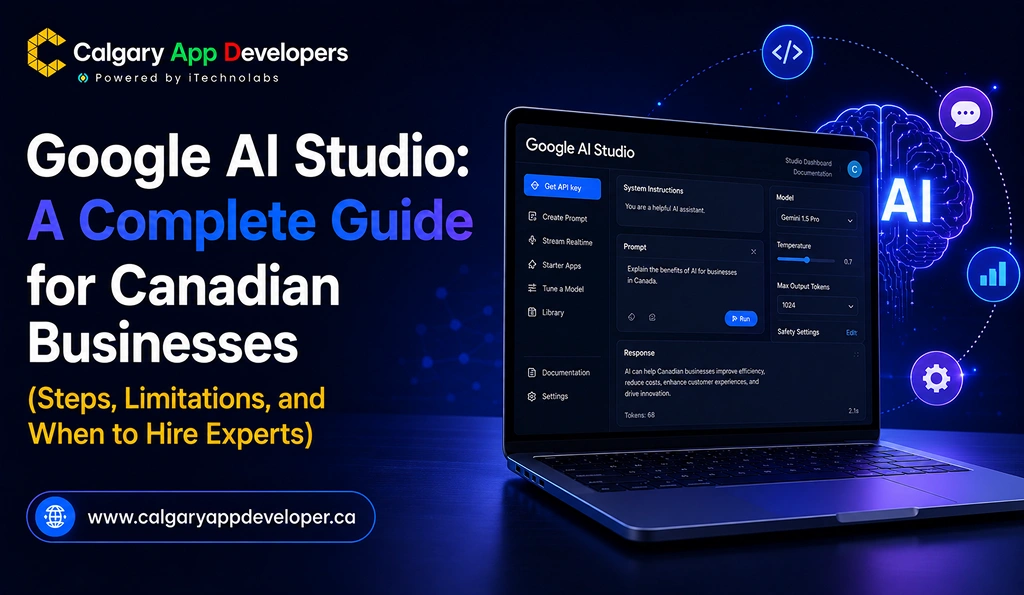
In May 2026, Google quietly changed the conversation around app development. Its updated AI Studio platform now lets anyone type a plain-English description of an Android app and receive a working, installable prototype in under 60 seconds. No prior coding experience required. No development team on standby. No waiting weeks for a first build.
For business owners in Calgary, Edmonton, or anywhere across Canada, that’s a claim worth taking seriously. We tested it firsthand to find out what Google AI Studio actually delivers, where it runs into trouble, and how Canadian businesses should realistically think about using it.
The short version: the technology is impressive for early-stage exploration. The long version is considerably more nuanced, and that’s exactly what this guide covers.
TL;DR
- Google AI Studio can generate functional Android app prototypes from plain language prompts in under a minute.
- The platform is excellent for idea validation, stakeholder demos, and early-stage product exploration.
- AI-generated apps often lack the security, backend functionality, compliance measures, and integrations required for real-world use.
- Most businesses should view AI Studio as a starting point for prototyping rather than a complete app development solution.
Key Points
- Google AI Studio uses Gemini to generate native Android app prototypes directly from text prompts, making app creation accessible to non-technical users.
- The platform allows businesses to quickly test ideas, visualize concepts, and create working demonstrations before investing in full-scale development.
- While the generated apps may look functional, important production requirements such as authentication, secure data handling, analytics, accessibility, and regulatory compliance are not included by default.
- Features that depend on live data, external APIs, location services, or complex backend logic often require significant manual development after the prototype stage.
- Publishing a publicly available app typically requires exporting the generated code, reviewing it in Android Studio, and completing additional engineering and testing work.
- Google AI Studio is most valuable for prototypes, internal tools, MVP validation, and investor presentations rather than customer-facing applications.
- Businesses operating in regulated industries or handling sensitive user information should treat AI Studio as an ideation tool and plan for professional development before launch.
What Is Google AI Studio and Why Is Everyone Paying Attention
Google AI Studio is a free, browser-based development environment powered by Gemini, Google’s large language model. It sits within Google’s broader initiative to lower the barrier to app creation for people without technical backgrounds, a category of tools the industry has started calling “vibe coding” platforms.
The core mechanic is straightforward. You describe an app using plain language; the AI interprets the description, generates native Android code in Kotlin, and renders a simulated phone preview directly in your browser. The May 2026 update made this particularly significant by extending the output from simple web interfaces to genuine native Android applications that can be installed on real devices and, in principle, submitted to the Google Play Store.
For Canadian small and mid-sized businesses, this creates a genuinely new option. If you’ve had an app concept sitting on a whiteboard for two years but couldn’t justify a six-figure development budget before validating the idea, AI Studio now gives you a way to test that concept in an afternoon. It’s also a credible tool for creating investor demos, presenting a concept to stakeholders, or exploring whether a feature set makes sense before committing to a full build.
What it is not, and this is the critical distinction, is a replacement for professional app development. Understanding where that boundary sits is what separates businesses that use this tool well from those that get burned by it.
Step-by-Step: How to Build an App with Google AI Studio
If you’re wondering what the actual app creation process looks like inside Google AI Studio, here’s a complete walkthrough. From signing in to testing your finished prototype, these are the steps you’ll follow to turn an idea into a working app preview.
Step 1: Sign In and Access Google AI Studio
Before you can start building, you’ll need a Google account. If you already use Gmail, you’re ready to go.
Visit Google AI Studio, sign in with your account, and review the platform’s terms and conditions. The onboarding process is straightforward and usually takes less than two minutes. Once you’re inside, you’ll have access to Google’s Gemini-powered development environment.
At this stage, no coding setup, software installation, or local configuration is required. Everything runs directly in your browser.
Step 2: Open the Build Workspace
After logging in, locate the Build section in the left navigation panel.
This is the area where you’ll create and manage AI-generated applications. The Build workspace serves as the central hub where Gemini interprets your instructions, generates screens, and assembles the overall app experience.
Think of this section as your development canvas. Every prompt, revision, and generated preview starts here.
Step 3: Create a Detailed App Prompt
The quality of your app depends heavily on the quality of your prompt.
Instead of writing a short instruction such as “build a fitness app,” provide detailed information about how the app should function. Include key details such as:
- The purpose of the application
- Target users
- Required screens and navigation flow
- Core features and functionality
- Visual style and branding preferences
- User actions from start to finish
For example, rather than requesting a simple food delivery app, describe the customer onboarding process, restaurant browsing experience, checkout flow, order tracking, and account management features.
The more context Gemini receives, the more accurate and useful the generated result will be.
Step 4: Generate and Review the First App Preview
Once your prompt is submitted, Gemini begins creating the application prototype.
Generation typically takes between 40 and 60 seconds, depending on the complexity of the request. After processing is complete, Google AI Studio displays your app inside a simulated Android device directly within the browser.
This preview allows you to explore screens, navigate menus, and understand how the proposed user experience comes together.
Many users are surprised by how much functionality and visual structure the platform can generate from a single prompt.
Step 5: Explore Available Design Variations
After the initial build is complete, AI Studio may present several design alternatives.
These variations typically differ in areas such as:
- Color palettes
- Icon styles
- Typography choices
- Visual presentation
You can make basic adjustments to the look and feel of the interface, but customization options remain fairly limited. Layout structures, navigation patterns, and component placement are largely determined by the platform itself.
As a result, AI Studio works best for rapid prototyping rather than detailed interface design.
Step 6: Refine the App with Additional Prompts
Once you’ve reviewed the first version, you can continue improving the application through follow-up prompts.
For example, you might ask Gemini to:
- Add new features
- Modify existing screens
- Improve navigation
- Introduce user authentication
- Expand workflows
- Adjust visual elements
While simple updates often work well, larger structural changes can be less predictable. Major redesign requests may produce only partial modifications rather than complete interface overhauls.
More complex refinements can also take several minutes to process, especially when multiple screens and interactions are involved.
Step 7: Test the App Thoroughly in the Browser
Before sharing or deploying anything, spend time testing the generated application inside the browser preview.
Navigate through every screen and verify that user flows behave as expected. Pay particular attention to:
- Form submissions
- Navigation paths
- Search functionality
- Data entry processes
- Interactive elements
- AI-powered features
It’s also important to evaluate any functionality that relies on external services. Features involving live data, location access, third-party APIs, or real-time responses are often where limitations become most noticeable.
Document any issues you discover so they can be addressed during the next round of refinement.
Step 8: Evaluate Whether the Prototype Is Ready for Further Development
Once testing is complete, assess whether the generated app meets your goals.
For simple internal tools, proof of concepts, and early-stage product validation, AI Studio may provide enough functionality to move forward quickly. For more advanced applications, however, the generated prototype often serves as a starting point rather than a finished product.
At this stage, you can either continue refining the app inside AI Studio or hand the concept over to developers who can transform the prototype into a production-ready application with custom functionality, scalability, and security features.
How to Test Your Google AI Studio App on a Real Phone
Testing your app on an actual Android device provides a much clearer understanding of how it performs in real-world conditions than relying solely on the browser preview.
1. What You’ll Need
Before getting started, make sure you have:
- An Android smartphone
- A USB cable for connecting the device to your computer
- USB Debugging is enabled through Developer Options on your phone
Google AI Studio provides guided installation instructions after you click the Install button, making the setup process relatively straightforward.
2. Installing the App on Your Device
Once your phone is connected and recognized, AI Studio transfers the generated application directly to the device. The installation process usually takes only a few minutes and requires minimal manual configuration.
3. What to Check During Testing
As you interact with the app on real hardware, pay close attention to how key features behave compared to the browser simulation.
- Location Features: Location-based functionality often relies on fixed or preconfigured data rather than accessing the device’s actual GPS coordinates. As a result, location results may not accurately reflect the user’s current position.
- Chat and AI Interactions: AI-powered chat experiences frequently respond to the overall topic instead of the exact user message. Conversations can feel less contextual than expected during real usage.
- User Authentication and Security: Basic production requirements such as account registration, login systems, user sessions, and authentication workflows are generally not included in the default AI-generated application and must be implemented separately.
4. Evaluating Production Readiness
For internal demonstrations, stakeholder presentations, or early concept validation, these limitations are often acceptable.
However, for customer-facing products, they become significant concerns. Reliable authentication, accurate location handling, robust AI functionality, and secure data management typically require additional engineering work before the application is ready for public use.
How to Publish an App Built on AI Studio
Once you’ve tested the prototype and want to distribute it more broadly, here is what the publishing process actually involves.
Direct Play Store publishing from AI Studio isn’t universally available yet. For most users, publishing means working through Google Play Console manually. You’ll need to create a developer account, which carries a one-time registration fee of $25 USD. Setting up two-factor authentication on your Google account is a prerequisite before account creation can proceed.
From there, two publishing paths exist.
Path 1, Direct From AI Studio With Significant Limitations:
AI Studio can push a build to your Play Console account, but the app is flagged as “unreviewed.” This means the app is only accessible through a private testing link and will not appear in Play Store search results, category listings, or algorithmic recommendations. This route is appropriate for internal testing and stakeholder previews; nothing further.
Path 2, The Proper Build Pathway:
Export the AI Studio source code as a ZIP file or push it to a GitHub repository. Open the code in Android Studio, Google’s professional development environment. This is the stage where a developer reviews and repairs the AI output: correcting hallucinated backend functions, wiring up proper API integrations, fixing UI rendering issues, and establishing legitimate server logic. Once the code passes review, generate a signed Android App Bundle (.aab file) using a production release keystore. Upload to Play Console with a complete store listing including screenshots, descriptions, a privacy policy, and a content rating questionnaire. Submit to the Production track for Google’s formal review.
Path 2 is not optional for any business wanting a publicly searchable app. Skipping the local build and signing steps results in a distribution permanently restricted to private testing links, regardless of how polished the app looks in demo conditions.
Google AI Studio vs. Other AI App Builders: How Do They Compare
AI Studio is far from the only tool in this category. Before committing to a particular workflow, understanding where each option fits helps you make the right choice for your business context.
The table below compares the main platforms currently being evaluated by businesses and developers.
| Factor | Google AI Studio | Claude Code | GitHub Copilot | Cursor | Replit |
| Primary Target User | Non-developers, product managers | Professional developers | Professional developers | Professional developers | Beginners, hobbyists |
| Output Type | Native Android (Kotlin) | Any language or framework | In-editor code suggestions | Any language or framework | Web and backend apps |
| Time to First Prototype | Under 1 minute | Several hours minimum | Varies significantly | Varies significantly | 15 to 30 minutes |
| Customization Depth | Low | High | High | High | Moderate |
| Backend Logic Reliability | Weak, prone to hallucination | Strong | Strong | Strong | Moderate |
| PIPEDA or Compliance Awareness | None | Manual implementation required | Manual implementation required | Manual implementation required | None |
| Best Use Case | Visual prototypes, investor demos | Full production app development | Accelerating developer output | Accelerating developer output | Learning, side projects |
| Cost | Free | Paid subscription | Paid subscription | Paid subscription | Free tier available |
The pattern is consistent across categories. AI Studio trades depth and reliability for speed and accessibility. Professional developer tools produce more reliable backends and more customizable output, but they require a developer to operate them effectively. For rapid prototyping by a non-technical business owner, AI Studio wins on convenience. For anything that needs to scale, serve real users, or meet compliance requirements, the professional tools win on every measure that matters.
What Industries Can and Cannot Use Google AI Studio Effectively
Not every business use case is a good fit for this tool. Being clear about this before investing time in the wrong direction matters.
Where Google AI Studio Genuinely Helps: Single-purpose internal tools with no customer data involved. Rapid MVP concepts you want to pressure-test before commissioning a full build. Investor and stakeholder demos where the goal is communicating an idea, not delivering a product. Simple informational apps where content is static and doesn’t need to connect to external sources. A Calgary retail business wanting to visualize a loyalty app concept before hiring a development team is a reasonable example of a good fit.
Where it Falls Short Quickly: Any app that handles real user data runs into serious trouble. Canadian healthcare apps must comply with both PIPEDA and applicable provincial health information legislation. AI Studio has no awareness of either. Financial applications require encryption standards, secure session handling, and regulatory compliance that a Gemini-generated Kotlin file doesn’t address. Calgary’s energy sector, which operates some of the most demanding enterprise software environments in North America, needs backend architecture that AI-generated code cannot produce reliably.
Bilingual functionality represents another significant gap. A serious Canadian app often needs to support both English and French to reach a national audience. This isn’t addressable through a follow-up prompt. Proper bilingual implementation requires deliberate decisions about data models, translation management, and UI architecture made at the design stage, not retrofitted later.
For regulated industries, any app touching sensitive user data or any business with obligations under CASL or PIPEDA, AI Studio functions as a prototyping tool only. It was not built to solve compliance problems, and treating it as though it were creates legal exposure rather than a competitive advantage.
The Biggest Limitations of Building Apps with Google AI Studio
Most coverage of this topic identifies four or five challenges and stops there. That’s not the complete picture. Here are the real limitations a Canadian business needs to understand before making decisions based on an AI Studio prototype.
- No Authentication: AI-generated apps allow anyone to access all content without a login, account creation, or session management. This isn’t a minor configuration gap; it’s a foundational security problem.
- Dynamic Features Break: Location services return fixed data rather than live GPS coordinates. Any feature that needs to pull from an external data source behaves unpredictably or fails without useful error messaging.
- Chat Functionality: Conversational features in AI Studio apps respond to the general topic of a message rather than its specific content. Ask whether a product is in stock, and you may receive a response about store hours. The model is generating plausible-sounding text, not processing the actual request.
- Backend Logic Hallucinates: The server-side code AI Studio generates often includes invented function calls, missing dependencies, and logic that appears internally coherent but fails immediately when connected to a real database or third-party API.
- UI Quality is Generic: The designs produced lack any strategic thinking about your users’ actual journey, your brand identity, or the competitive context in which your app will be evaluated.
- No PIPEDA Compliance: Any app collecting personal information from Canadian users is subject to PIPEDA. AI Studio produces no consent flows, no data retention logic, no breach notification protocols, and no access controls. Launching a customer-facing app on an unmodified AI Studio foundation creates direct legal exposure under Canadian privacy law.
- No Bilingual Support: Supporting both English and French for a Canadian national audience requires architectural decisions that must be made at the design stage, not added as an afterthought.
- No Real API Integration: Connecting to a payment processor, a CRM, a booking platform, or any third-party service requires custom development work after the prototype is exported.
- Play Store Review Uncertainty: Submitting a fully AI-generated app without a thorough engineering review increases the likelihood of rejection during Google’s quality and policy evaluation.
- No Accessibility Standards Compliance: WCAG requirements are absent from AI Studio outputs. For Canadian businesses working with government or public-sector clients, accessibility compliance is a legal obligation, not a product enhancement.
- No Analytics or Event Tracking: Understanding how real users interact with your app requires proper analytics instrumentation, none of which is included in an AI Studio build.
- Permanent Distribution Restrictions: Any app submitted from AI Studio without a proper local build process is permanently restricted to private testing links, with no path to organic Play Store visibility.
Should Canadian Businesses Use Google AI Studio? A Practical Decision Framework
The most useful answer depends on what you’re trying to accomplish at your current stage.
Use Google AI Studio when you need to validate an idea before committing a budget, want to show investors or partners a working concept quickly, are building an internal operational tool that doesn’t handle customer data, or want to explore whether a specific feature set is technically feasible before hiring a development team. In those contexts, the tool delivers genuine value and can save considerable money in early-stage discovery.
Do not rely on Google AI Studio when your app will handle customer data subject to PIPEDA, when the app needs to be publicly discoverable on the Play Store, when your business operates in a regulated sector such as healthcare or financial services, or when bilingual functionality is required for a national Canadian audience.
One important consideration specific to Canadian businesses: apps built as part of your technology operations may qualify for federal funding support. The SR&ED (Scientific Research and Experimental Development) tax incentive program allows Canadian businesses to claim credits against qualifying software development work. The Canada Digital Adoption Program (CDAP) provides grants to help small and medium businesses adopt digital tools, which can cover professional app development investments. Both programs require documentation of professional engineering activity. An AI Studio prototype doesn’t meet the eligibility threshold, but a professionally built and documented application typically does.
What to Do After Google AI Studio: The Professional Build Pathway
If you’ve used AI Studio to validate your concept and you’re ready to build the actual product, here is the pathway that produces a shippable result.
Start by exporting the AI Studio source code as a ZIP file or pushing it to a GitHub repository. This gives you a structural starting point that a developer can assess and work from, not a finished product, but a concrete artifact that communicates the intended experience.
Open the exported code in Android Studio and conduct a proper technical review. A skilled developer will identify the hallucinated backend functions, the missing API integrations, the hard-coded data that needs to connect to live sources, and the security gaps that would expose user information in production.
From that review, the project follows a professional build process: backend architecture design, security implementation, PIPEDA compliance review, UX refinement aligned with your brand, and systematic testing across devices and operating system versions.
Once the build meets production standards, Play Store submission runs through your Play Console account with a properly signed .aab bundle, a complete store listing, a content rating questionnaire, and submission to the Production track for Google’s formal review.
Working with a Calgary-based development partner at this stage creates specific operational advantages: local accountability, time zone alignment for communication, familiarity with Canadian compliance requirements, and the ability to meet in person when complex decisions need to be made quickly.
Conclusion
Google AI Studio represents a genuine shift in what’s accessible at the early stages of a product concept. Generating a working Android prototype in under a minute, at no cost, is a capability that didn’t exist in this form before 2026. For a Calgary business owner with an app concept and a limited budget to experiment, spending an afternoon with AI Studio before committing to a development contract is a reasonable and defensible use of time.
The boundaries of the tool are equally real. Security gaps are not configuration options you can switch on later. PIPEDA compliance is not a prompt you can add at the end. Reliable backend logic is not something Gemini currently produces consistently enough to trust with customer data. These aren’t product flaws waiting for a future software update; they’re structural limitations of what a generative AI can produce in a single automated pass.
The businesses that get the most value from AI Studio are the ones that treat it as a prototyping tool rather than a development substitute. They use it to validate concepts quickly, then hand the validated concept to professional engineers to build the product that actually runs the business.
That combination of fast ideation and expert execution is how competitive Canadian businesses are approaching app development right now. If you’re ready to take your concept past the prototype stage, the team at CalgaryAppDeveloper.ca builds production-ready mobile and web applications for Canadian businesses, with full PIPEDA compliance, senior engineering talent, and a thorough understanding of the markets you operate in. Get in touch and let’s talk about what your app needs to succeed.
FAQs
1. What is Google AI Studio and how does it differ from traditional app development?
Google AI Studio is a free, browser-based tool that uses Google’s Gemini model to generate native Android app code from plain-text descriptions. Traditional app development involves professional engineers designing architecture, writing production code, building backend systems, and managing compliance requirements from the ground up. AI Studio compresses the early prototyping phase dramatically but omits most of the technical work that makes a professional app reliable, secure, and scalable. The two approaches are best understood as serving different purposes at different stages of a product’s development.
2. Can I use Google AI Studio to build a production-ready app for Canadian customers?
You can use it to build a prototype that communicates your concept effectively. A production-ready app for Canadian customers requires substantial additional professional development work. Canadian apps that collect personal information must comply with PIPEDA, and apps in regulated industries face additional provincial requirements. AI Studio produces no authentication system, no real data integration, and no compliance architecture, all of which are necessary before any customer-facing launch can responsibly proceed.
3. How long does it take to go from a Google AI Studio prototype to a live app?
The prototype itself takes under 10 minutes to generate. Getting from that prototype to a live, publicly searchable app on the Play Store requires a full development cycle. A proper build starting from exported AI Studio code, covering backend development, security implementation, compliance review, UX refinement, cross-device testing, and Play Store submission, typically runs 8 to 20 weeks depending on scope and complexity.
4. What does it cost to hire a professional development team in Calgary to take an AI Studio prototype to production?
Most Calgary-based app development projects fall between $50,000 and $150,000 CAD, depending on feature complexity, target platforms, and backend requirements. Starting from an AI Studio prototype can reduce early discovery costs since the concept is already visible and testable before the engagement begins. A Calgary developer can review the exported code and provide a precise scope estimate based on what’s salvageable versus what needs to be rebuilt from scratch.
5. Does Google AI Studio comply with PIPEDA and Canadian privacy legislation?
No. The tool has no built-in awareness of PIPEDA or any Canadian privacy regulation. Apps that collect, store, or process personal information about Canadian users need compliance built explicitly into the architecture: informed consent flows, data retention and deletion policies, breach notification protocols, and secure storage standards. These requirements must be implemented by developers who understand the legislation. They cannot be generated automatically by a prompt-based tool.
6. Is Google AI Studio a practical starting point for apps in Alberta’s oil and gas sector?
For early concept visualization or an internal stakeholder demo, it can serve a useful role. For any production application in Alberta’s energy sector, the answer is no. Oil and gas operations typically involve complex field data, integration with enterprise systems, safety-critical workflows, and strict data governance requirements. These challenges require experienced engineers who understand both the technical architecture and the operational environment in which the software will run.
7. What Canadian government funding programs apply to professional app development?
Two programs are worth knowing about. The SR&ED (Scientific Research and Experimental Development) tax incentive allows Canadian businesses to claim federal tax credits on qualifying software development work, including custom application builds. The Canada Digital Adoption Program (CDAP) provides grants to help small and medium businesses invest in digital tools, which can include professional app development costs. Both programs require documented professional development activity to qualify. Working with a development team that provides proper technical documentation is essential for accessing either credit.


Pankaj Arora is a seasoned technology leader and the Founder of Calgary App Developer, with 10+ years of expertise in crafting high-performance digital solutions. His core competencies include full-stack app development, cloud-native architecture, API integration, and agile product delivery. Under his leadership, Calgary App Developers has empowered startups and enterprises alike with scalable mobile applications, secure web platforms, and AI-driven SaaS products.