









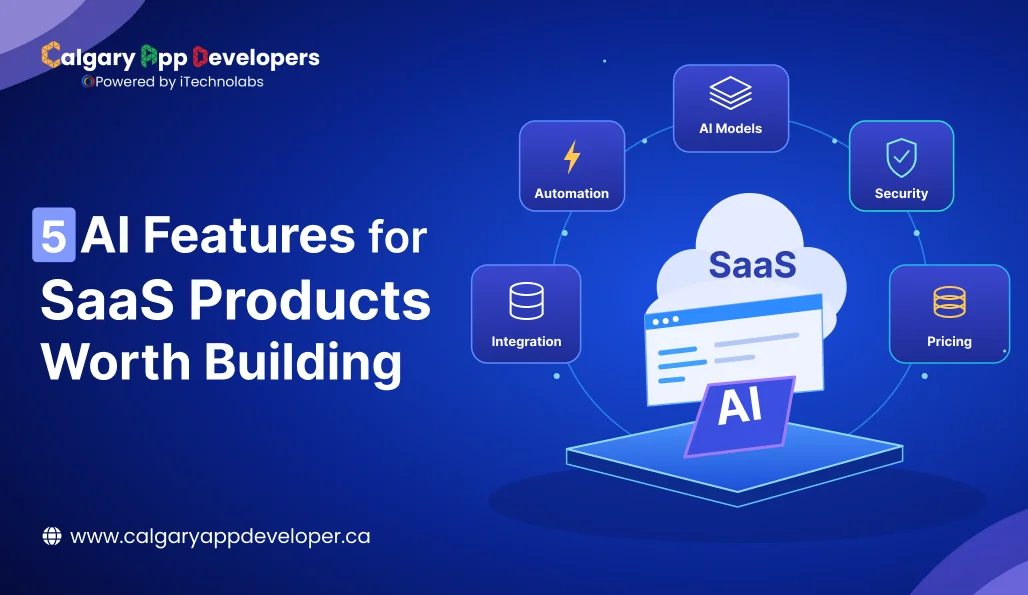
5 AI Features for SaaS Products Worth Building in 2027
Key Takeaways
- Features that quietly finish work beat features that ask users to learn a new habit. Adoption follows the path of least effort, every time.
- Retrieval over your customer’s own data is the highest-value build for most B2B products, and also the one most likely to leak across tenants if you rush it.
- Agentic workflows need approval gates and an audit trail before they need more autonomy. Gartner’s cancellation forecast is mostly a governance story.
- Vertical depth is the real moat left. A model that understands Alberta land titles or crop input cycles outperforms a general assistant in those accounts.
- Plan for PIPEDA and Quebec’s Law 25 at architecture time. Retrofitting consent and data residency after launch costs multiples of building it in.
- Expect $45,000 to $180,000 CAD for a production-grade feature set in Canada, with Calgary rates landing well below Toronto and Vancouver.
Most AI features for SaaS products don’t fail because the model was wrong. They fail because nobody opens them twice. The roadmap item shipped, the launch post went out, the usage chart flatlined by week three, and the team moved on to the next thing.
That pattern is now big enough to show up in analyst forecasts. Gartner predicts that over 40% of agentic AI projects will be canceled by the end of 2027, pointing at escalating costs, unclear business value and weak risk controls. Gartner also reckons only about 130 of the thousands of vendors claiming agentic capability are the real thing.
So the planning question for 2027 isn’t whether your product needs smart features. That argument ended two years ago. What you’re really deciding is which five or six bets are worth your engineering quarter, what they’ll cost in CAD once inference and monitoring are in the budget, and whether your customer’s data can legally go anywhere near a model in the first place. Canadian SaaS teams carry that last constraint in a way American competitors writing about this topic simply don’t.
What Changed Between 2025 and 2027 for AI Features in SaaS?
The bar moved from shipping AI to proving people use it. Buyers now ask adoption questions during procurement, and boards ask about cost per active user.
Back in 2024 and 2025, adding a “Summarize” button was a positioning win. It got a line in the release notes and maybe a mention on a sales call. That window closed. Buyers have now sat through two years of demos where every vendor claims the same capabilities, so the demo itself stopped being persuasive.
Here’s what actually shifted. Procurement teams got specific. They want to know which features your existing customers use weekly, not which ones exist. They want to know where data goes during inference, and whether a subprocessor in another country touches it. Canadian buyers in regulated sectors ask that question first now, before features come up at all.
The economics changed too. A chatbot that nobody uses still costs you nothing much. An agentic workflow running thousands of times a day against a frontier model shows up on the cloud bill as a real line item. That’s the cost pressure sitting behind Gartner’s cancellation number, and it’s why “can we afford this at 10x current usage” belongs in the feature spec rather than the post-mortem.
The third shift is the one most teams underrate. Users got picky. They’ve been burned by confident wrong answers, so trust now has to be earned per feature. A summarization tool that is hallucinated once in a client-facing report doesn’t get a second chance from that user, no matter how much the accuracy has improved since.
Feature 1: Agentic Workflows That Finish the Job Instead of Suggesting It
Agents that complete multi-step work inside your product, with the user holding a veto. This is the highest-ceiling feature of 2027 and the easiest one to get badly wrong.
The distinction worth holding onto: a copilot tells you what to do, an agent does it. In a property management platform, a copilot drafts the late-rent notice. An agent pulls the ledger, identifies which tenants are past the grace period, drafts each notice with the right unit and amount, queues them, and waits for one click. That’s a different value proposition and a different risk profile.
What makes these work in production:
- Approval gates on anything that touches money, people or legal records. The agent prepares; the human releases. Teams that skip this end up with a support queue full of actions nobody authorized, and the feature gets switched off by an admin within a month.
- A visible audit trail per run. Every step the agent took, what data it read, what it changed, who approved it. Your enterprise customers will ask for this during security review. Build it as a first-class part of the feature, not a logging afterthought.
- Narrow scope at launch. One workflow, end to end, done properly. Agents that claim to handle “your operations” handle nothing reliably. The ones that reconcile invoices and only reconcile invoices get used daily.
- Graceful failure with a handoff. When the agent hits something it can’t resolve, it needs to stop and hand the user a clear picture of where it got to. Silent partial completion is worse than no automation.
- Deterministic steps wherever possible. Not every step needs a model. Fetching records, applying a rule, writing to the database: that’s code. Use the model for the judgment calls and leave the rest to logic you can test.
- Cost ceilings per run and per tenant. Set them before launch. An agent that loops on an edge case can burn a surprising amount of inference budget overnight.
- A kill switch your support team can reach. Not a deploy. A toggle.
Gartner’s warning about “agent washing” is worth reading as a product note, not just a vendor critique. If what you’re building is a chatbot with a nicer prompt, call it that internally. Mislabelling shapes expectations you then can’t meet.
Feature 2: Retrieval-Grounded Answers Over Your Customer’s Own Data
Answers drawn from the customer’s documents, records and history rather than general model knowledge. For most B2B products this is the single highest-value feature available.
Your users don’t need a model that knows about the world. They need one that knows about their account. The contract uploaded in March, the inspection notes from last quarter, the three support tickets that explain why this client churned. That information already sits in your product. Most of it is effectively unsearchable.
Retrieval changes the question your users can ask from “where did I file that” to “what did we agree about renewal terms.” That’s a big jump in perceived product intelligence, and you get it without training anything.
Where teams run into trouble:
- Tenant isolation has to be enforced at the retrieval layer, not the prompt. Filtering by customer ID inside the instruction text is not a security boundary. One malformed query or clever user and you’ve got cross-tenant data exposure, which in Canada is a reportable privacy breach under PIPEDA. Partition the index. Verify it with tests that deliberately try to break through.
- Permissions inside a tenant matter too. If a junior account manager can’t open the compensation folder in your UI, retrieval must respect that. Inheriting your existing access model is the only safe approach, and it’s work.
- Citations are not optional. Every answer shows which document and which section it came from, clickable. This is what converts a feature users distrust into one they rely on, because they can verify in two seconds.
- Stale content needs handling. When a contract gets superseded, the old version should stop surfacing as current truth. Version awareness in retrieval is unglamorous and it’s where accuracy complaints usually originate.
- Consent for using customer content. If your terms don’t clearly cover processing customer data through a model, and particularly through a third-party API, you need to fix the terms before you ship. Quietly expanding the use of data you hold is the fastest route to a privacy complaint.
- An honest “I don’t know.” The system should refuse when retrieval comes back thin rather than reaching for general knowledge. A wrong confident answer about a real contract does more damage than a blank.
Feature 3: Predictive Signals That Reach the Right Person Automatically
Churn risk, anomalies and usage drift, routed to whoever can act on them. The prediction is the easy part. Delivery is where the value lives.
Nearly every SaaS product has a churn model somewhere, usually feeding a dashboard nobody checks on a Tuesday. The model might be good. It doesn’t matter, because a risk score sitting in an analytics tab changes no behaviour.
The feature that works pushes the signal outward. The account manager gets a message naming the account, the reason, and one suggested next step. The ops lead gets alerted that a client’s data volume dropped 60% overnight, before the client notices and calls in angry.
What to build into it:
- A stated reason, always. “Risk score 0.82” is useless. “Logins down 70% across three of four seats since the admin changed” is actionable. Users trust signals they can sanity-check.
- One action attached. Draft the email, open the ticket, schedule the call. Removing the next step from the user is most of the value.
- Thresholds the customer controls. Alert fatigue kills these features faster than inaccuracy does. Let admins tune sensitivity per signal type.
- Anomaly detection on operational data, not just revenue. Failed syncs, duplicate records, a field that stopped being populated. Catching your customer’s data problems before they do earns remarkable loyalty.
- Routing by role. Finance anomalies to finance, usage drops to CS, integration failures to the technical contact. Broadcasting everything to everyone trains people to ignore all of it.
- A feedback loop that’s one click. Was this useful, yes or no. Without it you can’t improve the model, and you can’t prove the feature’s worth at renewal.
- Suppression after action. Once someone handles an alert, it stops repeating. Sounds obvious. Gets missed constantly.
Feature 4: Intelligent Defaults That Compress Time to Value
The model pre-fills, pre-configures and pre-sorts based on what the user has already done. Users often don’t register this as an AI feature at all, which is exactly why adoption runs high.
This is the category with the best risk-adjusted return and the least marketing glamour. Nobody writes a press release about smarter form defaults. But the usage numbers on these features tend to embarrass the flashier ones, because adoption requires no new behaviour whatsoever. The feature meets users inside the workflow they already have.
Concrete versions of this:
- Onboarding that configures itself. New account answers three questions, and the model sets up the workspace, naming conventions and starter templates to match. You’ve cut a two-week setup to an afternoon, which directly affects your activation rate.
- Field-level prediction during data entry. The model watches how this user fills similar records and pre-populates the predictable parts. Tab, tab, confirm. Minutes saved per record compound into hours per week.
- Auto-categorization and tagging on ingest. Expenses, tickets, documents, leads: sorted on arrival rather than in a Friday cleanup session.
- Smart routing without a rules engine. Work items reach the right queue based on content and history, so your customer’s ops manager stops maintaining 40 brittle routing rules.
- Surfacing the next likely action. Based on where this user is in their process, not a static tooltip tour.
- Error prevention before submit. Flagging the mismatched date, the duplicate client, the amount that’s an order of magnitude off the usual. This is the single most appreciated version of invisible intelligence.
- Reordering the interface around actual usage. The three reports this user runs weekly come first. The other 40 move down.
One caution. Defaults must stay easy to override, and overriding one should teach the system. Confident wrong defaults that keep returning turn a helpful feature into an irritant.
Feature 5: Vertical AI Trained on One Industry’s Actual Workflow
Models and prompts shaped around a single industry’s language, documents and rules. General capability is commoditized now, so depth in one vertical is the defensible position left.
A general assistant inside a general product competes with every other general assistant, including free ones. A model that knows what an Alberta Energy Regulator filing contains, or how a Canadian crop input invoice is structured, competes with almost nothing.
Alberta and the broader Canadian market offer unusually good ground for this:
- Energy services. Compliance documentation, well data, field tickets and subcontractor paperwork. Document-heavy, rule-heavy, and badly served by generic tools. Calgary SaaS teams have a genuine home-field advantage here through proximity to the customers.
- Agri-tech. Seasonal cycles, input costs, yield records and grain contracts. Prediction has obvious value and the data is often already being collected.
- Real estate and property management. Lease abstraction, title documents, maintenance history and tenant communication. Provincial variation in tenancy rules is precisely the kind of nuance a vertical model can encode and a general one gets wrong.
- Healthcare and clinical administration. Scheduling, referral triage, documentation load. The compliance bar is high, which keeps casual competitors out.
- Construction and trades. Change orders, progress billing, safety documentation, scheduling against weather. Alberta’s project mix makes this a strong local vertical.
- Logistics and fleet. Route optimization, dispatch, maintenance prediction, cross-border documentation for US-bound freight.
- Professional services and accounting. Engagement letters, working papers, deadline management against CRA timelines.
- Public sector and municipal software. Procurement rules, records retention and bilingual delivery requirements that general products handle poorly.
What makes vertical AI actually vertical: domain vocabulary the model handles without explanation, document structures it recognizes on sight, workflow sequences that match how the work genuinely happens, and evaluation sets built from real industry examples. Swapping the system prompt to say “you are an expert in construction” doesn’t count.
Which AI Features Should You Skip in 2027?
Some of the most commonly built features have the worst adoption records. Cutting these from the roadmap frees the budget for the five above.
- The open-ended “ask anything” chatbot. Users don’t know what to ask, the answers vary in quality, and the novelty burns off in days. If you need conversational access, scope it to a defined job.
- AI-generated reports nobody requested. Generating a weekly summary that lands in an inbox and gets deleted costs you inference spend and teaches users to ignore your emails.
- Features requiring a brand new user habit. If adoption depends on users remembering a new place to go and a new way to work, assume most won’t. Meet them inside the existing flow instead.
- Sentiment scoring with no attached action. Knowing a ticket is “negative” without routing or prioritization changing is a number on a screen.
- Dynamic pricing in B2B contexts. Technically straightforward, commercially risky. Customers who discover variable pricing logic tend to react badly, and in some sectors you’re walking into regulatory questions.
- Model-written content your customer sends under their own name. Liability and quality issues outweigh the time savings in most professional contexts. Drafting assistance with mandatory review is the defensible version.
- A rebuild of your core architecture to be “AI-native” before you have one adopted feature. Prove value in one workflow, then let what you learn drive architectural change.
Should You Build AI Features In-House or Buy Them?
Three realistic paths exist, and most teams should start further right on this table than instinct suggests. Competitors on this topic skip the comparison entirely, which is how teams end up over-building.
| Factor | Build custom models | Foundation model API + retrieval | Embed a vendor feature |
| Time to first release | 6 to 12 months | 4 to 12 weeks | 2 to 6 weeks |
| Upfront cost (CAD) | $200,000+ | $45,000 – $180,000 | $10,000 – $45,000 plus licence |
| Ongoing cost driver | ML team salaries and training compute | Per-token inference and monitoring | Vendor per-seat or usage fees |
| Differentiation | Highest, if the data is genuinely yours | Strong when the retrieval layer is proprietary | Low, competitors can licence the same thing |
| Data control | Full, stays in your environment | Depends on provider terms and region | Weakest, data transits a third party |
| Best suited to | Large proprietary datasets and a core AI value prop | Most SaaS products adding real capability | Commodity needs like transcription or OCR |
The middle column is where the large majority of Canadian SaaS products belong in 2027. You get genuine capability in a quarter, your differentiation lives in the retrieval layer and workflow design rather than model weights, and you can switch providers if pricing or terms move against you.
Build custom only when the data moat is real and the capability is your core promise rather than a supporting feature. Buy when the need is commodity and nobody will choose your product because of it. The costly mistake runs one direction: teams build what they should have bought, spend two quarters on it, and ship something a vendor already does better.
What Do AI Features for SaaS Cost to Build in Canada?
Most production-grade AI feature builds in Canada run $45,000 to $180,000 CAD for a scoped set of two to three features on an existing platform. Where you land depends on how much data plumbing is needed before any model work starts, and on how heavy the compliance requirements are. Full platform re-architecture sits well above that range.
| Location | Typical Cost Range (CAD) | Notes |
| Toronto, ON | $95,000 – $260,000 | Largest agency market; highest senior rates |
| Vancouver, BC | $85,000 – $230,000 | Deep tech talent pool, premium pricing |
| Calgary, AB | $45,000 – $150,000 | Senior talent, lower overhead, strong value |
| Ottawa, ON | $60,000 – $170,000 | Gov-tech specialists, security-cleared teams |
| Montreal, QC | $50,000 – $140,000 | Strong ML research base, bilingual delivery |
| Offshore | $20,000 – $65,000 | Low rates, weak accountability, revision costs add up |
Calgary’s position on this table is the practical story. You’re getting senior engineers who’ve shipped production systems at rates roughly 30% to 40% under Toronto, in your timezone, under Canadian privacy law. Offshore quotes look attractive on the first page and tend to even out once revision cycles, handover gaps and compliance rework get counted.
How Do You Know an AI Feature Is Actually Working?
Four numbers tell you more than any accuracy benchmark. Teams that track these catch failing features in weeks rather than quarters.
- Weekly active usage of the feature, per account. Not total invocations, which one enthusiastic user can inflate. The question is whether this feature became part of normal work for a meaningful share of seats. Below roughly 10% of eligible users at the 60-day mark, something’s wrong with discovery or with the feature itself.
- Repeat rate. How many users who tried it once came back a third time. This is the clearest trust signal you have. High first-use and low repeat means the output disappointed people.
- Output quality against a fixed evaluation set. Build a set of real examples with known good answers, and re-run it on every model or prompt change. Without this you’re guessing about whether yesterday’s tweak helped, and model providers update their models underneath you.
- Cost per active user. Inference spend divided by people actually using it. This number decides whether the feature survives contact with scale.
Beyond the metrics, two things need to exist before launch. A rollback path, meaning a feature flag that disables it per tenant without a deploy, because you will need it. And a way for users to report a bad output in one click, with those reports landing somewhere a human reviews weekly. Hallucination handling isn’t a model property, it’s a process you run.
Build Your SaaS AI Features With CalgaryAppDeveloper
If you’re weighing which AI features for SaaS to put on your 2027 roadmap, you don’t have to work it out alone. CalgaryAppDeveloper builds and ships these features for Canadian SaaS companies, and the starting point is usually a conversation about which single feature would change your retention numbers most.
What working with our Calgary team looks like in practice:
Scoping before building. We’ll look at your data, your users and your compliance position, then tell you honestly which features are worth the quarter and which ones to skip. Sometimes that means recommending you buy rather than build.
Senior engineers in your timezone. Product engineers who’ve shipped production systems, working overlapping hours with your team. When requirements shift mid-build, and they will, that proximity is what keeps the project on track.
Canadian privacy built in from the start. PIPEDA obligations, Law 25 for Quebec users, data residency and tenant isolation designed in at architecture time rather than patched in after a security review.
Competitive Calgary rates. Senior Canadian delivery at rates well below Toronto and Vancouver, without the accountability gaps that come with offshore arrangements.
Vertical experience. Energy services, real estate, healthcare, logistics and agri-tech: industries where domain depth separates a useful feature from a demo.
Conclusion
The teams that win on AI features for SaaS in 2027 won’t be the ones who shipped the most. They’ll be the ones who shipped three or four features people actually use every week, priced them so they stay profitable at scale, and built them on an architecture that survives a Canadian security review.
That means picking deliberately. Agentic workflows where the work is repetitive and the stakes justify approval gates. Retrieval over your customer’s own data, with tenant isolation you’ve tested rather than assumed. Predictive signals routed to people who can act, not parked on a dashboard. Intelligent defaults that compress time to value without asking anyone to learn something new. And vertical depth in one industry where you can out-know every general tool on the market.
Skip the open-ended chatbot. Skip the reports nobody asked for. Put that budget into making one feature genuinely good instead of five features that technically exist.
The practical next step is smaller than most roadmaps assume. Pick the one workflow where your users lose the most time, scope a feature that removes it, set a cost ceiling and an adoption target before you start, and ship it in a quarter. Measure repeat usage at 60 days. Then decide what comes next based on what you learned rather than what your competitor announced.
If you want a second opinion on that pick, or a team to build it, CalgaryAppDeveloper works with Canadian SaaS companies on exactly this. Get in touch and we’ll help you choose well.
FAQs
Q. What are the most important AI features for SaaS products in 2027?
Agentic workflows with approval gates, retrieval-grounded answers over customer data, predictive signals routed to the right person, intelligent defaults that compress onboarding, and vertical AI shaped around one industry. These five share a trait that explains their adoption rates: each removes work from the user instead of adding a new habit. Features that require users to go somewhere new and learn something new consistently underperform, regardless of how good the underlying model is. Start with whichever one targets your biggest source of user friction.
Q. How much does it cost to add AI features to a SaaS product in Canada?
Most production-grade builds run $45,000 to $180,000 CAD for two to three features on an existing platform. Calgary rates typically land 30% to 40% below Toronto and Vancouver for comparable senior talent. The biggest cost variable isn’t the model work, it’s data readiness: clean, accessible data means starting immediately, while scattered legacy data can add four to eight weeks of groundwork first. Budget separately for ongoing run costs of roughly $500 to $6,000 CAD monthly covering inference, monitoring and evaluation tooling.
Q. How long does it take to build and launch an AI feature?
A single well-scoped feature built on a foundation model API with retrieval usually takes four to twelve weeks from kickoff to production. Custom model development runs six to twelve months and rarely makes sense unless AI is your core value proposition. Embedding a vendor feature for something commodity, like transcription, can be live in two to six weeks. Data preparation is the step that most often stretches these timelines, so audit your data access before committing to a date.
Q. Should we build AI features in-house or use third-party APIs?
Most Canadian SaaS products should use foundation model APIs with their own retrieval layer. You get real capability in a quarter, your differentiation lives in workflow design and proprietary data rather than model weights, and you keep the option to switch providers if terms change. Build custom models only when you hold a genuinely large proprietary dataset and AI is your central promise. Buy off the shelf when the capability is commodity and no customer will pick you because of it.
Q. What does PIPEDA require when a SaaS product processes data through AI?
You need meaningful consent for processing personal information through a model, which means your privacy policy and terms must actually cover that purpose. Policies written before you added AI features generally don’t. If you have Quebec users, Law 25 adds requirements around automated decision-making, including disclosure and the right to request human review. Many Canadian buyers also ask which country processes their data, so decide on regional endpoints at architecture time rather than retrofitting residency later.
Q. Why do most AI features in SaaS products fail to get adopted?
Three reasons dominate. The feature asks users to adopt a new behaviour rather than improving one they already have. The output disappointed someone once, and trust doesn’t come back easily after a confident wrong answer. Or the feature solves a problem the team assumed existed without validating it with users first. Gartner’s forecast that over 40% of agentic AI projects will be canceled by end of 2027 points at the same cluster of issues: unclear value, escalating cost and weak risk controls.
Q. Why work with a Calgary development team instead of going offshore?
Rate is the obvious difference, and the less obvious one matters more. AI feature projects almost always shift mid-build as you learn what the model handles well, and resolving that needs overlapping work hours and direct conversation rather than overnight ticket cycles. A Calgary team also builds under Canadian privacy law by default, which means PIPEDA and data residency get designed in rather than discovered during a customer security review. Offshore quotes often look 60% cheaper upfront and narrow considerably once revision cycles and compliance rework are counted.


Pankaj Arora is a seasoned technology leader and the Founder of Calgary App Developer, with 10+ years of expertise in crafting high-performance digital solutions. His core competencies include full-stack app development, cloud-native architecture, API integration, and agile product delivery. Under his leadership, Calgary App Developers has empowered startups and enterprises alike with scalable mobile applications, secure web platforms, and AI-driven SaaS products.